Capture customer reviews automatically
The best time to ask a customer for a review is as soon as you make the sale or complete a project – you’re still fresh in their mind. But it’s easy to forget to ask for those reviews at the time. That’s where automation comes in. With Zapier, you can set up workflows (called Zaps) to automatically send a review request after a specific milestone is reached in your CRM. For example, you can use this Zap to ask for a Google review one day after you close a deal: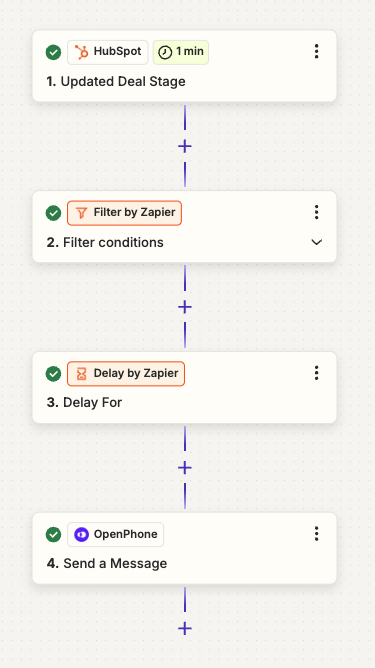
- Trigger: Stage to closed won (sale completed)
- Action: Only continue for certain filter criteria (ex: company size, if the customer is interested in sharing a review etc)
- Action: Zapier Delay for XYZ Days
- Action: Send a text message asking for feedback and Google Review
Handle negative reviews with pre-written snippets and fast responses
A negative review is never nice to receive, but it gives you a chance to show your commitment to improving your customer experience. With Quo (formerly OpenPhone), you can create a workflow to manually respond to low reviews, so you can address those concerns faster:Create a snippet for quick responses
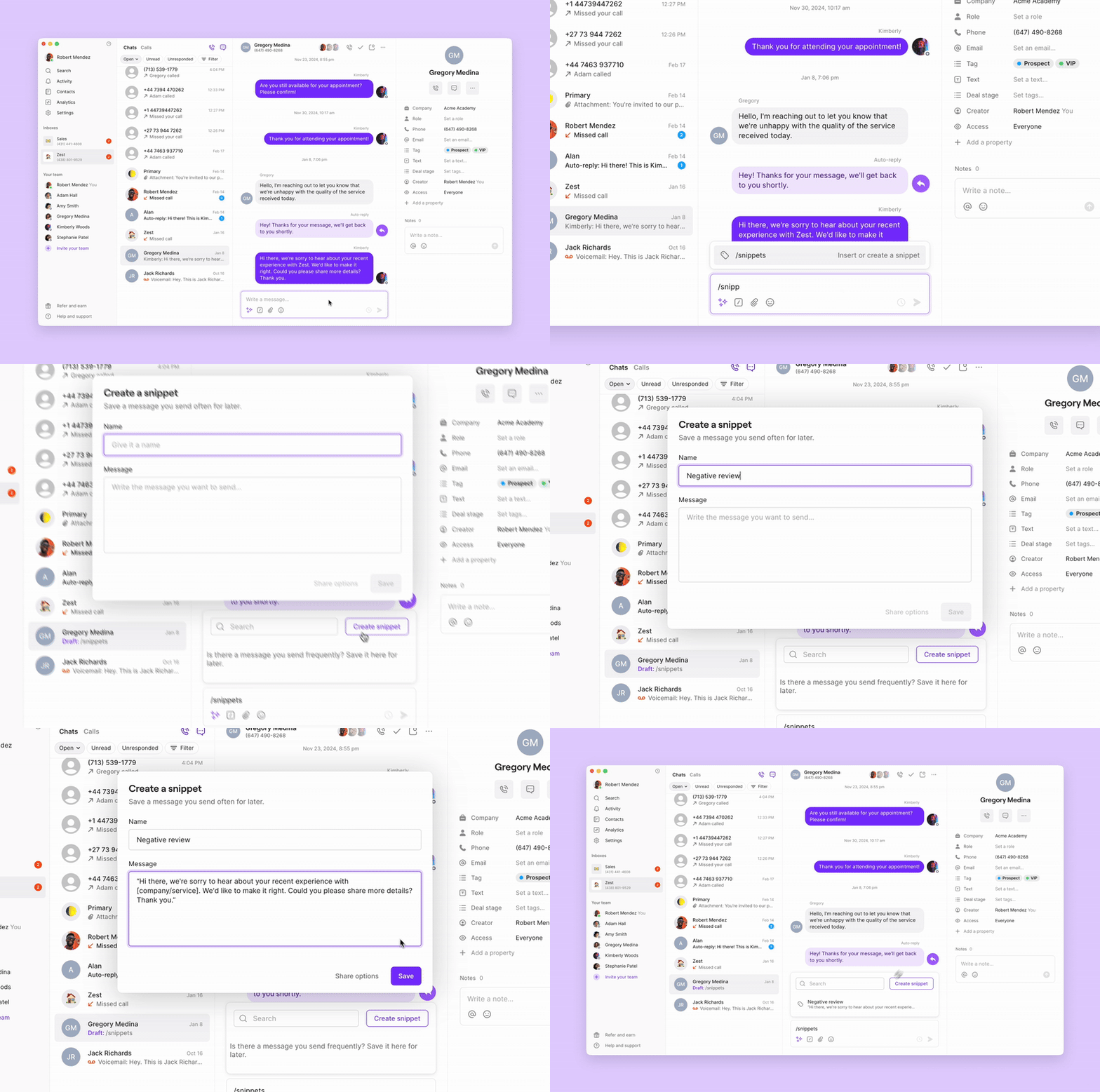
Snippets are pre-written text templates that you can use to message contacts quickly. They save time and help to maintain a consistent tone across your team’s responses.This is an example of a potential snippet for responding to negative reviews: Hi there, we’re sorry to hear about your recent experience with [company/service]. We’d like to make it right. Could you please share more details? Thank you.Here’s how to set up snippets in Quo:
- Open a conversation and type /snippets in the reply box.
- Click on the /snippets button to add or create a snippet.
- Select an existing snippet or create a new one for future use.
Schedule your message
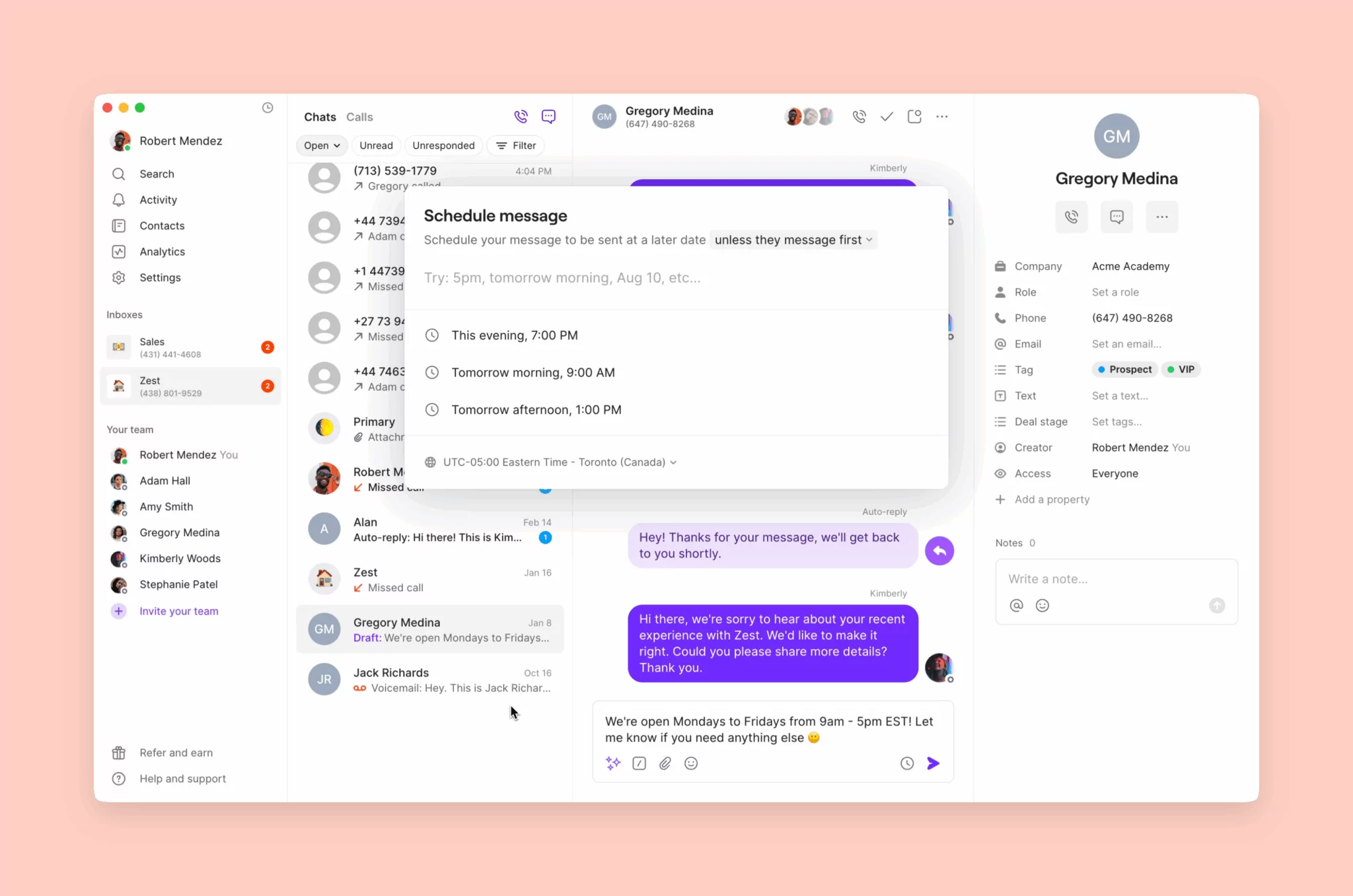
Timing matters when reaching out to unhappy customers. Ideally, you should send the message immediately after receiving negative feedback to show you’re proactive. But if it’s late at night or your customers work in a different time zone, you can use Quo’s scheduling feature to send the message at a more appropriate time. To schedule a response:- Draft your text, then select the Clock icon instead of the send button.
- Select a time to send the message.
Automate how you respond to negative reviews
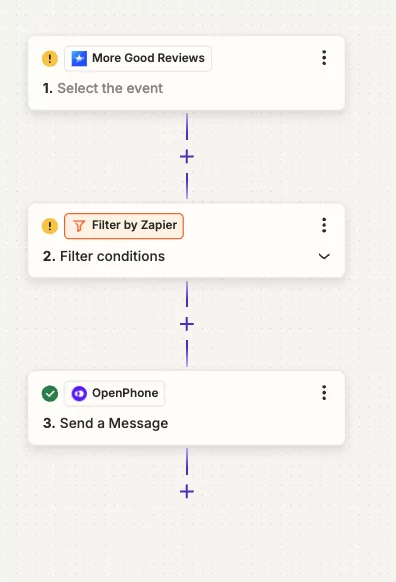
Proactively addressing low reviews allows you to improve customer satisfaction by showing that you care about their experience and are willing to make things right. With Zapier, you can trigger an automation to monitor low reviews and automatically text customers to offer help and troubleshoot their issue. Here’s how to set up this automation:- Trigger: Set the workflow to activate when a review is received (for example, in More Good Reviews).
- Filter: Add a condition to continue only if the review is below a specific rating.
- Action: Automatically send a follow-up text offering help and showing your commitment to fixing the issue.