

Overview
When a second call comes in while you’re already on an active call, call waiting lets you answer it without losing your first conversation. Your original call is placed on hold, and you can switch between both calls at any time. Call waiting is on by default. There’s no extra setup required, and it’s included on all plans.For shared inboxes, turning on Only ring if not already on another call in a ring users step overrides call waiting for that step. This setting is off by default. See ring groups for details.
When a call is placed on hold, Quo automatically plays hold music for the caller. Learn more about call hold.
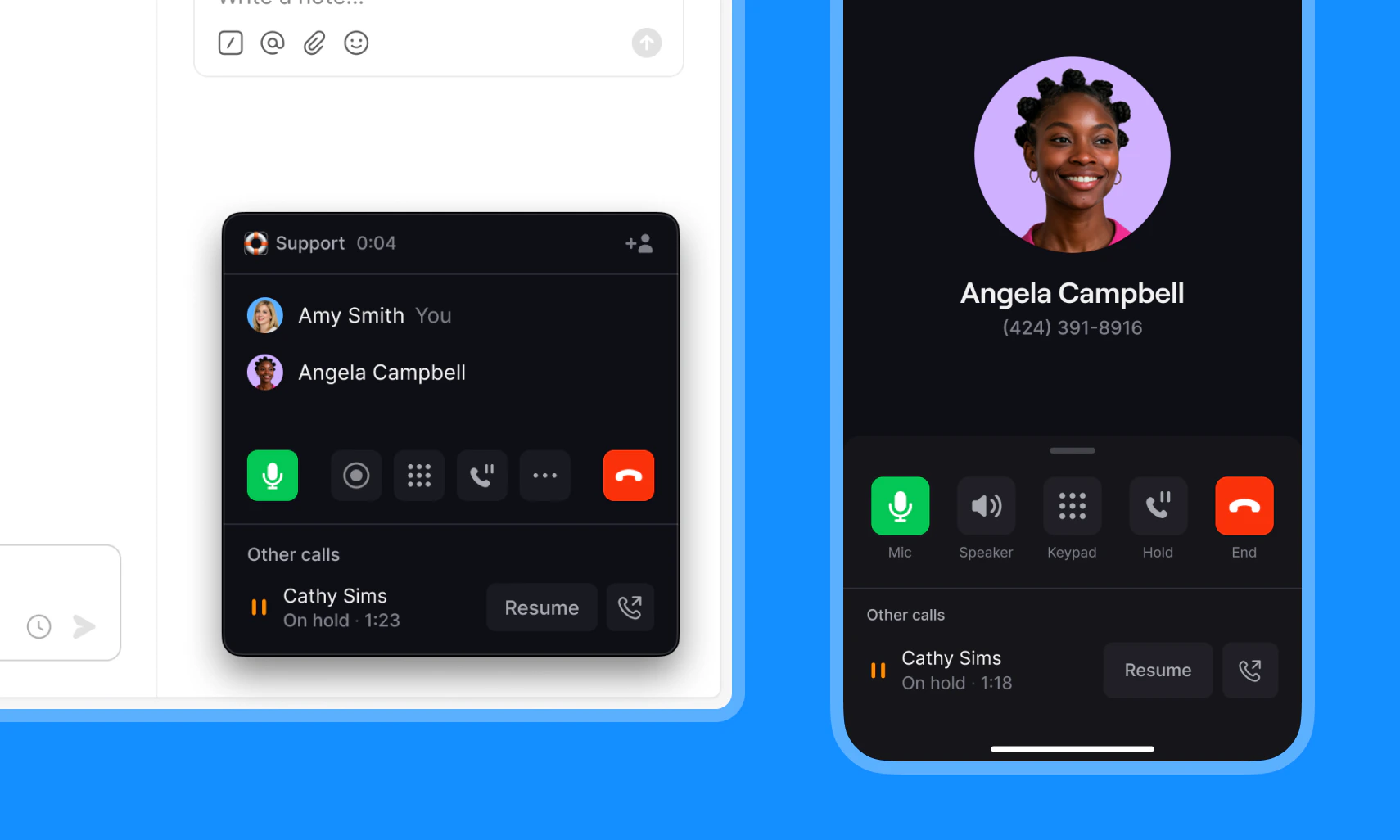
Handling an incoming call while on an active call
When a second call comes in, an incoming call notification will appear. You have a few options:- Accept the call: Your active call is automatically placed on hold.
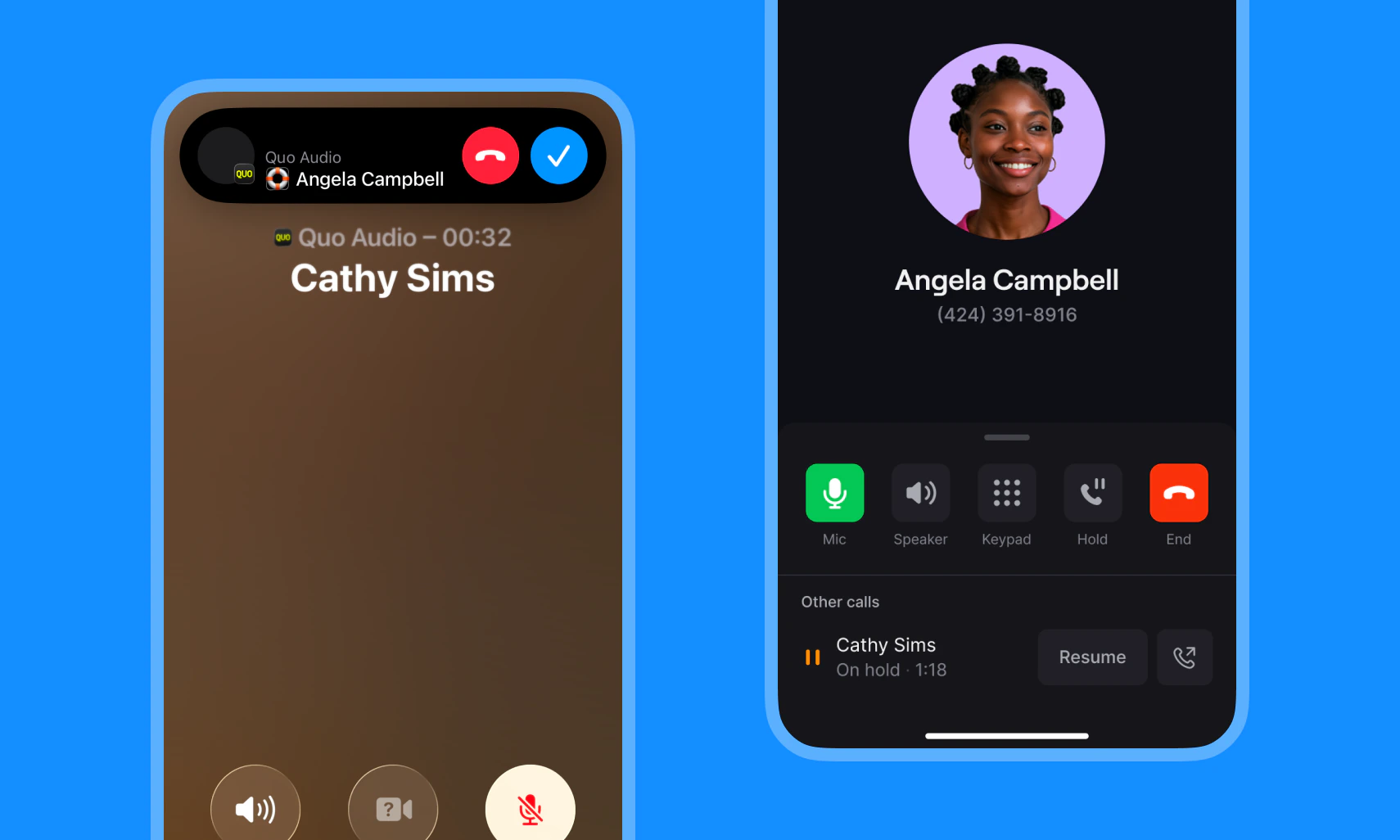
- Place your current call on hold manually: Use the hold button, then accept the incoming call. Learn how to place a call on hold →
- Reject the call: What happens next depends on your inbox type:
- Private inbox: The call is sent to the last step in your call flow (e.g. voicemail or Sona)
- Shared inbox: The call rings the next available teammate. If everyone declines, it’s routed to the last step in your call flow (e.g. voicemail or Sona)
Switching between calls
Once you have calls on hold, you can switch between them at any time by tapping or clicking the held call.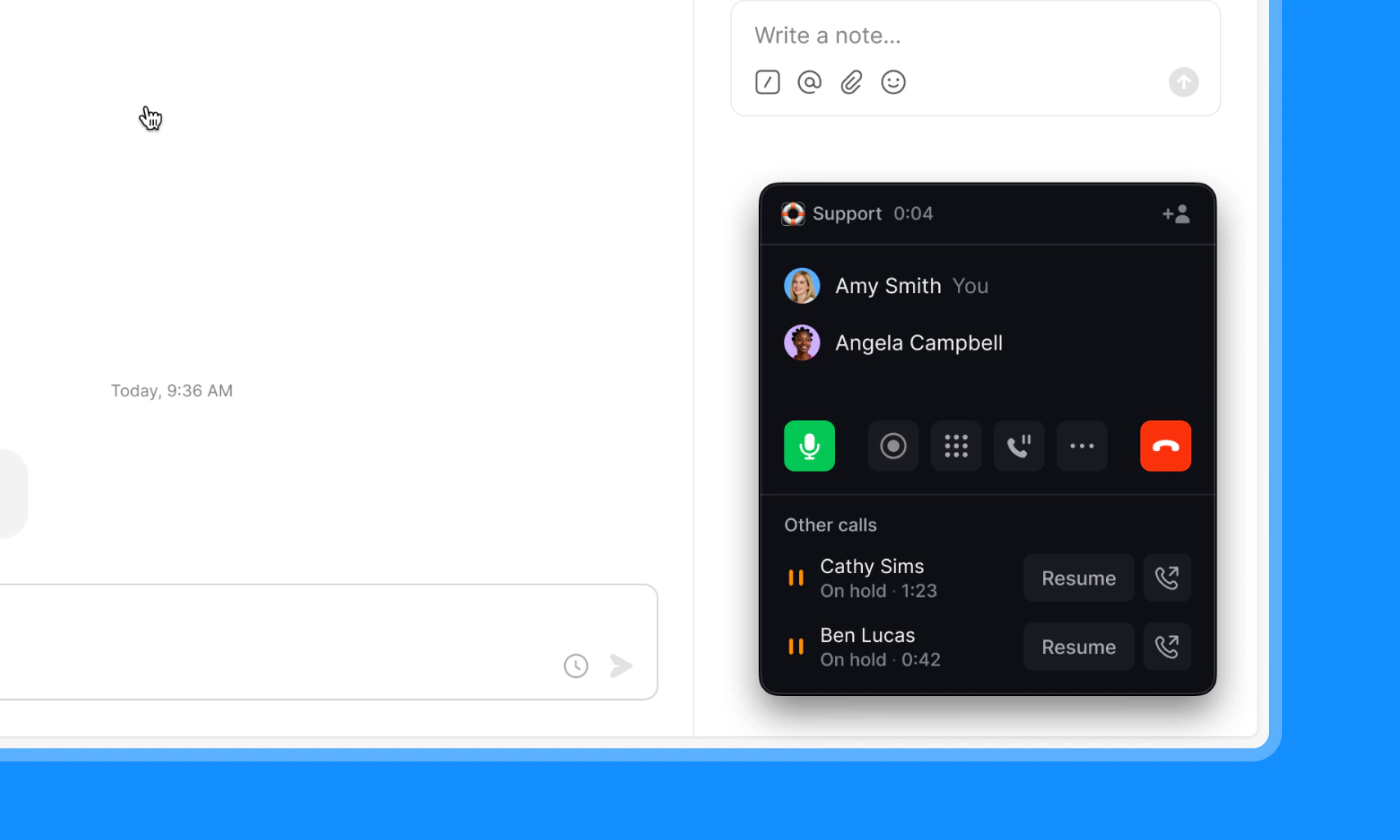
When one call ends, you’re automatically connected to the remaining call.
Call capacity by platform
iOS is limited to 2 simultaneous calls due to an Apple OS restriction — this affects all calling apps, not just Quo. When you’ve reached your call limit, any additional incoming calls are routed according to your call flow — to voicemail, Sona, or the next available teammate, depending on your setup.Transferring a held call
On Android, you can transfer a held call while on another active call. This is coming to web and desktop soon!FAQs
Does call waiting cost extra?
Does call waiting cost extra?
No. Call waiting is included on all Quo plans at no additional cost.
Why is iOS limited to 2 calls when other platforms support 3?
Why is iOS limited to 2 calls when other platforms support 3?
iOS allows 1 active call and 1 on hold (2 total) due to an Apple OS restriction. This affects all calling apps, not just Quo. Android, web, and desktop support 1 active + 2 on hold (3 total).
What happens to incoming calls when I've reached my call limit?
What happens to incoming calls when I've reached my call limit?
Any additional incoming calls are routed according to your call flow. They’ll go to voicemail, Sona, or the next available teammate, depending on your setup.
Can I transfer a call that's on hold?
Can I transfer a call that's on hold?
On Android, you can transfer a held call while on another active call. This is coming to web and desktop in a future update.
What happens if I decline an incoming call while I'm already on a call?
What happens if I decline an incoming call while I'm already on a call?
It depends on your inbox type. For a private inbox, the call is sent to the last step in your call flow (e.g. voicemail or Sona). For a shared inbox, the call rings the next available teammate. If no one answers the call, it’ll follow the fallback routing in your call flow.
Why didn't I get a call waiting notification for an incoming call?
Why didn't I get a call waiting notification for an incoming call?
Check whether Only ring if not already on another call is turned on for that ring users step.It’s off by default, so if it’s on, someone (you or an admin) turned it on for that call flow. When it’s on, incoming calls skip you entirely instead of triggering call waiting.See Ring groups for details.