

Overview
Call hold allows you to temporarily pause conversations with external callers while you consult with team members, look up information, or handle other tasks. Quo, formerly OpenPhone, automatically plays hold music to keep callers engaged during the pause. Hold is available on all Quo plans.Want to choose your own hold music? Learn how to customize your hold music in Quo here.
How to use call hold
- Web/Desktop
- Mobile
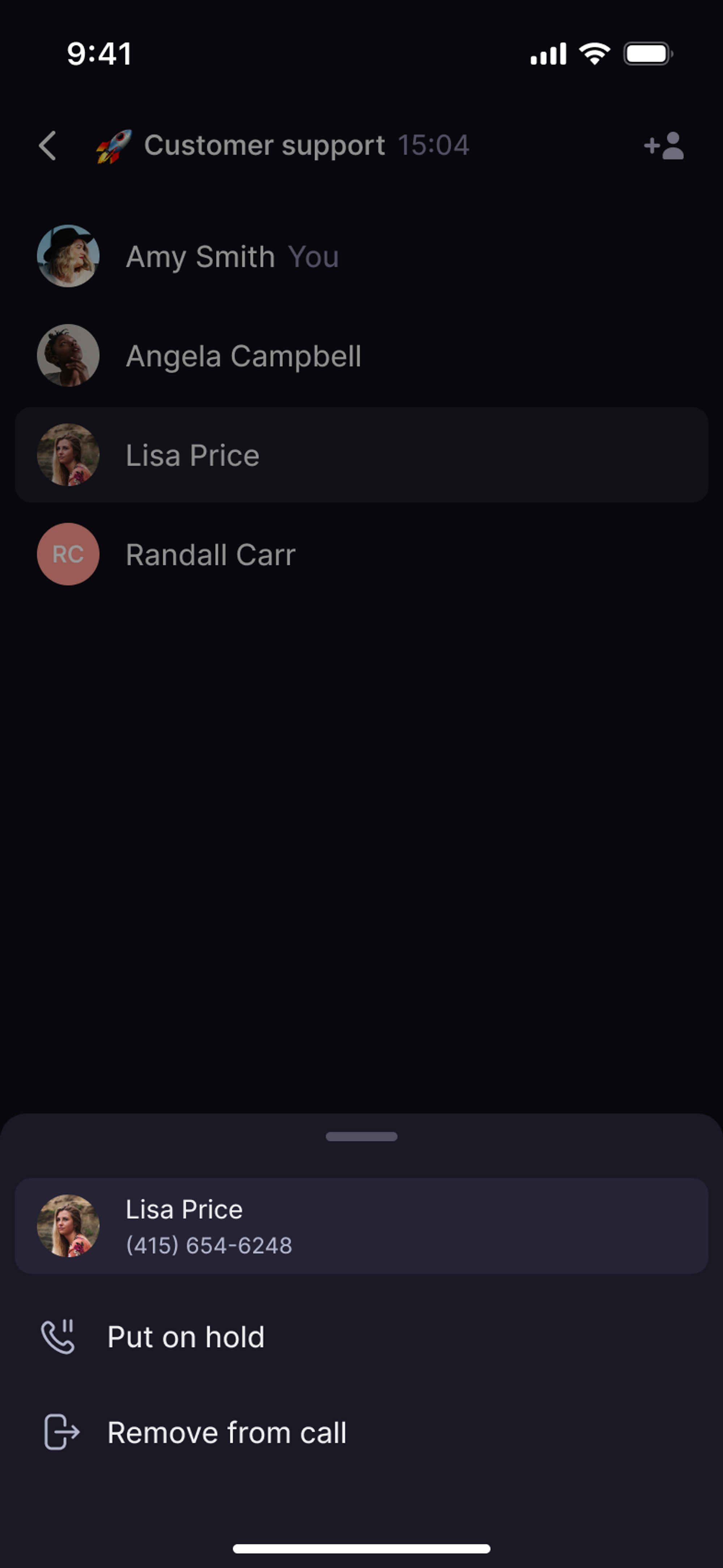
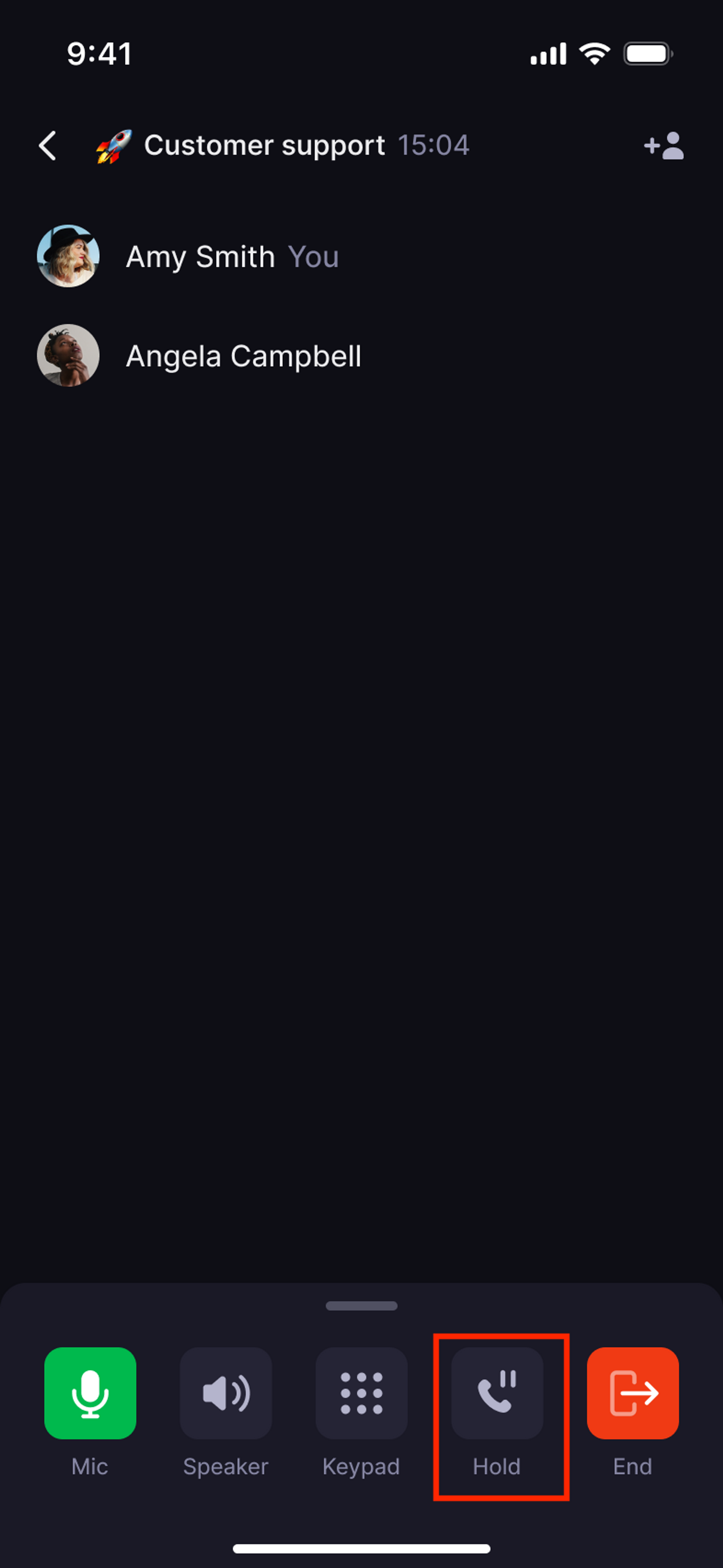
Individual caller hold
- During an active call, click the Hold button ⏸️
- The caller hears hold music while you’re away
- Click the Hold button again to resume
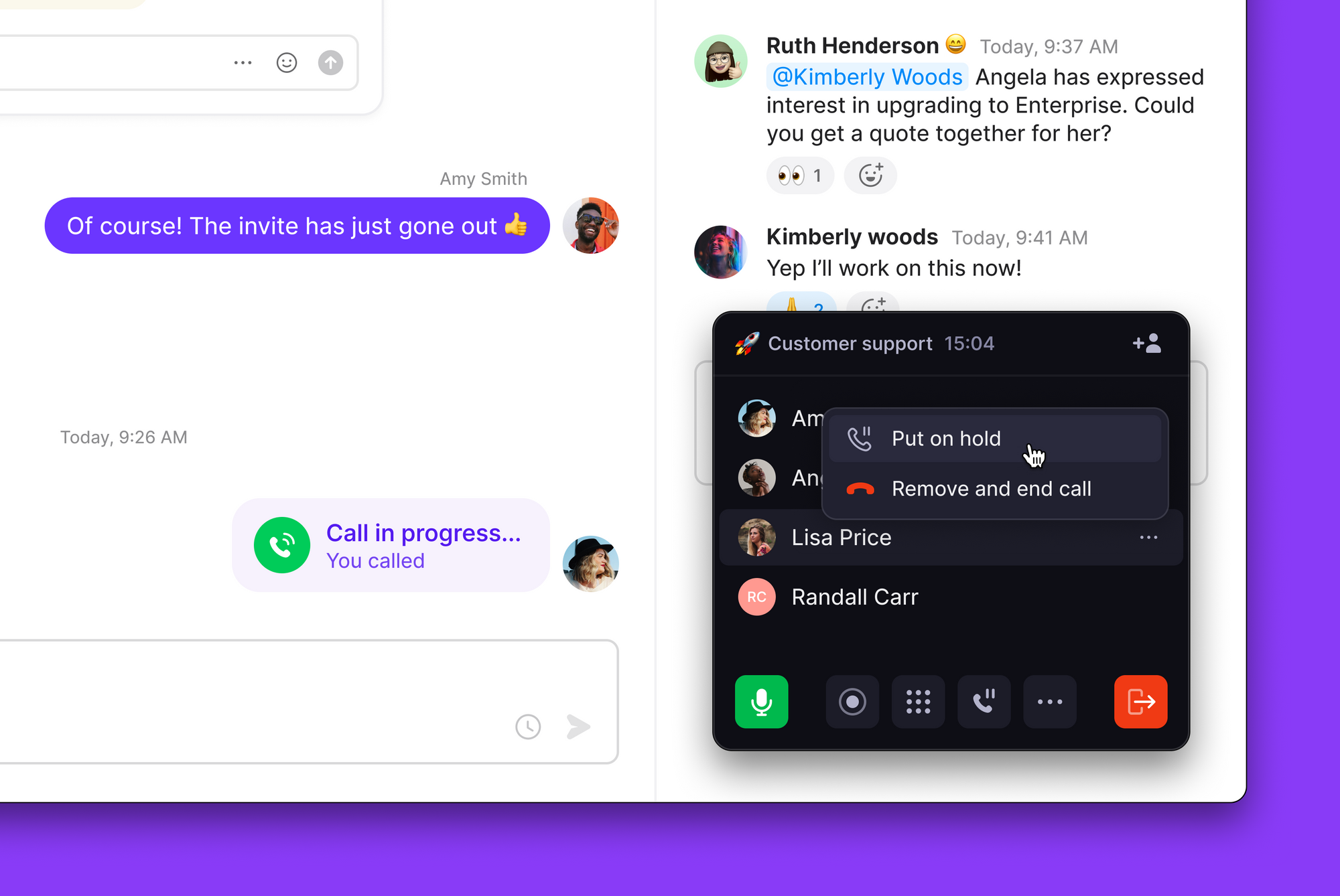
Group call hold
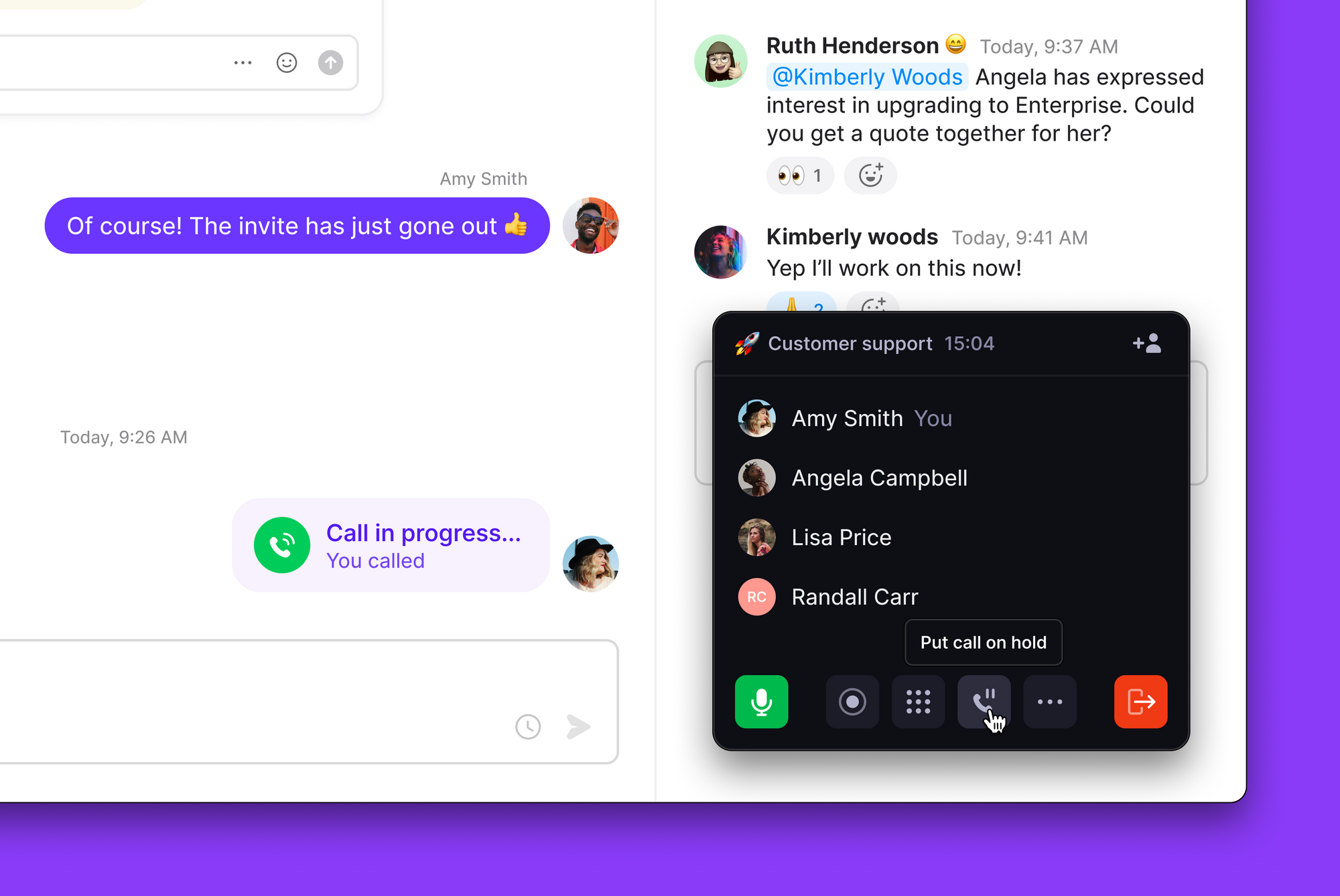
For calls with multiple external participants:- Click the put call on hold button at the bottom of the call controls
- All external callers are placed on hold simultaneously
- Click put call on hold again to resume with all participants
Who can be placed on hold
- ✅ External callers: Any number outside your Quo workspace
- ❌ Team members: Internal workspace calls cannot be placed on hold
Troubleshooting
Can't put team member on hold
Can't put team member on hold
Hold only works with external callers. Calls between Quo workspace members cannot be placed on hold.
Held call was disconnected
Held call was disconnected
If a held call disconnected, you may have reached your platform’s call limit when a new call came in. On iOS, you can hold 1 call at a time. On Android, web, and desktop, you can hold up to 2. Calls that can’t be held are routed to your call flow.
Can I change the hold music
Can I change the hold music
Currently, Quo provides one standard hold music option. Custom hold music isn’t available, but you can minimize hold times for better experience.