

Overview
Porting lets you move your existing phone number from another provider to Quo so you can keep the number your customers already know, while using Quo’s features.What is porting?
Number porting is the process of transferring a phone number from your current provider to a new one. This FCC-mandated process ensures you can keep your phone number when changing carriers, whether it’s a landline, wireless, or internet-based number.The porting process
Submit port request
Receive confirmation
Number transfers
Cancel old service
Before you transfer your number
What you need to know
Before you start a port request, keep these in mind: Service limitations- Only call and SMS functions transfer with your number
- Internet or bundled services tied to the number won’t transfer
- Once ported, your SIM card and cellular service will be deactivated. Your number will require Wi-Fi or mobile data to call and text
- Previous conversations and call history don’t carry over
- Carrier registration does not continue from previous providers and must be completed after transferring your number to Quo
You cannot send texts to US numbers your A2P 10DLC registration is complete.
Most approvals happen in 24–48 hours, but can take a little longer in rare cases if key information can’t be verified.
We strongly recommend starting your registration before or at the same time as your port request so you can send texts as soon as your number arrives.
Start your A2P Registration → - RCS messaging is not supported and must be disabled before you port
- Internet access is required to use Quo
- SMS functionality may take up to 48 hours to fully stabilize after the transfer
- Emergency services (911) aren’t available through Quo
- Some services won’t send SMS verification codes to virtual numbers
- Porting removes the number from your current carrier’s cellular network
Supported number types
We can port most North American numbers:- US local numbers: All states supported
- Canadian local numbers: All provinces supported
- Puerto Rico local numbers: Supported
- Toll-free numbers: North American toll-free prefixes (800, 833, 844, 855, 866, 877, 888)
- Not supported: International numbers outside US/Canada
Cost considerations
- Quo fees: No charges for porting in or out
- Previous carrier fees: Your current provider may charge a port-out fee
- Additional numbers: Numbers beyond your user count are billed at $5/month starting 14 days after porting
How to transfer your number
Choose your porting flow
Porting a single phone number
Porting multiple numbers
Video walkthrough
How to port your phone number
Use this flow when you want to port one phone number into Quo directly from the app.- Navigate to Settings → Phone numbers, then click Port an existing number
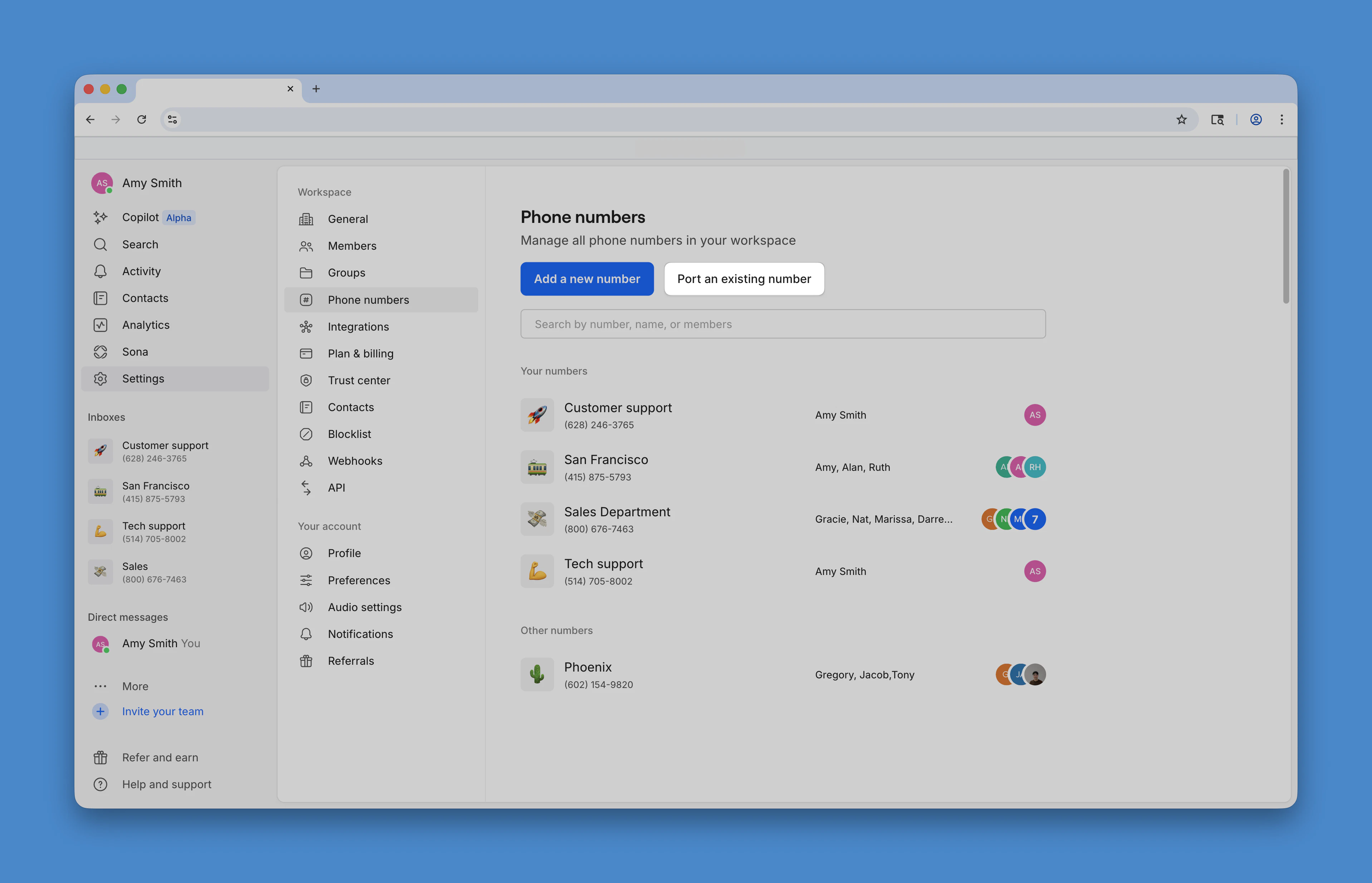
- Click Continue to porting
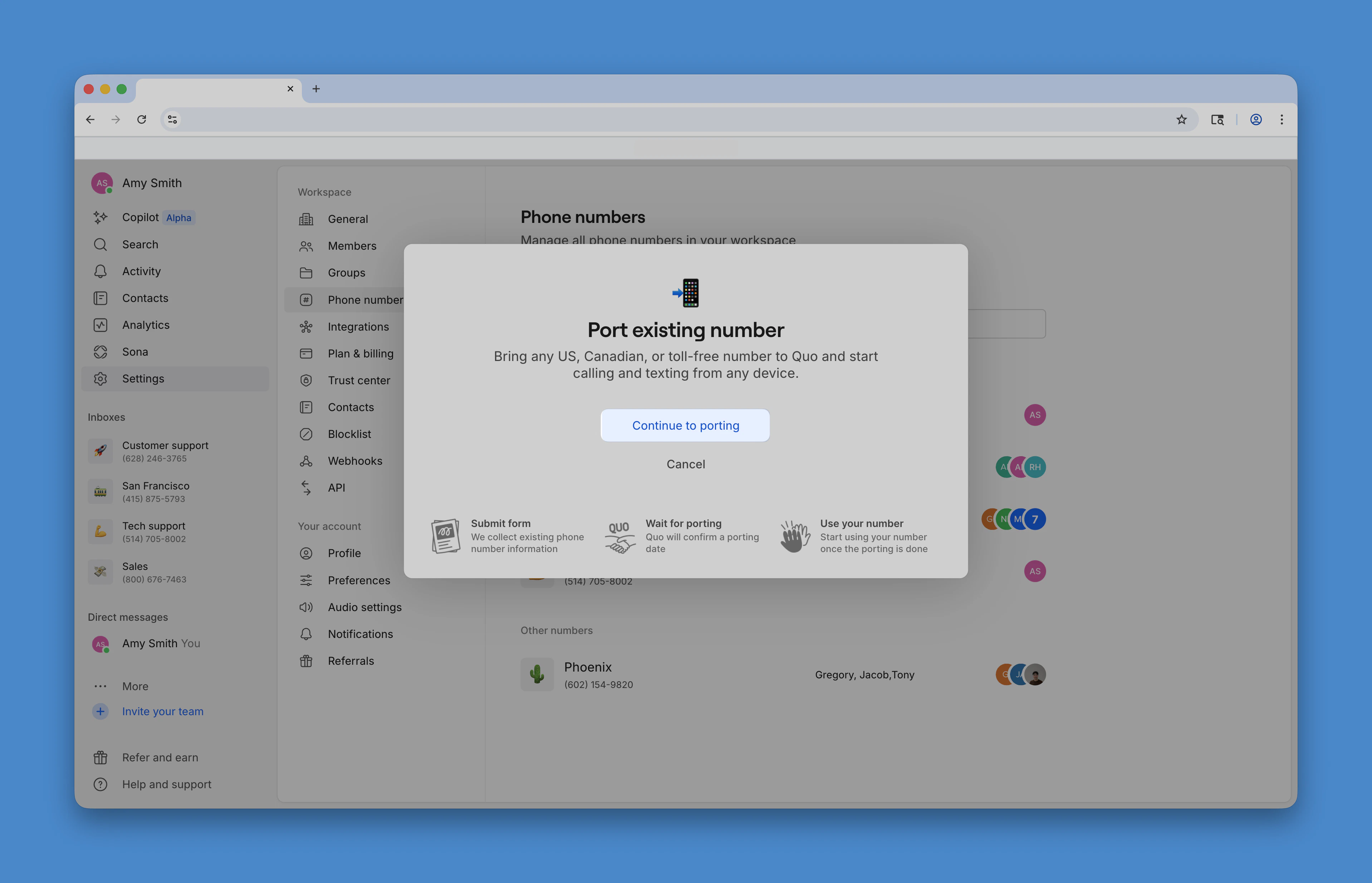
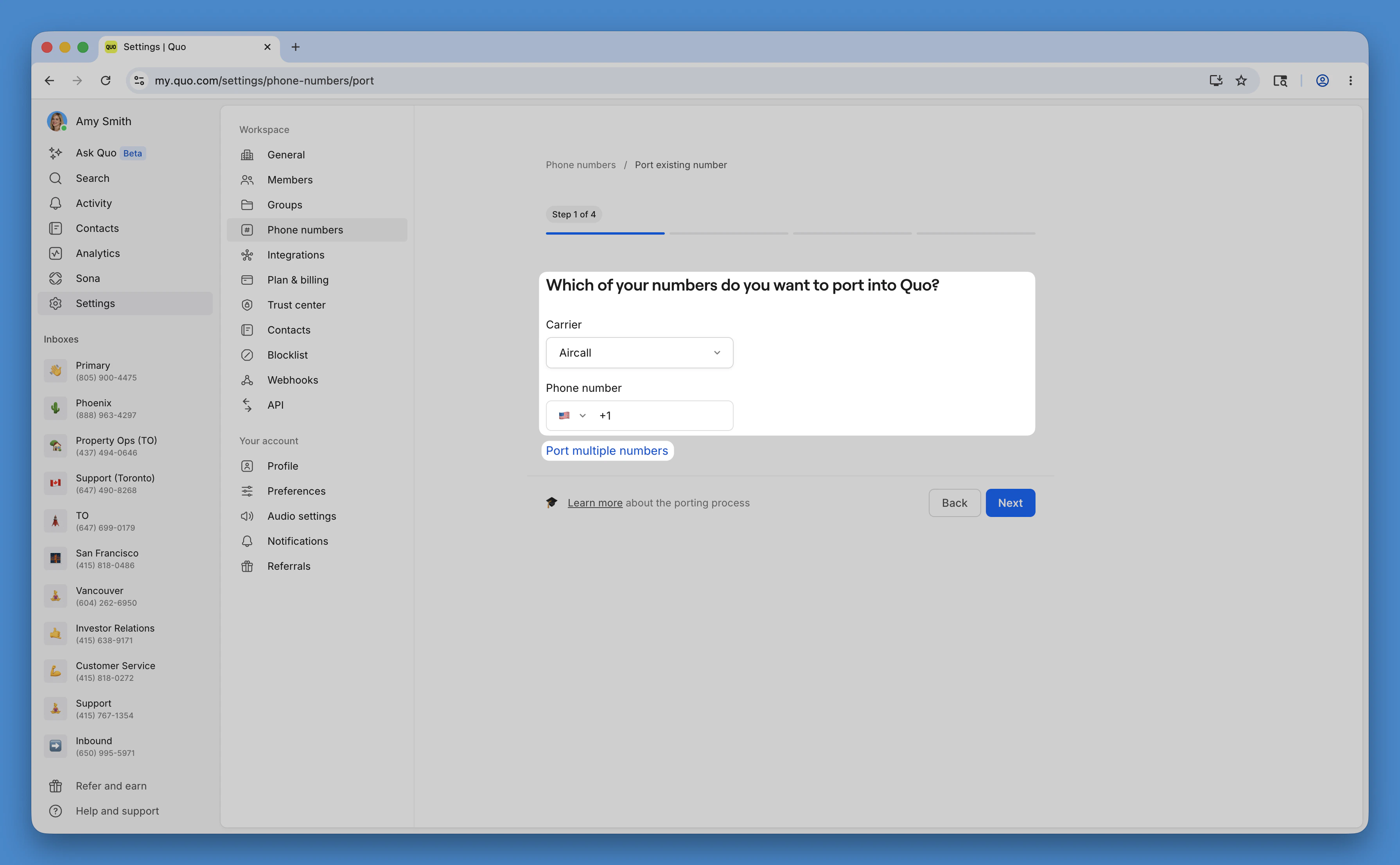
- Select your current carrier. If your carrier isn’t listed, type it manually.
- Enter the number you want to port, or click Port multiple numbers
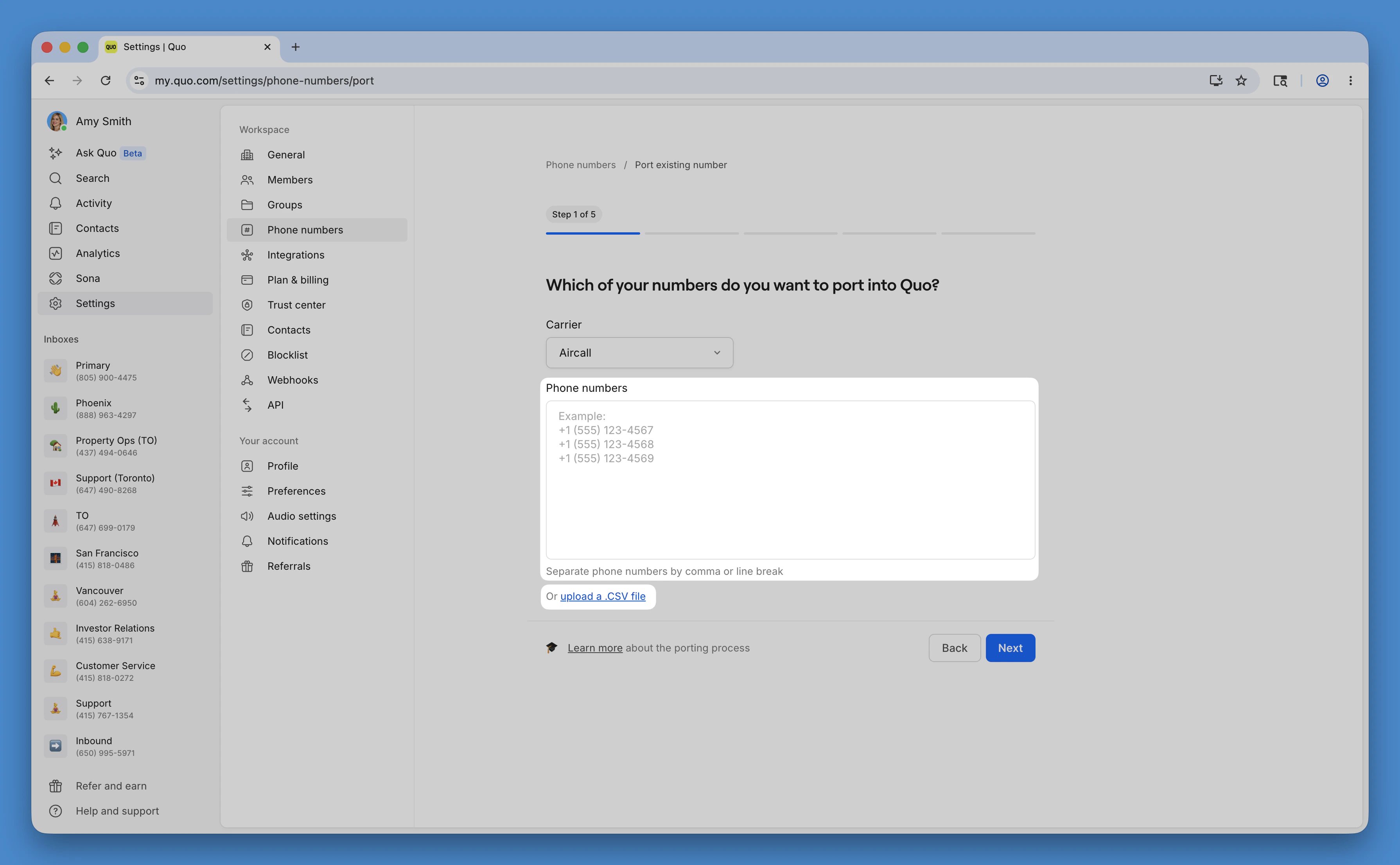
When porting multiple numbers: Type each phone number (including the country code), or upload a CSV file containing all the numbers you wish to transfer.
- Upload your billing information and a recent statement.
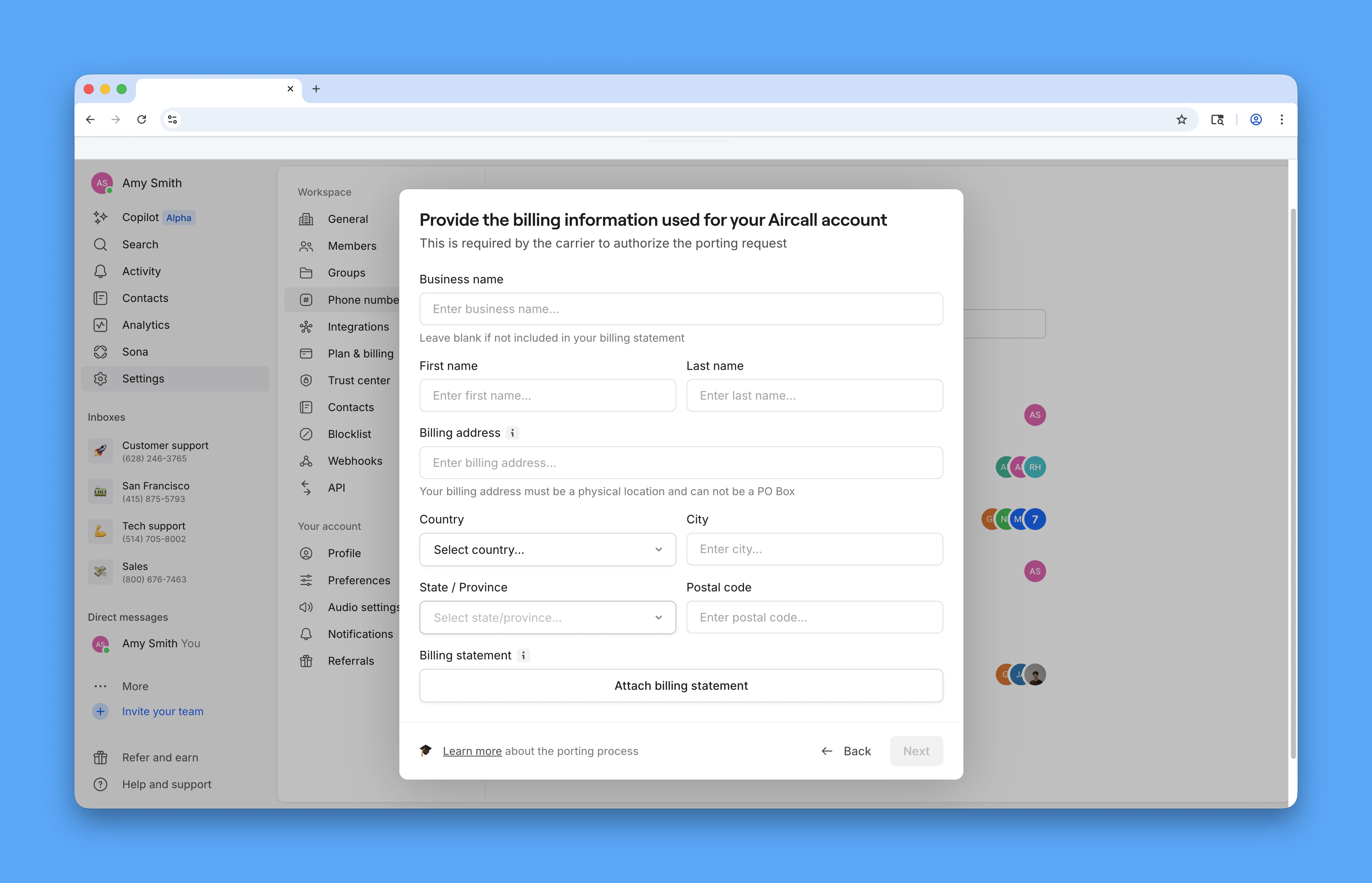
- Enter your carrier credentials:
- Account number: Found on your bill or carrier dashboard
- Account PIN: Usually in your carrier account settings (contact carrier if unsure)
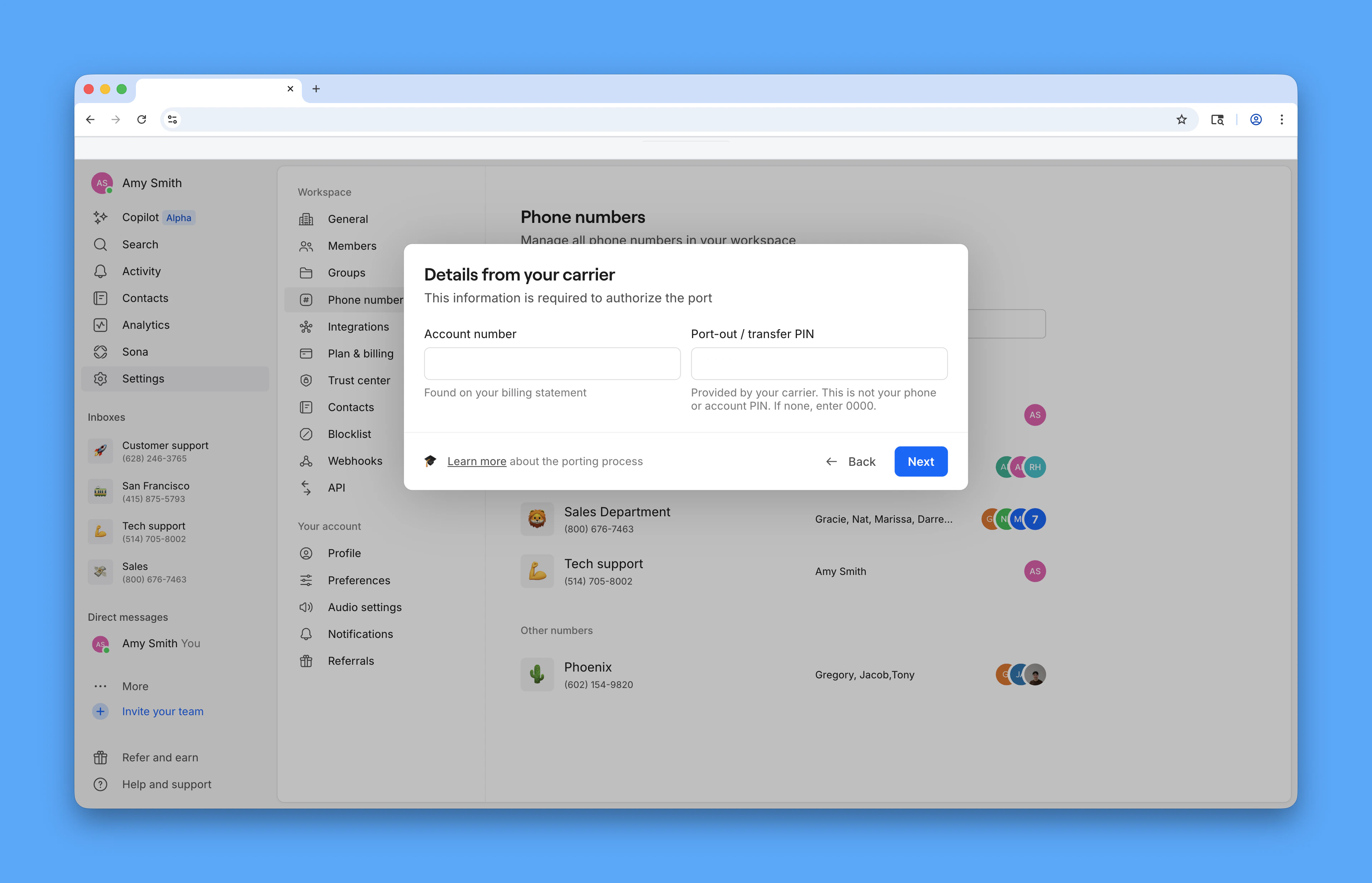
- Digitally sign the authorization.
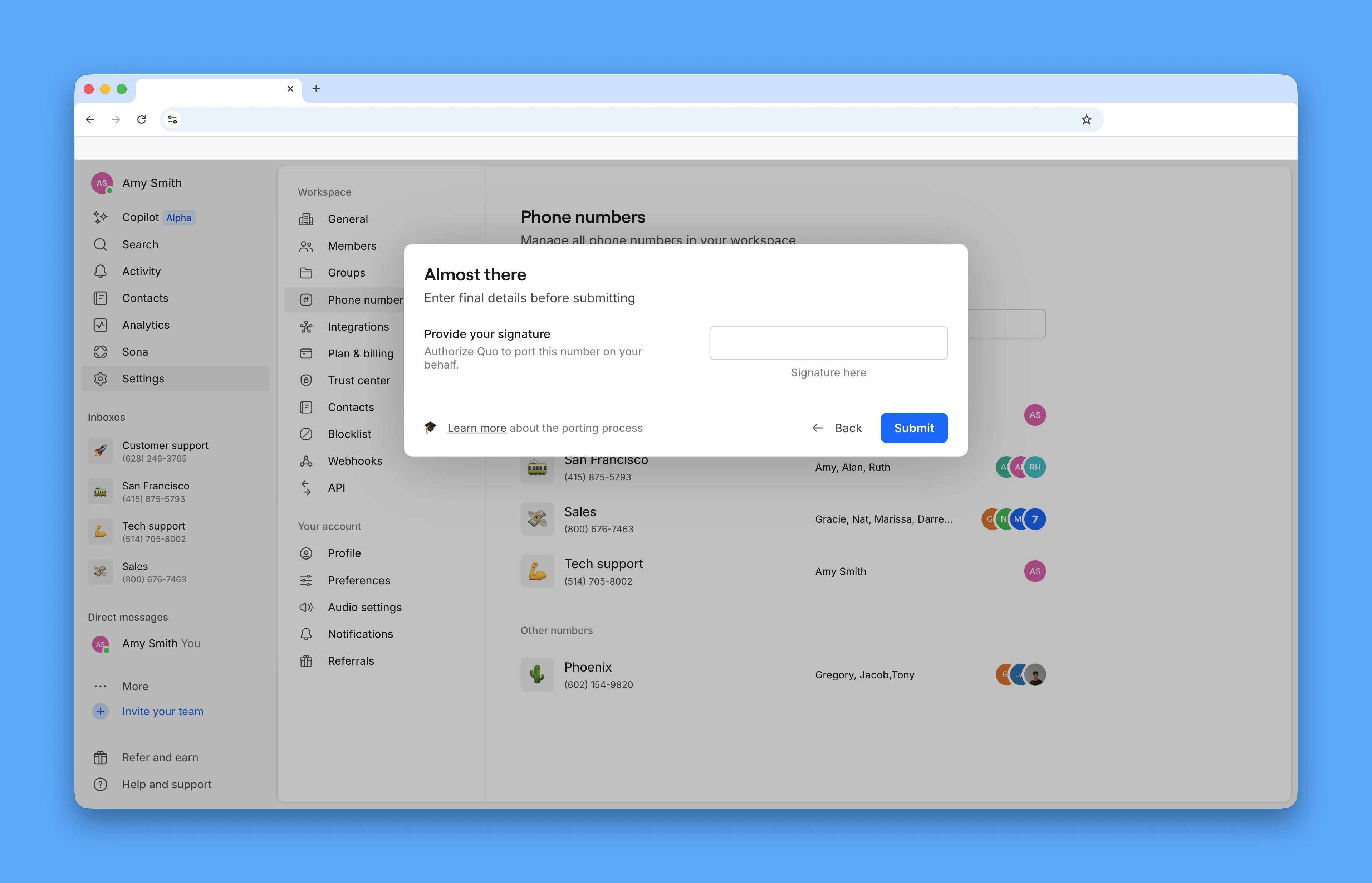
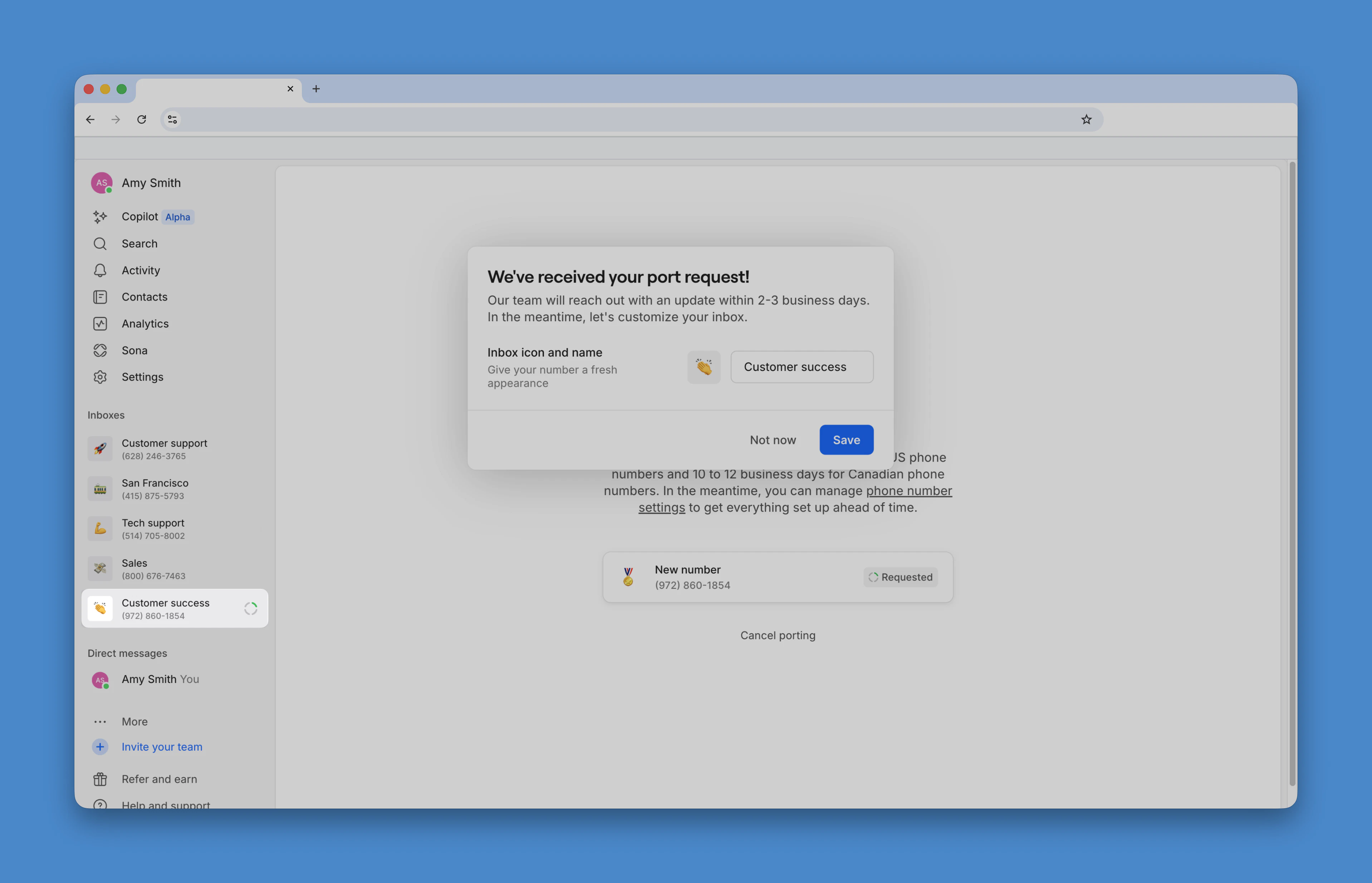
- Customize your number settings while you wait.
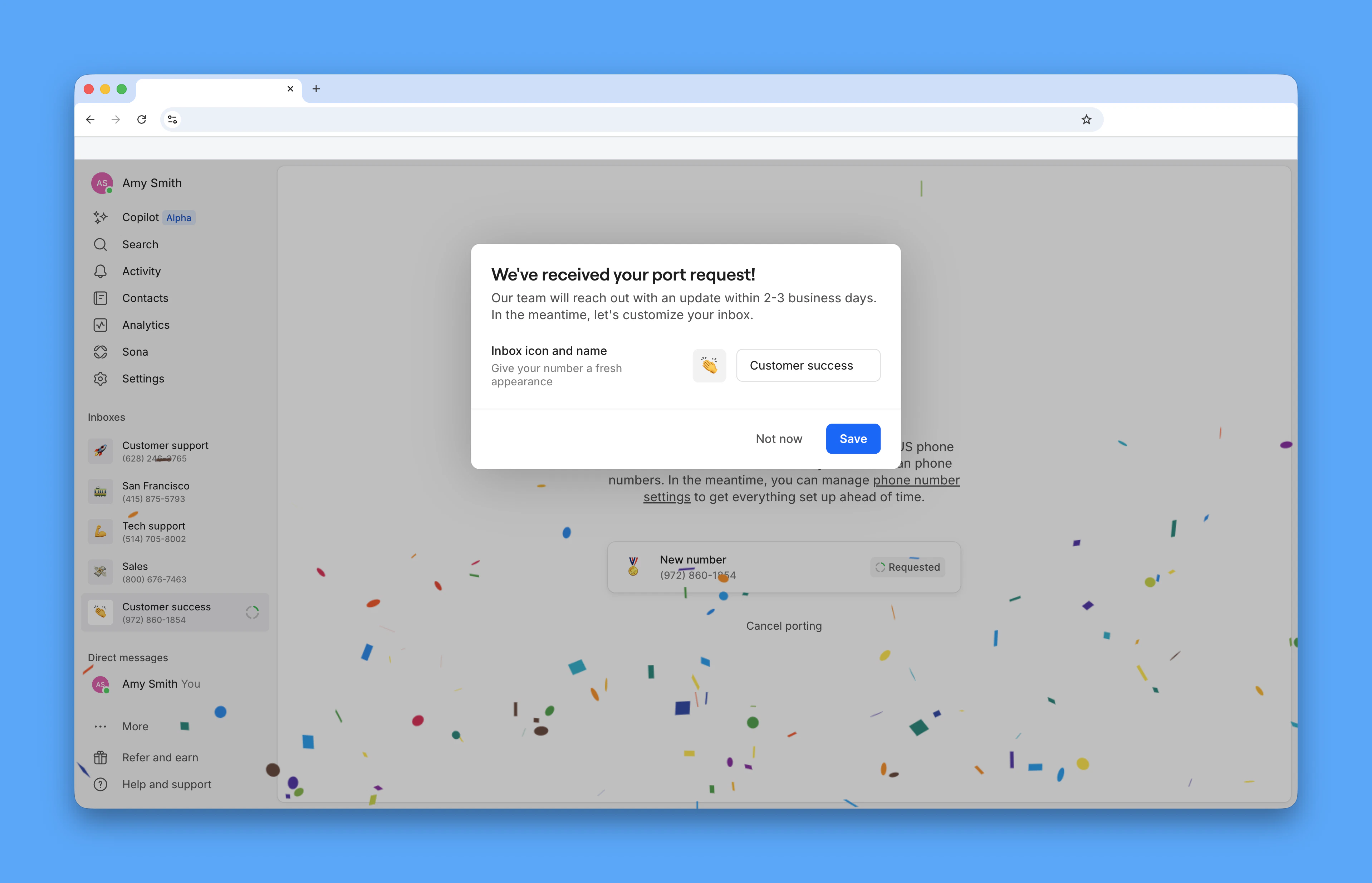
How to port multiple phone numbers
Porting multiple numbers uses the same in-app flow as porting a single number.- Navigate to Settings → Phone numbers, then click Port an existing number
- Click Continue to porting
- Select your current carrier. If your carrier isn’t listed, type it manually.
- Click Port multiple numbers
When porting multiple numbers: Type each phone number (including the country code), or upload a CSV file containing all the numbers you wish to transfer.
- Upload your billing information and a recent statement.
- Enter your carrier credentials:
- Account number: Found on your bill or carrier dashboard
- Account PIN: Usually in your carrier account settings (contact carrier if unsure)
- Digitally sign the authorization.
What to expect during and after your transfer
These details apply whether you’re porting a single number or multiple numbers into Quo.Timeline expectations
- Processing time: Depending on the carrier, most ports are completed in 3-7 business days. In rare cases, the porting process may take additional time (but your service is uninterrupted).
- Service continuity: No interruption, continue using your existing provider until the confirmed port date
- Activation: Calling usually works immediately once the port completes; SMS may take up to 48 hours to stabilize
Checking port status
Track your porting request progress in two ways:Email updates
We send status updates to your account email address throughout the porting process. Check your inbox for:- Initial confirmation
- Carrier response updates
- Port date notification
- Completion confirmation
In-app status
View real-time status directly in Quo:- Click on your pending port number
- Select Phone number settings
- View current status and any required actions
How to delete a temporary phone number
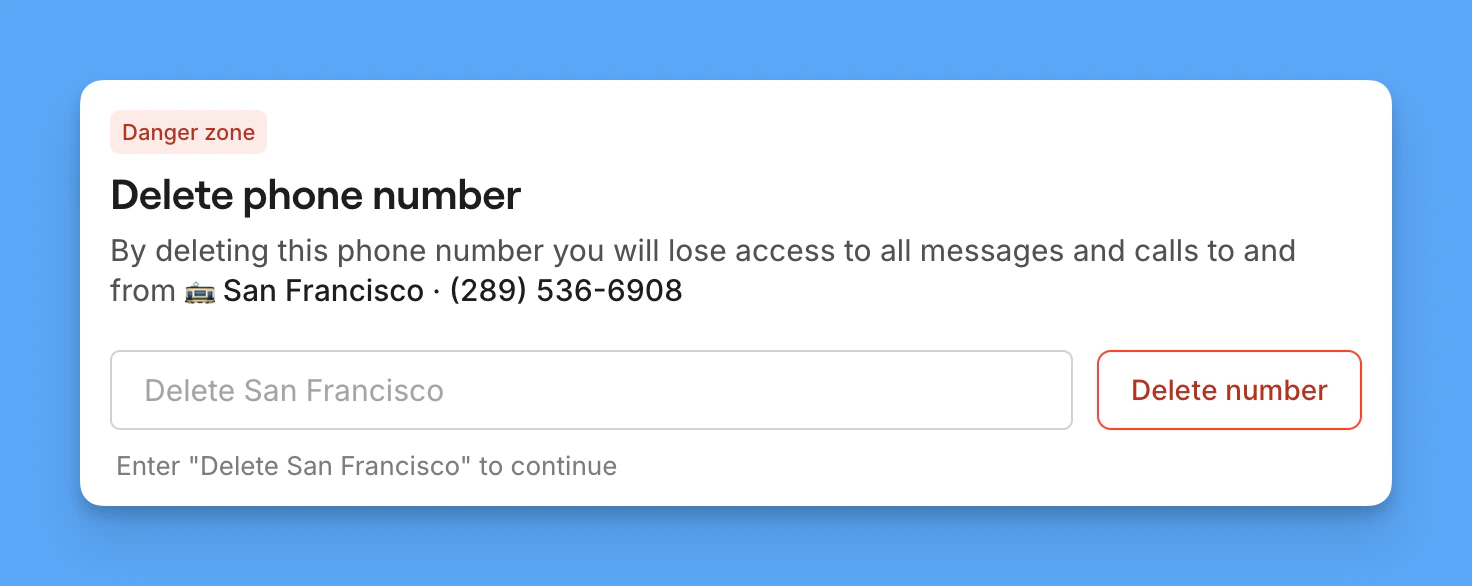
Once your number is transferred and fully active, you’ll be able to delete the temporary number from your Quo workspace. Deleting a phone number doesn’t cancel your subscription. It only removes that specific number and adjusts your billing automatically.- Go to Phone Numbers in workspace settings
- Click the number you want to remove
- Scroll to Danger Zone
- Click Delete [phone number name]
- Type Delete [phone number name] to confirm
Special considerations for iPhone users
When porting from an iPhone, you must deactivate iMessage and FaceTime to ensure all messages and calls route correctly to Quo.Remove from iMessage
- Go to iPhone Settings
- Tap Messages
- Tap Send & Receive
- Uncheck your ported number in You can be reached by iMessage at
Remove from FaceTime
- Go to iPhone Settings
- Tap FaceTime
- Uncheck your ported number in You can be reached by FaceTime at
Special considerations for Android users
Disable RCS before porting your number
Quo uses SMS and MMS for text messaging. If your number still has an active RCS registration when it ports, other RCS-capable devices will continue trying to send you messages via RCS instead of SMS and those messages won’t be delivered. The RCS cache can take up to 30 days to expire on its own.Disable RCS from Google Messages
- Open the Google Messages app
- Tap your profile picture → Messages settings
- Tap RCS chats
- Toggle off Turn on RCS chats
- Wait for confirmation that RCS has been turned off
Disable RCS from Samsung Messages
- Open the Samsung Messages app
- Tap ⋮ (three dots) → Settings
- Tap Chat settings or RCS chats
- Toggle off Rich Communication Settings
Restart group conversations
Group conversations will not automatically convert to SMS/MMS, even after RCS is disabled. Your contacts will need to delete the old group conversation thread on their devices and create a new one for you to reliably receive messages to Quo.FAQs
Can I port my personal cell phone number?
Can I port my personal cell phone number?
- **You’ll need a data plan or WiFi to make/receive calls and texts: **Your SIM card and cellular service will be deactivated when you transfer your number to Quo, so a separate internet connection is required.
- Some services won’t send verification codes to virtual numbers: You may not be able to receive two-factor authentication codes
- Emergency services (911) aren’t available
Will porting remove my phone's cellular service?
Will porting remove my phone's cellular service?
Does Quo work without a cellular plan?
Does Quo work without a cellular plan?
What happens to my cellular plan after I port my number?
What happens to my cellular plan after I port my number?
- Keep your carrier plan if you want a separate cellular number on the same device
- Cancel or downgrade your carrier plan if Quo is replacing it entirely; you just need Wi-Fi or mobile data to use Quo
How do I restore cellular service after porting?
How do I restore cellular service after porting?
Can I use Quo while traveling internationally?
Can I use Quo while traveling internationally?
- Connect to Wi-Fi and use Quo at no extra cost
- Use your existing carrier’s international roaming plan for mobile data
- Pick up a local SIM card for data only — Quo will work through it just the same
What if my carrier isn't listed during setup?
What if my carrier isn't listed during setup?
Can I port multiple numbers at once?
Can I port multiple numbers at once?
What happens if my port request is rejected?
What happens if my port request is rejected?
- Mismatched account information
- Active contract obligations
- Unpaid balances
Can I expedite the porting process?
Can I expedite the porting process?
Why can't I port my number because the rate center was not supported?
Why can't I port my number because the rate center was not supported?
- Choose a new Quo number with a local area code that matches your area during setup
- Wait for expanded coverage (though there’s no ETA for specific rate centers)
I ported my phone number without disabling RCS. Can it be fixed now?
I ported my phone number without disabling RCS. Can it be fixed now?
How are group messages on Android affected by RCS?
How are group messages on Android affected by RCS?
What happens to my physical landline device when I port the number?
What happens to my physical landline device when I port the number?
What if I want to keep my number on the physical landline device?
What if I want to keep my number on the physical landline device?
- Keep your existing number at your carrier and get a separate Quo number, then use call forwarding to route calls between them
- Use your call flow to forward incoming Quo calls to your physical phone’s number