> ## Documentation Index
> Fetch the complete documentation index at: https://support.quo.com/llms.txt
> Use this file to discover all available pages before exploring further.
# Chat with us
> How to talk to the Quo, formerly OpenPhone, team or use our AI chatbot
Need help or have a question? There are a few ways to chat with us — whether you want instant answers, live support, or to connect with our Sales team.
## 💬 Live chat (Scale and Business plans only)
If you're on the **Scale** or **Business** plan, you can chat with our team live every day of the week, Monday to Sunday, 7:00 AM–4:00 PM Pacific Time.
**From web or desktop:**
1. Log into your Quo workspace.
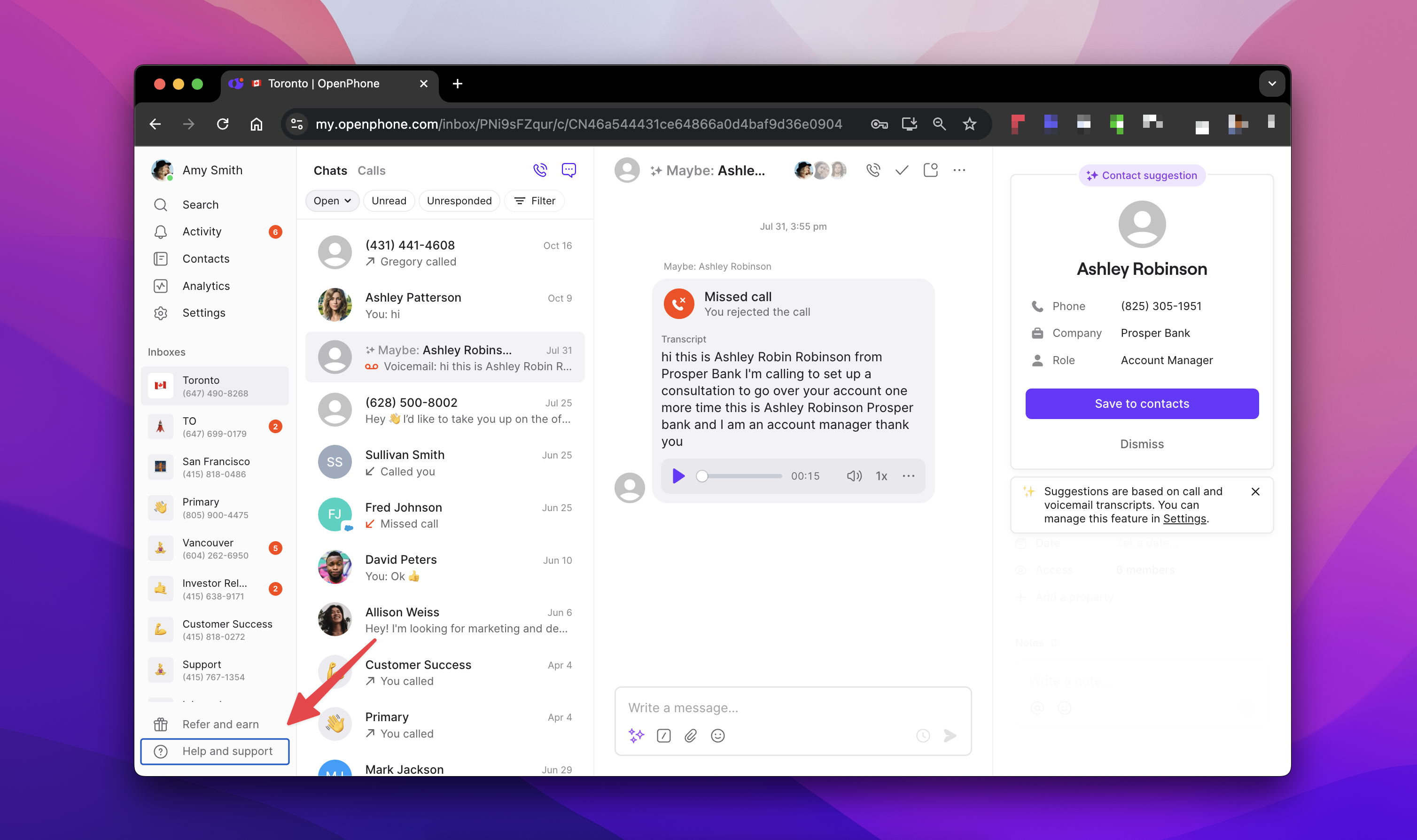
2. Click the `? Help and Support` button in the bottom-left corner.
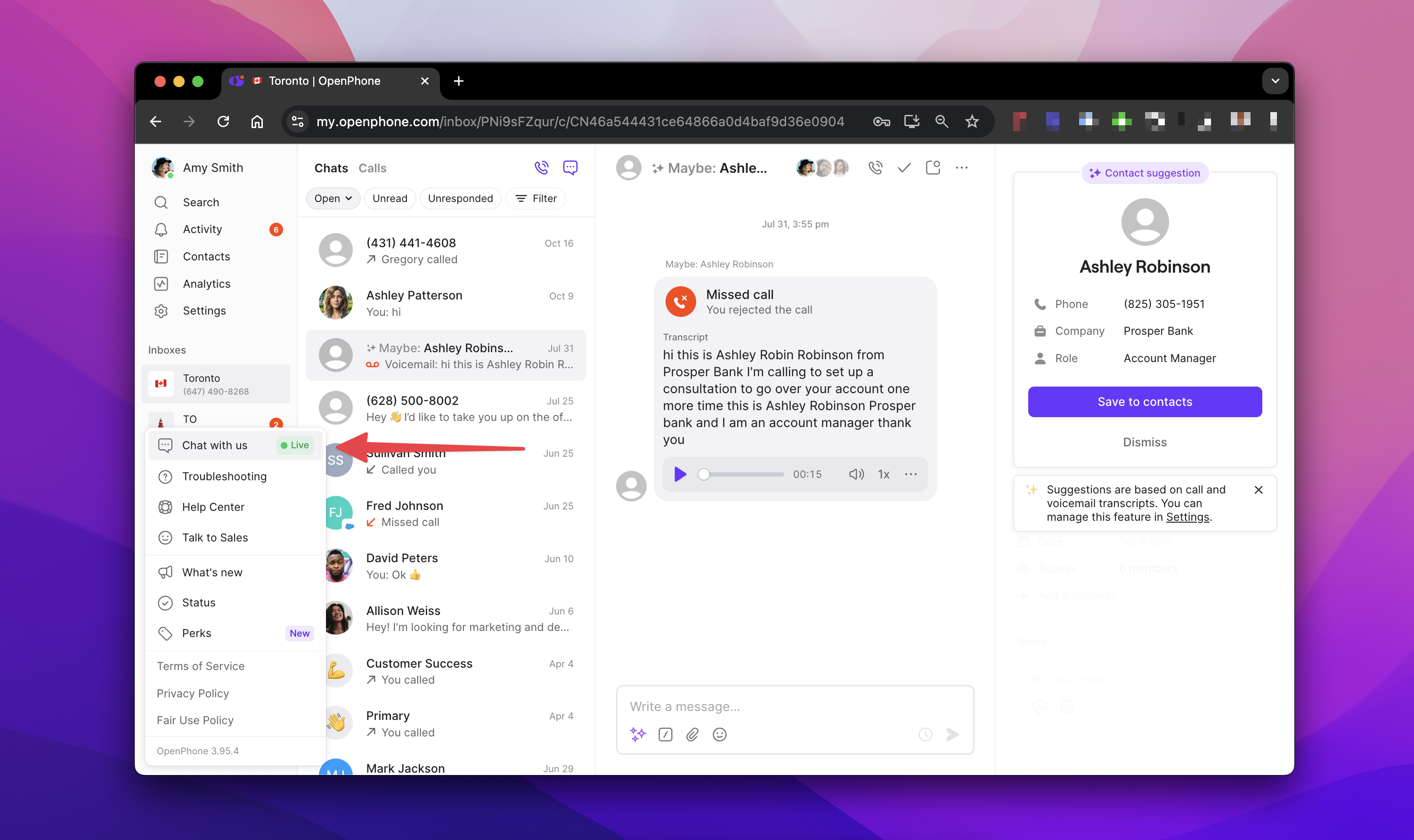
 3. Click **Chat with us** to start a live conversation.
 **From mobile:**
1. Open the Quo app and go to `Settings`.
2. Tap **Chat with us**.
## 🧠 Use the support chatbot (available 24/7)
All Quo users — no matter your plan — can access our AI-powered chatbot, available in-app, day or night.
It’s the fastest way to:
* Get answers instantly
* Troubleshoot common issues
* Navigate features
Use the same steps as above (on web, desktop, or mobile) to open the chatbot when live chat isn’t available.
## 🔎 Ask our docs
Use the AI button at the top of this page to "chat" with our docs.
## 🤝 Talk to Sales
If you're considering Quo and want to:
* Evaluate it for your organization
* Request a demo
* Learn which plan is the best fit
Our Sales team is happy to help. Fill out a quick form [here](https://www.quo.com/sales) and we’ll be in touch.
**From mobile:**
1. Open the Quo app and go to `Settings`.
2. Tap **Chat with us**.
## 🧠 Use the support chatbot (available 24/7)
All Quo users — no matter your plan — can access our AI-powered chatbot, available in-app, day or night.
It’s the fastest way to:
* Get answers instantly
* Troubleshoot common issues
* Navigate features
Use the same steps as above (on web, desktop, or mobile) to open the chatbot when live chat isn’t available.
## 🔎 Ask our docs
Use the AI button at the top of this page to "chat" with our docs.
## 🤝 Talk to Sales
If you're considering Quo and want to:
* Evaluate it for your organization
* Request a demo
* Learn which plan is the best fit
Our Sales team is happy to help. Fill out a quick form [here](https://www.quo.com/sales) and we’ll be in touch.