> ## Documentation Index
> Fetch the complete documentation index at: https://support.quo.com/llms.txt
> Use this file to discover all available pages before exploring further.
# Team collaboration overview
> Learn how teams work together in Quo, formerly OpenPhone, to deliver exceptional customer communication
## Overview
Quo is designed for teams to work better together, enabling seamless collaboration on customer communication. From shared inboxes to internal discussions and team analytics, Quo provides the tools your team needs to stay aligned and deliver exceptional customer experiences.
## Shared inboxes
### How shared inboxes work
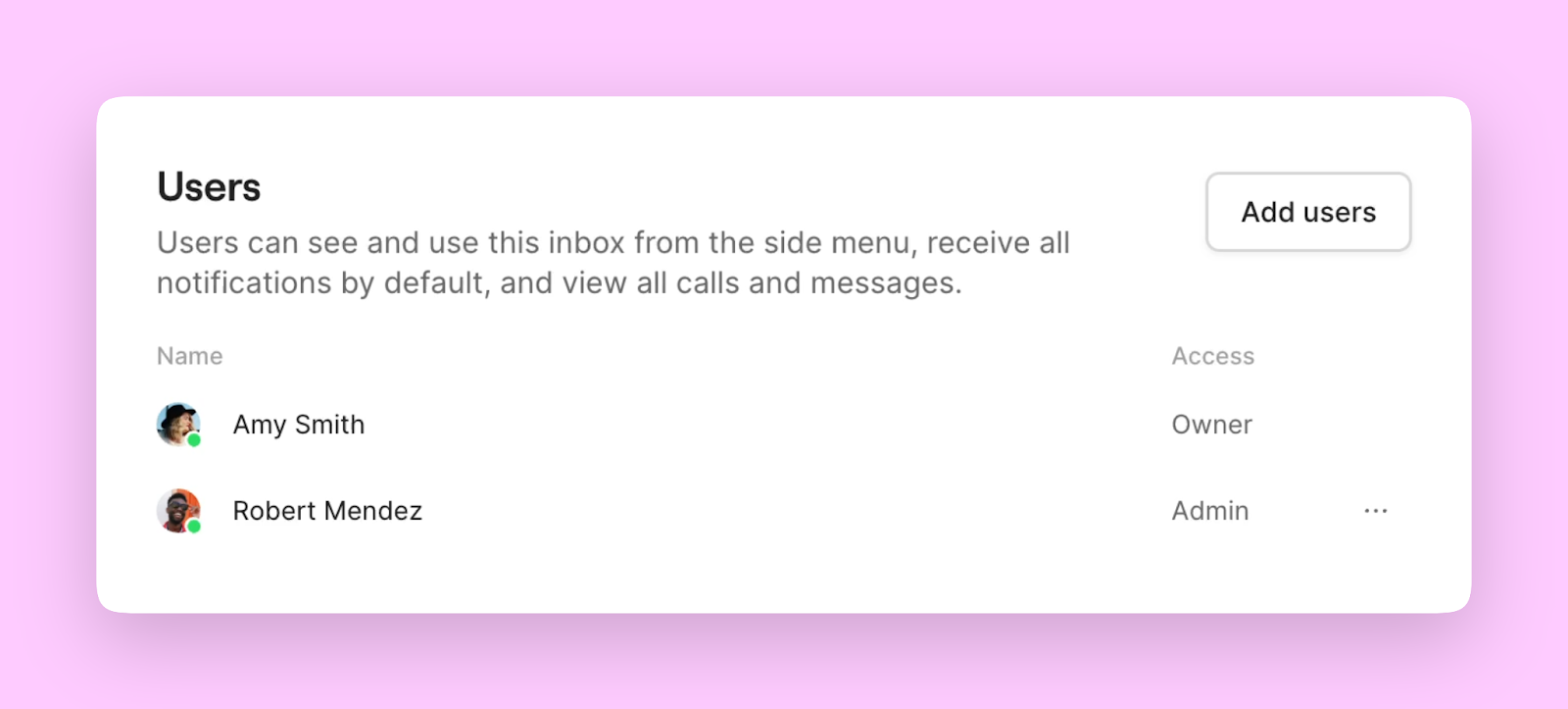
Share any inbox in your Quo workspace with your team. Users in a shared inbox have access to all calls and messages in that inbox, enabling collaborative customer communication.
**Ideal for:**
* Sales teams managing leads and prospects
* Support teams handling customer inquiries
* Customer success teams maintaining relationships
* Any team with medium to high call volumes
### Adding team members to inboxes
**Method 1: Quick inbox access**
1. Click the **three-dot menu** next to your preferred inbox
2. Select **Add users**
3. Choose team members to grant access
**Method 2: Phone number settings**
1. Go to **Settings** → **Phone numbers**
2. Select the phone number you want to share
3. Add users in the **Users** section
 ## Internal threads
### Team discussions in context
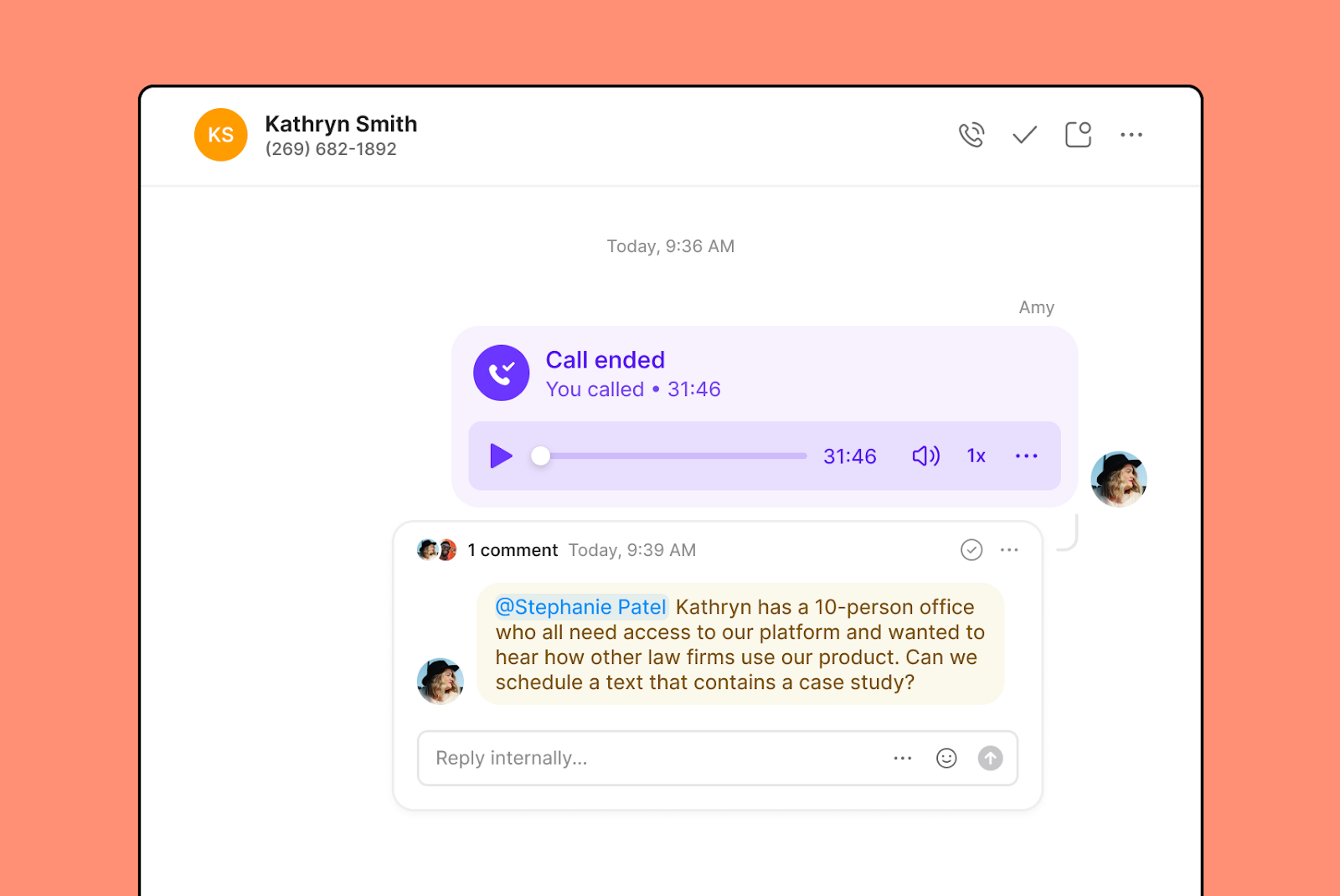
Internal threads bring team discussions directly to customer conversations. Get colleague input, supervisor approval, or team feedback in real time without leaving the conversation context.
### Starting internal threads
1. **Select the call or message** you want to comment on
2. **Choose "Comment in internal thread"**
3. **Tag teammates** by typing **@** followed by their name
4. **Add your comment** and engage in team discussion
## Internal threads
### Team discussions in context
Internal threads bring team discussions directly to customer conversations. Get colleague input, supervisor approval, or team feedback in real time without leaving the conversation context.
### Starting internal threads
1. **Select the call or message** you want to comment on
2. **Choose "Comment in internal thread"**
3. **Tag teammates** by typing **@** followed by their name
4. **Add your comment** and engage in team discussion
 ### Emoji reactions
React to any interaction in your inbox with an emoji - a quick way to let teammates know you've seen a message without adding unnecessary comments.
## Inbox viewers
### Conversation visibility tracking
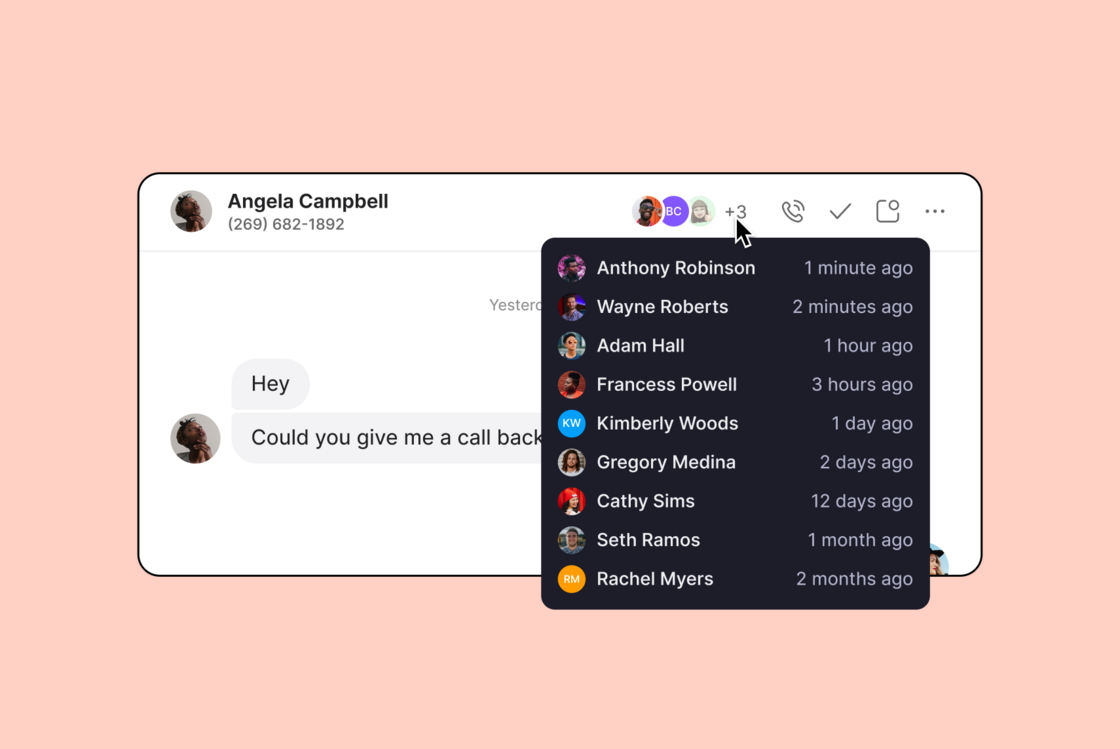
See exactly who has reviewed conversations, call summaries, or transcripts with the inbox viewers feature. Know who saw what and when they saw it.
**Benefits:**
* No need to follow up in direct messages
* Clear accountability for conversation review
* Better team coordination on customer communications
### Emoji reactions
React to any interaction in your inbox with an emoji - a quick way to let teammates know you've seen a message without adding unnecessary comments.
## Inbox viewers
### Conversation visibility tracking
See exactly who has reviewed conversations, call summaries, or transcripts with the inbox viewers feature. Know who saw what and when they saw it.
**Benefits:**
* No need to follow up in direct messages
* Clear accountability for conversation review
* Better team coordination on customer communications
 ## Team analytics
### Performance management and insights
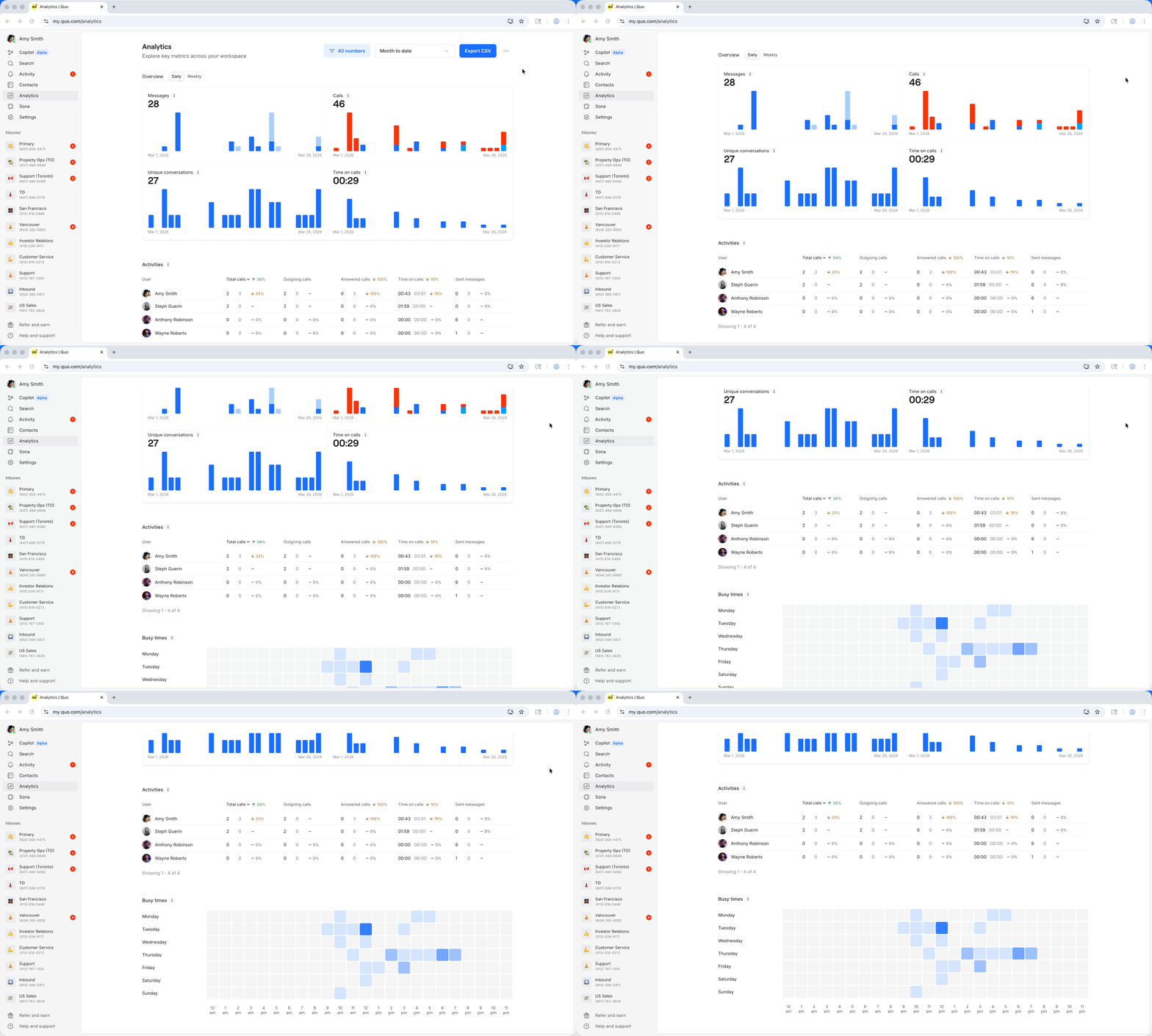
Measure team performance and gather insights using Quo Analytics to optimize collaboration and customer communication.
### Analytics dashboard capabilities
**Team activity tracking:**
* See exactly how many calls and messages each team member handles
* Compare team performance over time
* Segment data by week, month, and quarter
## Team analytics
### Performance management and insights
Measure team performance and gather insights using Quo Analytics to optimize collaboration and customer communication.
### Analytics dashboard capabilities
**Team activity tracking:**
* See exactly how many calls and messages each team member handles
* Compare team performance over time
* Segment data by week, month, and quarter
 **Data export and analysis:**
* Export all metrics in CSV format
* Slice and dice team data for deeper insights
* Track trends and identify improvement opportunities
## Getting started with team collaboration
### Setting up your collaborative workspace
1. **Configure shared inboxes** for your team structure
2. **Train team members** on internal threads and reactions
3. **Establish communication protocols** for customer interactions
4. **Set up analytics monitoring** for performance tracking
For detailed guidance on gathering insights from Quo Analytics, check out the analytics documentation in the administration section.
**Data export and analysis:**
* Export all metrics in CSV format
* Slice and dice team data for deeper insights
* Track trends and identify improvement opportunities
## Getting started with team collaboration
### Setting up your collaborative workspace
1. **Configure shared inboxes** for your team structure
2. **Train team members** on internal threads and reactions
3. **Establish communication protocols** for customer interactions
4. **Set up analytics monitoring** for performance tracking
For detailed guidance on gathering insights from Quo Analytics, check out the analytics documentation in the administration section.