> ## Documentation Index
> Fetch the complete documentation index at: https://support.quo.com/llms.txt
> Use this file to discover all available pages before exploring further.
# Message reactions
> Add emoji reactions to SMS, MMS, voicemail, and team messages
## Overview
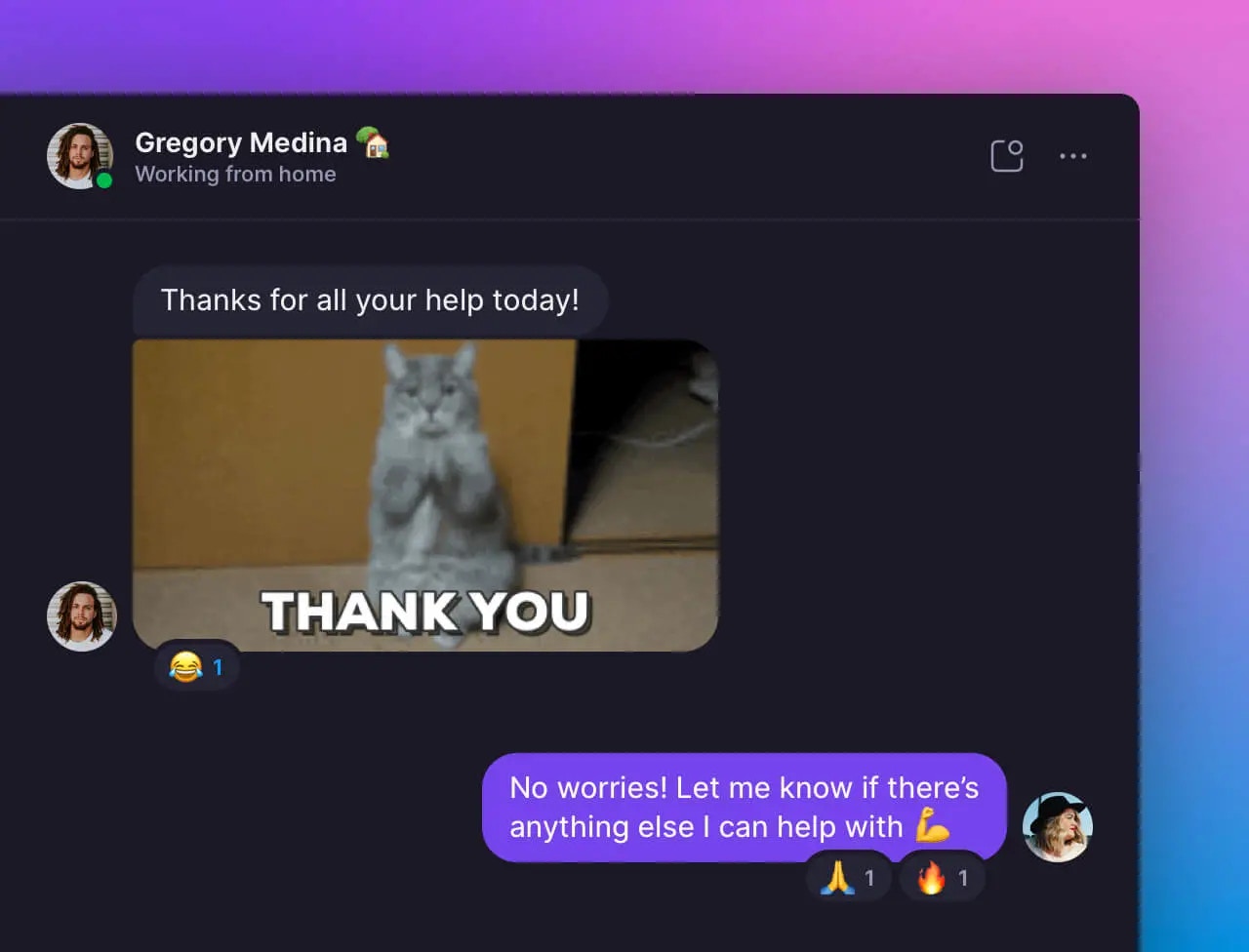
Quo, formerly OpenPhone, supports emoji reactions for messages, similar to Apple's Messages app. You can react to SMS, MMS, voicemail messages, and calls with external contacts, as well as internal team direct messages and conversation threads. Reactions provide a quick way to acknowledge messages without sending a full response.
Access interactive demos, videos, and more in the Quo Academy.
## Sending reactions
### Adding reactions to messages
1. **Hover over the message** you want to react to
2. **Select an emoji** from the popup that appears
3. **Click "Choose another emoji"** for additional options beyond the default set
1. **Tap and hold the message** you want to react to
2. **Select an emoji** from the popup menu
3. **Tap "Choose another emoji"** for more reaction options
 ### Available reaction types
**Quick access emojis:**
* 👍 Thumbs up
* ❤️ Heart
* 😂 Laughing
* 😮 Surprise
* 😢 Sad
* 😡 Angry
**Extended emoji set:** Access hundreds of additional emojis through the "Choose another emoji" option for more specific reactions.
## How reactions work with external contacts
### What recipients see
When you react to a message from an external contact, they receive a text notification about your reaction.
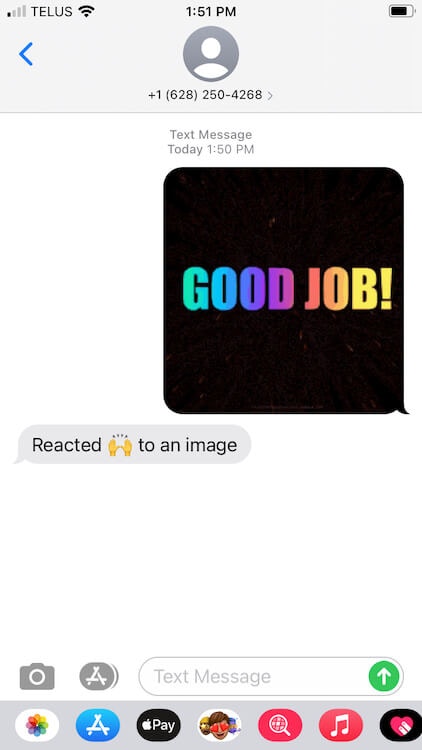
**iPhone users (Messages app):** Recipients see your reaction integrated into their conversation, similar to iMessage reactions.
### Available reaction types
**Quick access emojis:**
* 👍 Thumbs up
* ❤️ Heart
* 😂 Laughing
* 😮 Surprise
* 😢 Sad
* 😡 Angry
**Extended emoji set:** Access hundreds of additional emojis through the "Choose another emoji" option for more specific reactions.
## How reactions work with external contacts
### What recipients see
When you react to a message from an external contact, they receive a text notification about your reaction.
**iPhone users (Messages app):** Recipients see your reaction integrated into their conversation, similar to iMessage reactions.
 **Other devices:**\
Recipients receive a separate text message describing your reaction.
### Important reaction considerations
**SMS notifications:**
**Other devices:**\
Recipients receive a separate text message describing your reaction.
### Important reaction considerations
**SMS notifications:**
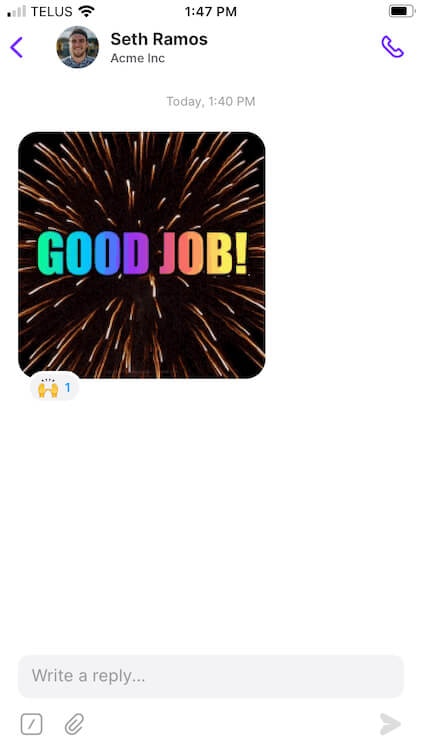 * Recipients receive a notification for every reaction you send
* Reactions count as message activity for billing purposes
* Cannot undo reactions once sent - recipients still get the notification
**Message delivery:**
* Reactions work with any contact who can receive text messages
* Delivery depends on recipient's carrier and device capabilities
* Some older devices may not display reactions properly
## Team reactions and internal messaging
### Reacting to team messages
**Internal team communications:**
* React to direct messages between team members
* Add reactions to conversation threads and shared comments
* Acknowledge messages without cluttering the conversation
### Team notification system
When you react to a teammate's message:
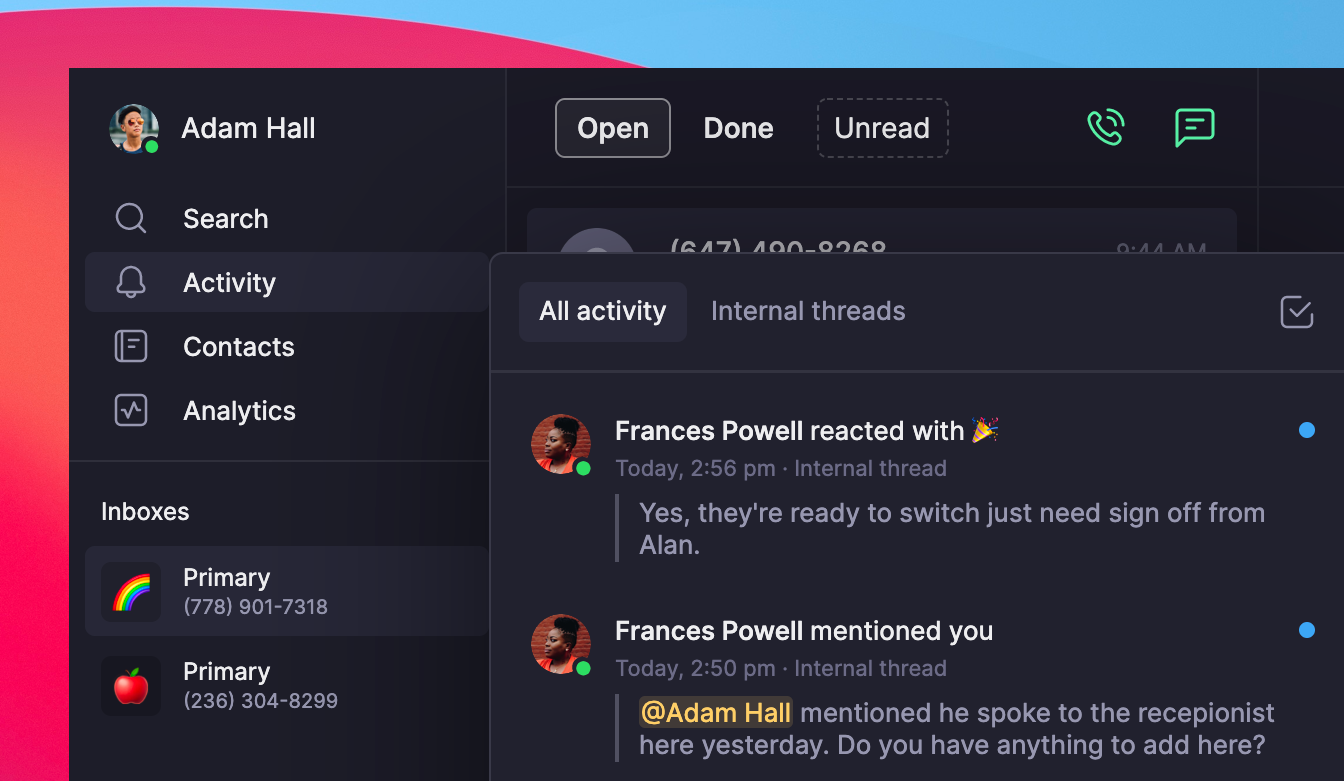
* **Activity feed notification**: Reaction appears in the recipient's Activity section
* **Real-time updates**: Team members see reactions immediately in the app
* **No SMS charge**: Internal reactions don't count toward message usage
* Recipients receive a notification for every reaction you send
* Reactions count as message activity for billing purposes
* Cannot undo reactions once sent - recipients still get the notification
**Message delivery:**
* Reactions work with any contact who can receive text messages
* Delivery depends on recipient's carrier and device capabilities
* Some older devices may not display reactions properly
## Team reactions and internal messaging
### Reacting to team messages
**Internal team communications:**
* React to direct messages between team members
* Add reactions to conversation threads and shared comments
* Acknowledge messages without cluttering the conversation
### Team notification system
When you react to a teammate's message:
* **Activity feed notification**: Reaction appears in the recipient's Activity section
* **Real-time updates**: Team members see reactions immediately in the app
* **No SMS charge**: Internal reactions don't count toward message usage
 ## FAQs
Reactions depend on the recipient's device and carrier capabilities. Older devices or certain carriers may not support reaction display.
Click "Choose another emoji" to access the full emoji library beyond the six quick-access options.
Reactions cannot be undone once sent. Recipients will still receive the notification. Consider sending a follow-up message if clarification is needed.
Team reactions may take a moment to appear in the Activity feed. Refresh the app if reactions don't appear immediately.
External reactions (to customer messages) count as SMS activity. Internal team reactions do not count toward message usage or limits.
## FAQs
Reactions depend on the recipient's device and carrier capabilities. Older devices or certain carriers may not support reaction display.
Click "Choose another emoji" to access the full emoji library beyond the six quick-access options.
Reactions cannot be undone once sent. Recipients will still receive the notification. Consider sending a follow-up message if clarification is needed.
Team reactions may take a moment to appear in the Activity feed. Refresh the app if reactions don't appear immediately.
External reactions (to customer messages) count as SMS activity. Internal team reactions do not count toward message usage or limits.