> ## Documentation Index
> Fetch the complete documentation index at: https://support.quo.com/llms.txt
> Use this file to discover all available pages before exploring further.
# Group messaging
> Send group text messages to up to 9 people with shared conversations
## Overview
Quo, formerly OpenPhone, lets you send and receive group text messages to up to 9 other people. When you send a group message, everyone sees the entire conversation and can reply to any messages in the thread. Group messaging works across all Quo apps and supports both SMS and MMS content.
Toll-free numbers currently do not support group text messaging. Use local numbers for group conversations.
Access interactive demos, videos, and more in the Quo Academy.
## Sending group messages
### Create a group conversation
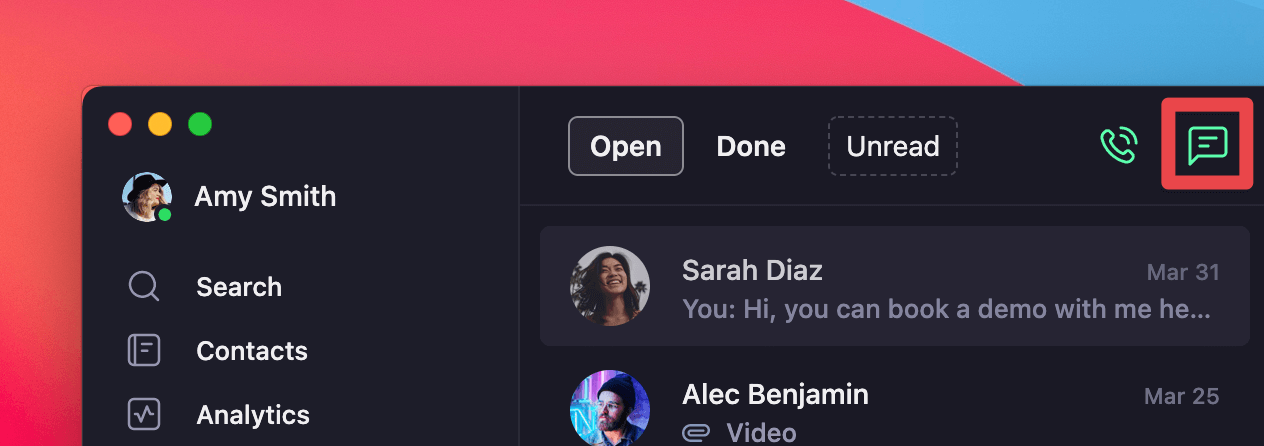
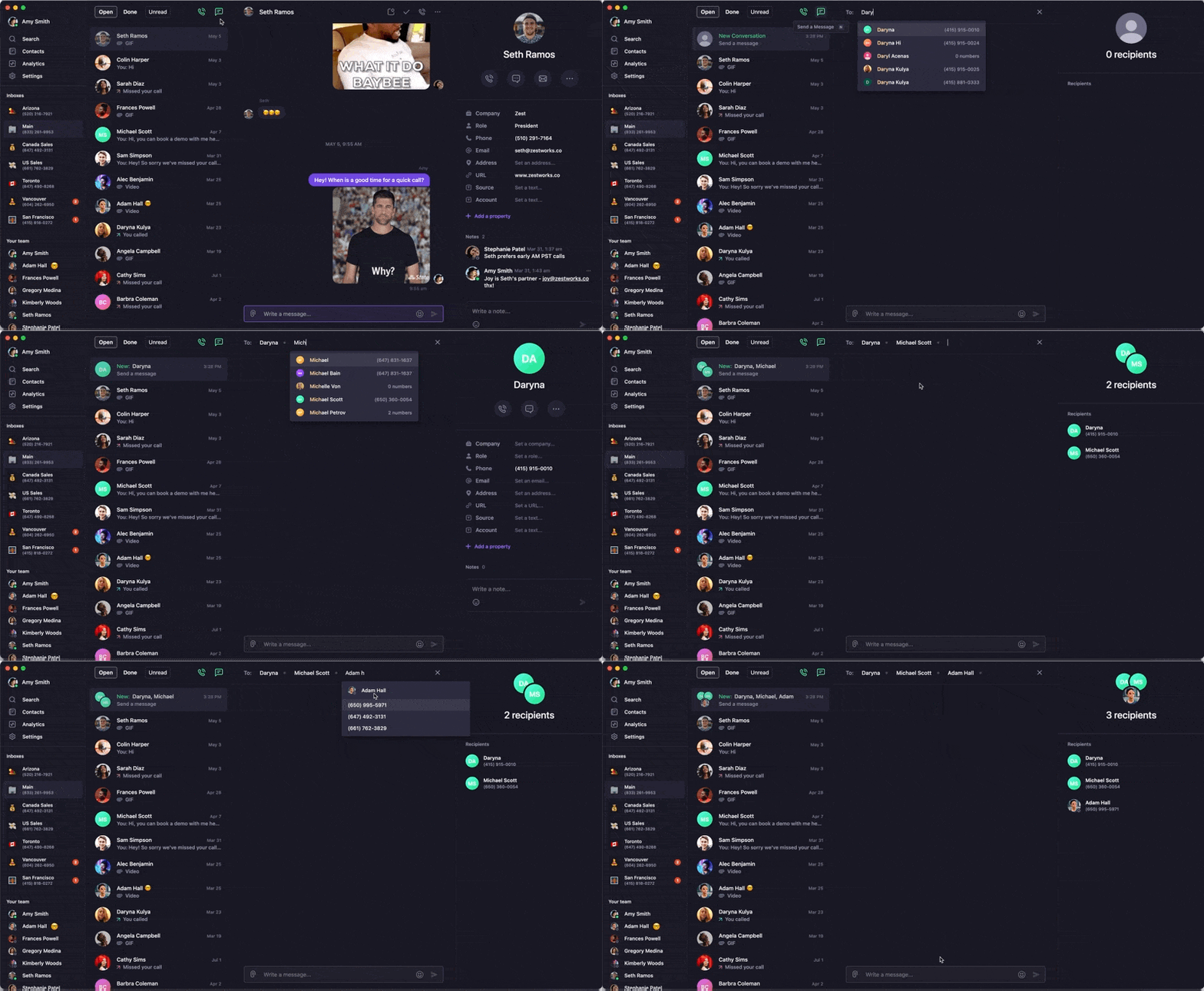
1. Click the **💬 chatbox icon** above your last conversation to start new conversation
2. Type in a number or contact name and select from dropdown
3. Add another number or contact name
4. Continue adding participants (up to 9 total)
5. Click into the text box or press **Tab** to start typing your message
 1. Tap the **compose message** icon
2. Start typing contact names or phone numbers
3. Select contacts from the suggestion list
4. Add additional participants as needed
5. Tap the message field to start typing
If contacts don't appear in the dropdown, add them to your Quo address book first for easier group creation.
### Group conversation example
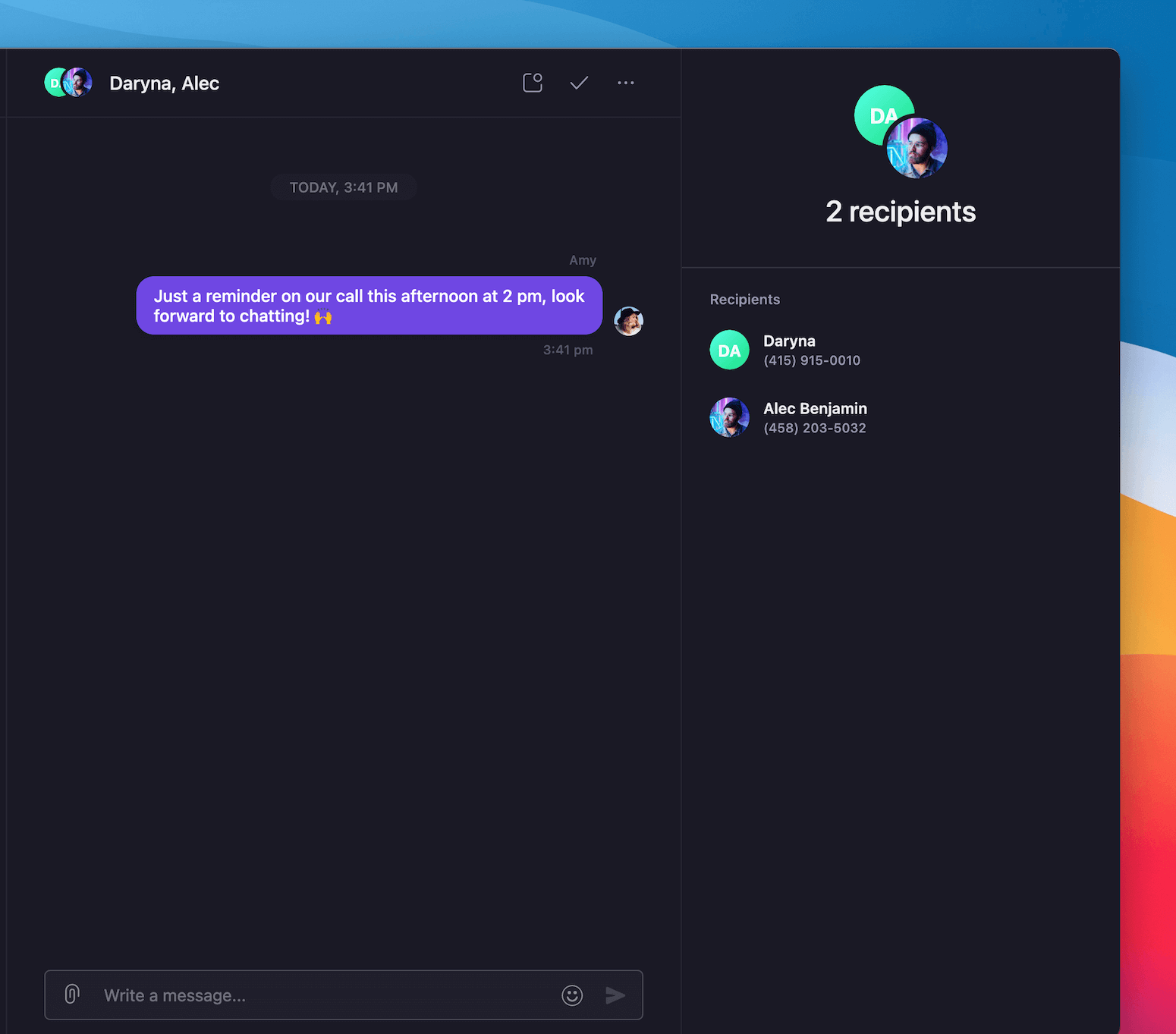
Once you send a group message, all participants can see and respond to the conversation:
1. Tap the **compose message** icon
2. Start typing contact names or phone numbers
3. Select contacts from the suggestion list
4. Add additional participants as needed
5. Tap the message field to start typing
If contacts don't appear in the dropdown, add them to your Quo address book first for easier group creation.
### Group conversation example
Once you send a group message, all participants can see and respond to the conversation:
 ## Supported content types
Group messages support the same rich content as individual messages:
### Text and media
* **Links**: Web URLs and deep links
* **Emojis**: Full emoji support
* **Pictures**: .jpg, .jpeg, .png, .tiff formats
* **Videos**: Video file attachments
* **GIFs**: GIPHY integration (type "/" to browse)
### Files and documents
* **Documents**: PDFs, spreadsheets, presentations
* **Contacts**: Share business contact information
* **Other files**: Various file types within size limits
### Attachment preview and management
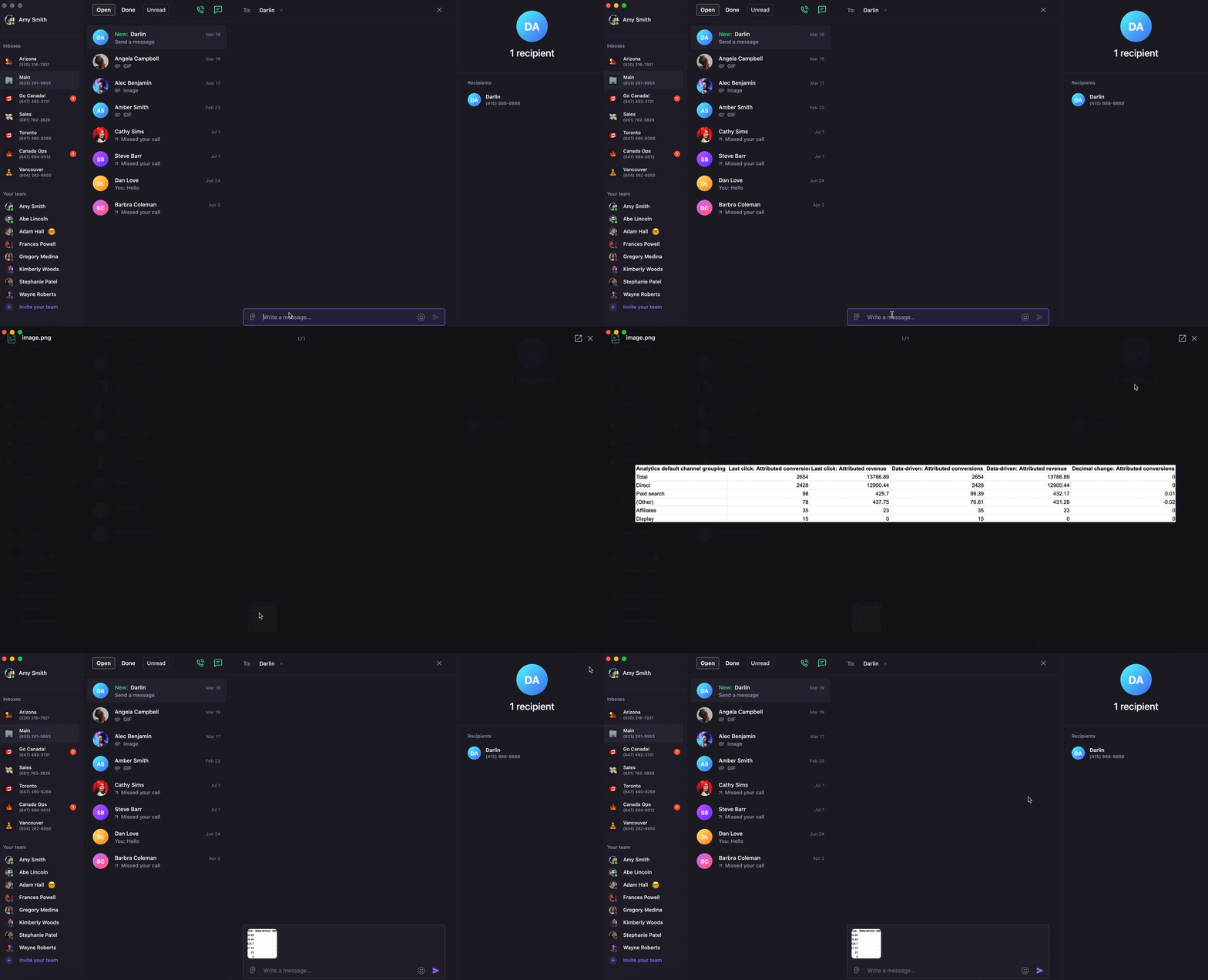
**Preview before sending:**
* Click on attached files to see larger version
* Review content before sending to group
## Supported content types
Group messages support the same rich content as individual messages:
### Text and media
* **Links**: Web URLs and deep links
* **Emojis**: Full emoji support
* **Pictures**: .jpg, .jpeg, .png, .tiff formats
* **Videos**: Video file attachments
* **GIFs**: GIPHY integration (type "/" to browse)
### Files and documents
* **Documents**: PDFs, spreadsheets, presentations
* **Contacts**: Share business contact information
* **Other files**: Various file types within size limits
### Attachment preview and management
**Preview before sending:**
* Click on attached files to see larger version
* Review content before sending to group
 **Remove attachments:**
* Hover over attached file
* Click **✖️** in upper right corner to remove
## Group messaging limitations
### Participant limits
* **Maximum participants**: 9 people plus sender (10 total)
* **Toll-free restriction**: Toll-free numbers cannot participate in group messaging
* **Number type requirement**: Use local numbers for group conversations
#### Need to message more than 10 people?
If you need to reach 20-30 or more recipients, use **bulk messaging** instead. Bulk messaging sends separate 1:1 messages to each recipient, not a shared group. Because there's no shared thread, the individual replies will only be visible to you.
Bulk messaging requires explicit recipient consent and opt-out instructions.
### Message delivery
* **Carrier support**: All participants' carriers must support group messaging
* **Delivery confirmation**: Individual delivery status may vary by recipient
* **Thread continuity**: All replies appear in the shared conversation
## FAQs
Group messaging is limited to 10 total participants (9 recipients plus sender). Create multiple smaller groups if needed.
Group messaging is not supported on toll-free numbers. Use a local Quo number instead.
Some carriers may not support group messaging or have delivery issues. Send individual messages if group delivery fails consistently.
Add the contact to your Quo address book first, then try creating the group message again.
Group conversations appear as separate threads in your inbox. Check that you're viewing the correct phone number's inbox.
***
**Need help?** [Submit a support request](https://support.quo.com/help/submit-a-request) and we'll jump in.
**Remove attachments:**
* Hover over attached file
* Click **✖️** in upper right corner to remove
## Group messaging limitations
### Participant limits
* **Maximum participants**: 9 people plus sender (10 total)
* **Toll-free restriction**: Toll-free numbers cannot participate in group messaging
* **Number type requirement**: Use local numbers for group conversations
#### Need to message more than 10 people?
If you need to reach 20-30 or more recipients, use **bulk messaging** instead. Bulk messaging sends separate 1:1 messages to each recipient, not a shared group. Because there's no shared thread, the individual replies will only be visible to you.
Bulk messaging requires explicit recipient consent and opt-out instructions.
### Message delivery
* **Carrier support**: All participants' carriers must support group messaging
* **Delivery confirmation**: Individual delivery status may vary by recipient
* **Thread continuity**: All replies appear in the shared conversation
## FAQs
Group messaging is limited to 10 total participants (9 recipients plus sender). Create multiple smaller groups if needed.
Group messaging is not supported on toll-free numbers. Use a local Quo number instead.
Some carriers may not support group messaging or have delivery issues. Send individual messages if group delivery fails consistently.
Add the contact to your Quo address book first, then try creating the group message again.
Group conversations appear as separate threads in your inbox. Check that you're viewing the correct phone number's inbox.
***
**Need help?** [Submit a support request](https://support.quo.com/help/submit-a-request) and we'll jump in.