> ## Documentation Index
> Fetch the complete documentation index at: https://support.quo.com/llms.txt
> Use this file to discover all available pages before exploring further.
# Slack
> Send Quo, formerly OpenPhone, notifications directly to Slack channels for team communication and collaboration
To use integrations, you must have the [Quo Desktop app installed](https://support.quo.com/getting-started/install-apps).
## Overview
Quo's Slack integration sends real-time notifications to your chosen Slack channels whenever your Quo numbers receive calls, messages, or voicemail. Keep your team informed and enable quick responses to customer communications.
Only Admins and Owners can configure Slack integrations for phone numbers.
## Setting up Slack integration
### Connection process
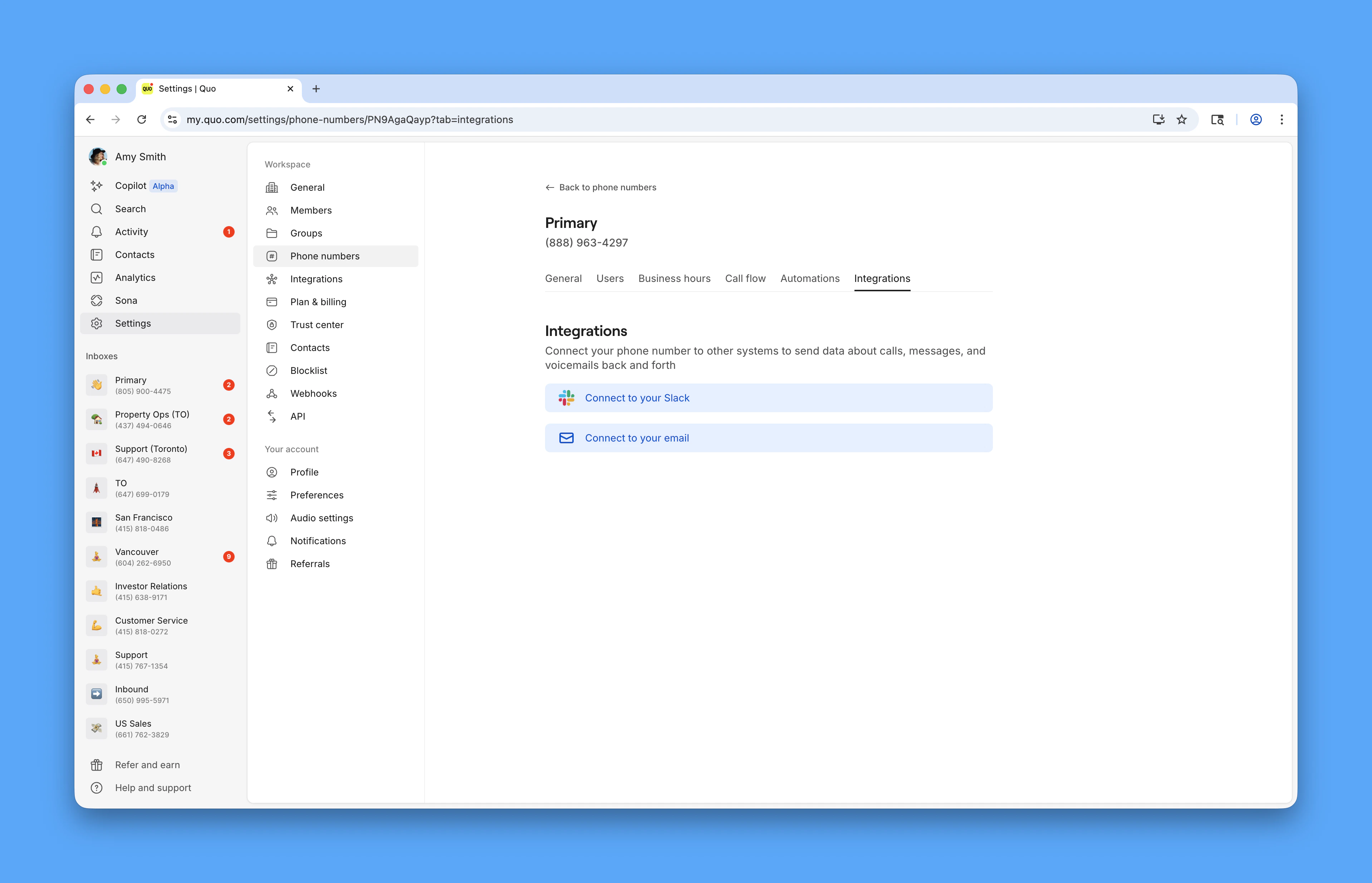
**To connect Quo to Slack:**
1. Navigate to **Settings** → **Phone Numbers**
2. Select the phone number to integrate
3. Click the **Integrations** tab
4. Click **Connect to your Slack**
5. Authorize Quo in your Slack workspace
6. Choose target Slack channel
7. Configure notification preferences
 ### Authorization and setup
**Slack workspace permissions:**
* Grant Quo permission to post messages
* Select specific channel for notifications
* Configure which team members can see notifications
* Set up appropriate channel permissions
### Authorization and setup
**Slack workspace permissions:**
* Grant Quo permission to post messages
* Select specific channel for notifications
* Configure which team members can see notifications
* Set up appropriate channel permissions
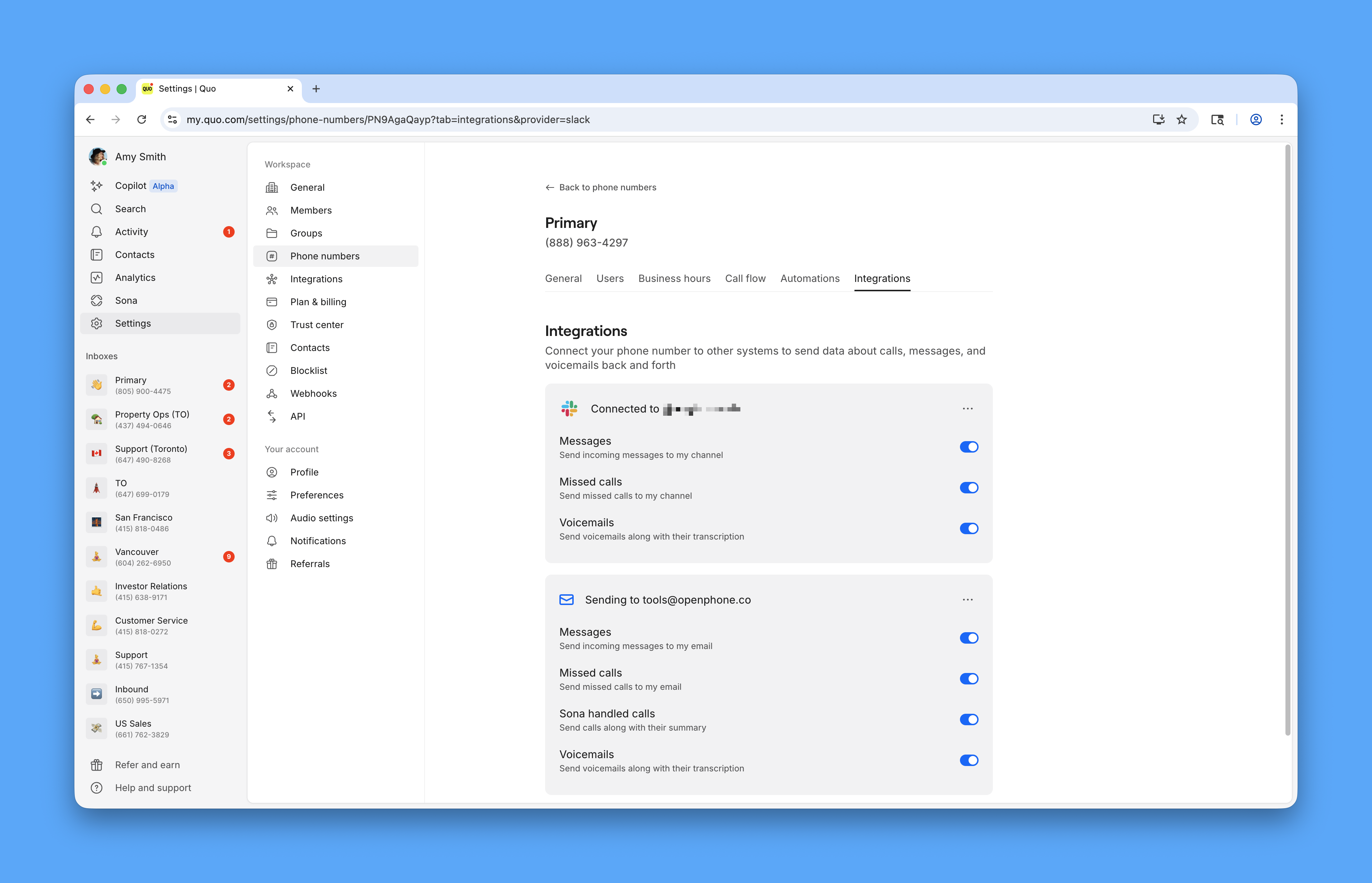 ### Notification configuration
**Available event types:**
* **Text messages**: Real-time message notifications
* **Missed calls**: Alerts for unanswered calls
* **Voicemail**: New voicemail notifications
**Customization options:**
* Toggle specific event types on/off
* Choose different channels for different events
* Configure notification timing and frequency
## Slack notification format
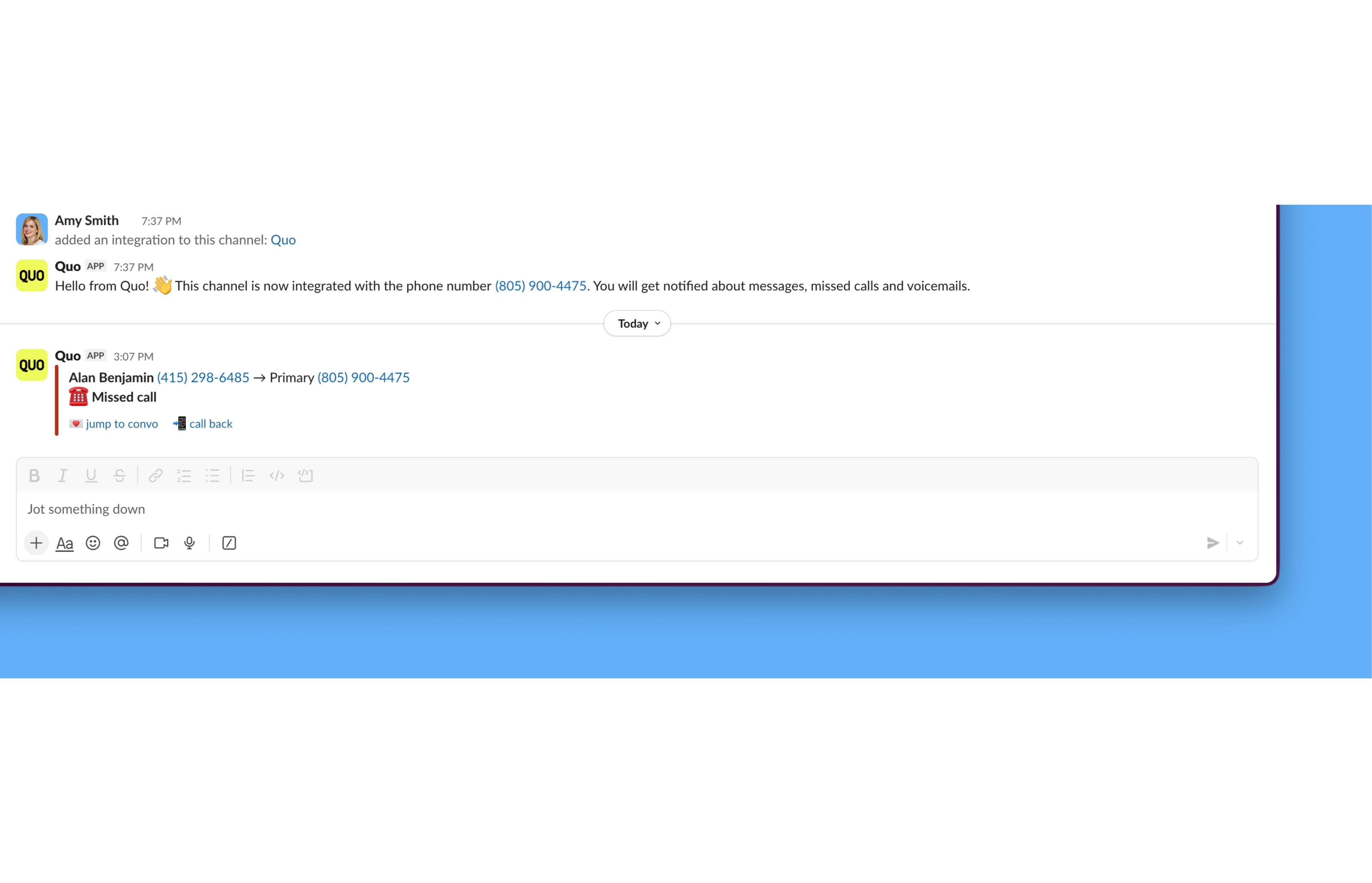
### How notifications appear
**Notification content includes:**
* Event type (call, message, voicemail)
* Sender/caller information
* Message content or call details
* Timestamp
* Quick action buttons
### Notification configuration
**Available event types:**
* **Text messages**: Real-time message notifications
* **Missed calls**: Alerts for unanswered calls
* **Voicemail**: New voicemail notifications
**Customization options:**
* Toggle specific event types on/off
* Choose different channels for different events
* Configure notification timing and frequency
## Slack notification format
### How notifications appear
**Notification content includes:**
* Event type (call, message, voicemail)
* Sender/caller information
* Message content or call details
* Timestamp
* Quick action buttons
 ### Message formatting
**Text message notifications:**
* Complete message content
* Sender identification
* Quo number that received message
* Thread organization for conversations
**Call notifications:**
* Caller identification
* Call duration (if answered)
* Miss call indicators
* Voicemail status
**Voicemail notifications:**
* Caller information
* Voicemail duration
* Transcription (when available)
* Direct playback options
## Managing Slack integration
### Updating settings
**To modify Slack notifications:**
* Return to phone number integration settings
* Adjust event types and channels
* Change notification frequency
* Update channel permissions
### Best practices
**Effective Slack integration:**
* Use dedicated channels for Quo notifications
* Configure appropriate team access
* Set notification preferences to avoid channel noise
* Use threading for related conversations
**Channel organization:**
* Create separate channels for different phone numbers
* Use descriptive channel names
* Set appropriate channel purposes
* Configure channel notification levels
### Troubleshooting
**Common setup issues:**
* Verify Slack workspace permissions
* Check channel access for Quo app
* Confirm notification settings are enabled
* Test with sample notifications
**Performance optimization:**
* Monitor channel message volume
* Adjust notification types based on team needs
* Use Slack's notification settings
* Regular review of integration effectiveness
### Message formatting
**Text message notifications:**
* Complete message content
* Sender identification
* Quo number that received message
* Thread organization for conversations
**Call notifications:**
* Caller identification
* Call duration (if answered)
* Miss call indicators
* Voicemail status
**Voicemail notifications:**
* Caller information
* Voicemail duration
* Transcription (when available)
* Direct playback options
## Managing Slack integration
### Updating settings
**To modify Slack notifications:**
* Return to phone number integration settings
* Adjust event types and channels
* Change notification frequency
* Update channel permissions
### Best practices
**Effective Slack integration:**
* Use dedicated channels for Quo notifications
* Configure appropriate team access
* Set notification preferences to avoid channel noise
* Use threading for related conversations
**Channel organization:**
* Create separate channels for different phone numbers
* Use descriptive channel names
* Set appropriate channel purposes
* Configure channel notification levels
### Troubleshooting
**Common setup issues:**
* Verify Slack workspace permissions
* Check channel access for Quo app
* Confirm notification settings are enabled
* Test with sample notifications
**Performance optimization:**
* Monitor channel message volume
* Adjust notification types based on team needs
* Use Slack's notification settings
* Regular review of integration effectiveness