> ## Documentation Index
> Fetch the complete documentation index at: https://support.quo.com/llms.txt
> Use this file to discover all available pages before exploring further.
# Gong
> Automatically sync Quo, formerly OpenPhone, call recordings to Gong for conversation intelligence and sales analysis
To use integrations, you must have the [Quo Desktop app installed](https://support.quo.com/getting-started/install-apps).
## Overview
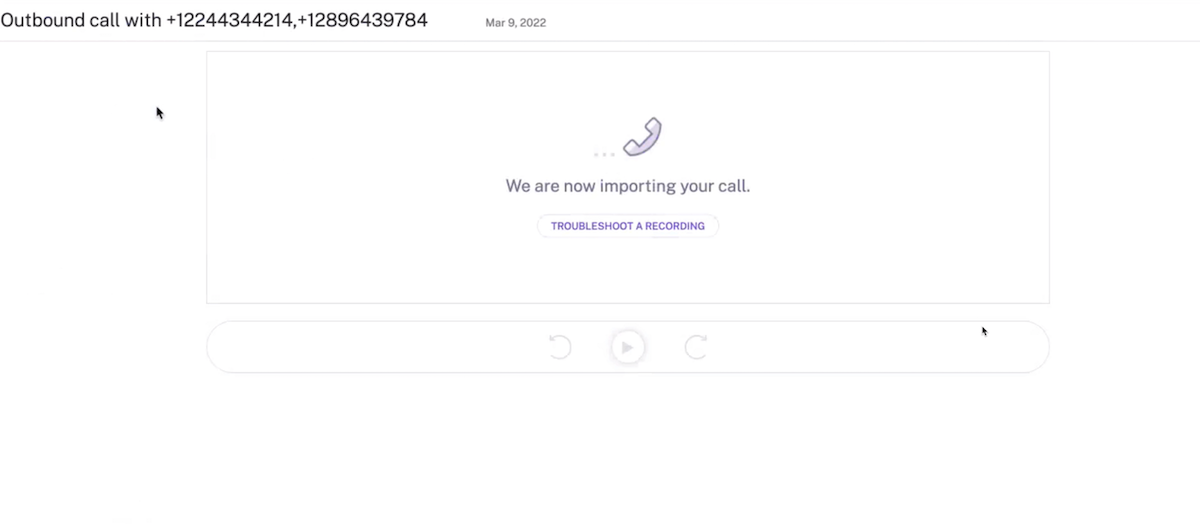
Quo's Gong integration automatically syncs call recordings to Gong for conversation intelligence and analysis. Analyze call interactions, track key moments, and leverage Gong's AI-powered insights on your Quo conversations.
Gong integration is available for Business plan customers. You must be a workspace Owner or Admin to set up the integration.
## How the integration works
### Automatic call recording sync
**Recording workflow:**
* Quo call recordings automatically import to Gong
* Choose auto-recording at phone number level or manual recording during calls
* Recordings sync immediately after call completion
* Full audio and transcript data transferred
 ### Gong analysis features
**Available in Gong:**
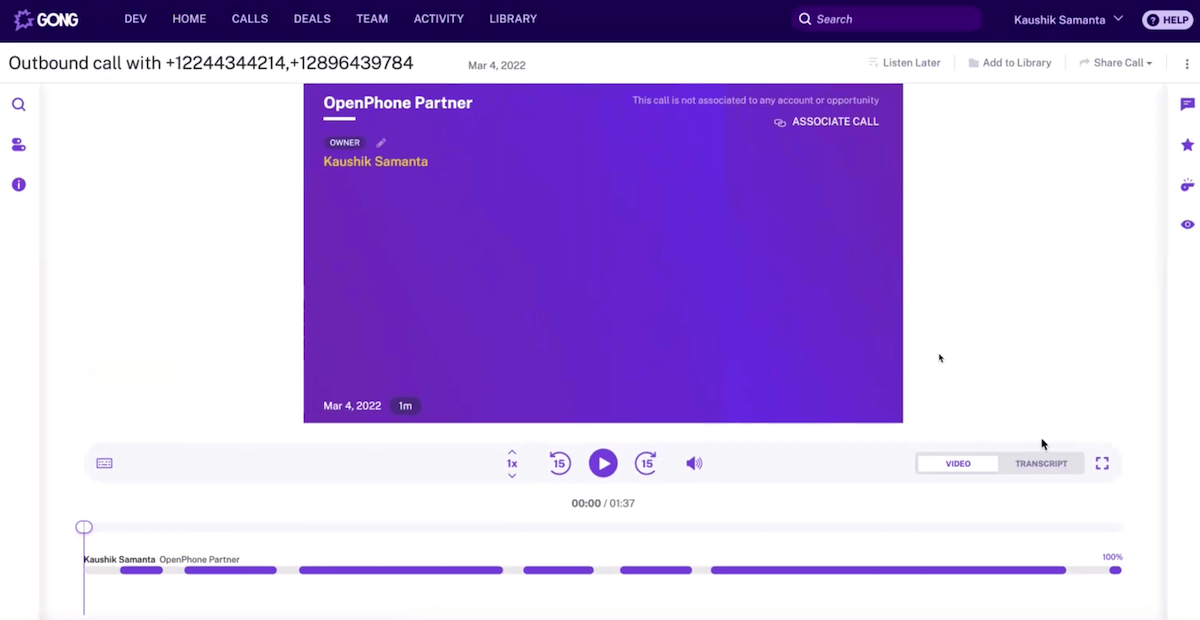
* Full call recording playback
* AI-generated conversation insights
* Key moments and points of interest identification
* Questions asked during calls
* Repeat phrases and talking patterns
### Gong analysis features
**Available in Gong:**
* Full call recording playback
* AI-generated conversation insights
* Key moments and points of interest identification
* Questions asked during calls
* Repeat phrases and talking patterns
 ### Transcript analysis
**Call transcript features:**
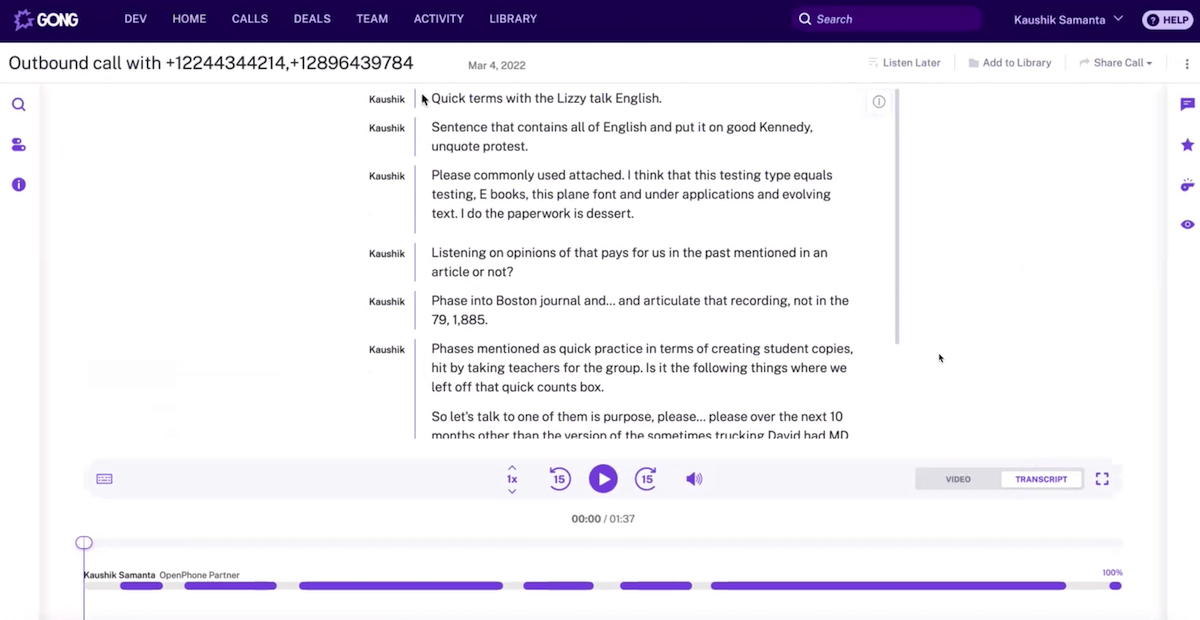
* Complete conversation transcription
* Coaching opportunities identification
* Sales methodology tracking
* Performance analysis and insights
### Transcript analysis
**Call transcript features:**
* Complete conversation transcription
* Coaching opportunities identification
* Sales methodology tracking
* Performance analysis and insights
 ## Setting up Gong integration
### Prerequisites
**Requirements:**
* Quo Business plan subscription
* Active Gong account
* Workspace Owner or Admin permissions in Quo
* Admin access to Gong workspace
### Connection process
**To connect Quo to Gong:**
1. Open Quo web or desktop app
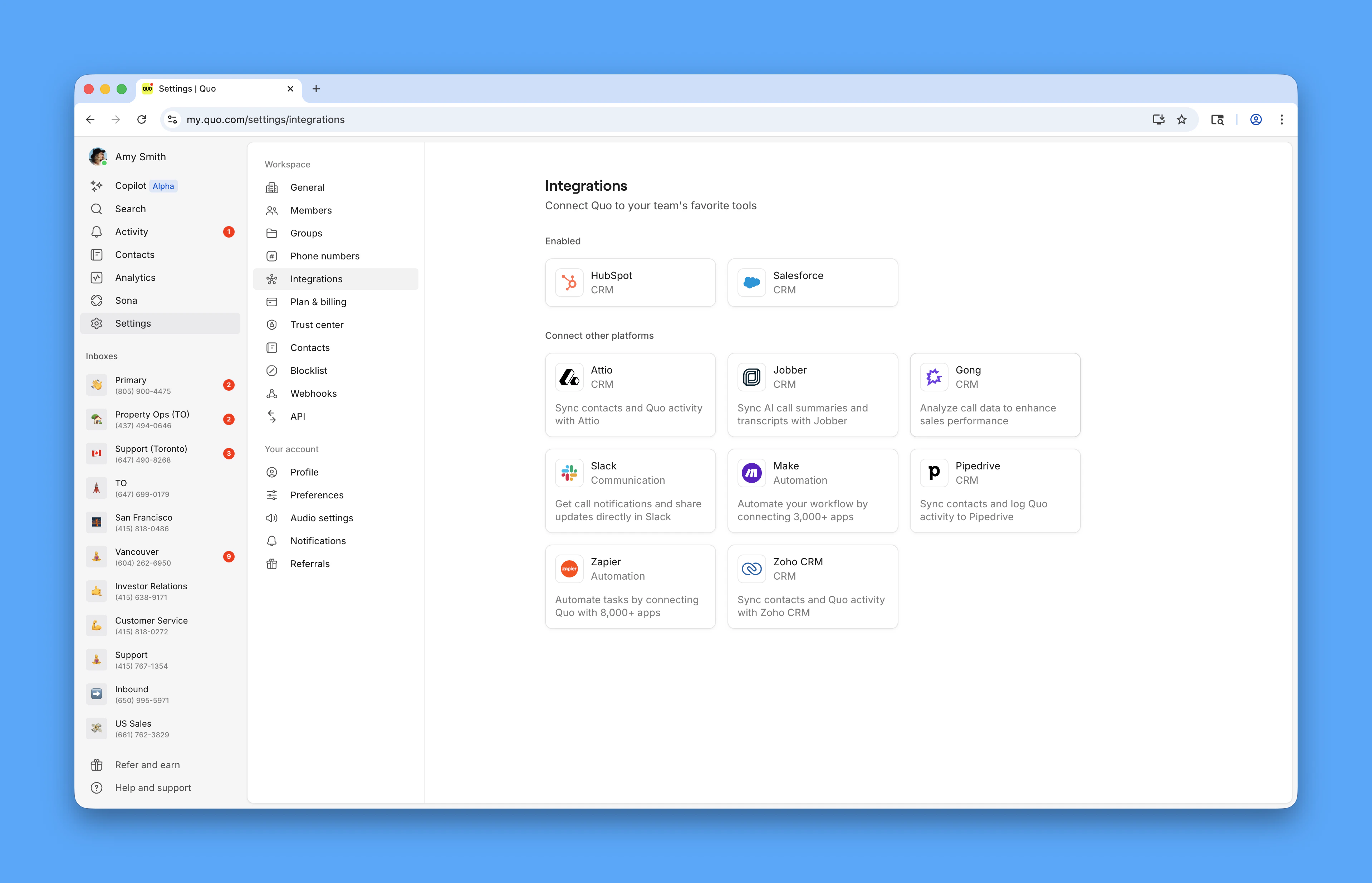
2. Navigate to **Settings** → **Integrations**
3. Select **Gong** from available integrations
4. Click **+ Connect to Gong**
5. Authorize connection in Gong
6. Return to Quo for configuration
## Setting up Gong integration
### Prerequisites
**Requirements:**
* Quo Business plan subscription
* Active Gong account
* Workspace Owner or Admin permissions in Quo
* Admin access to Gong workspace
### Connection process
**To connect Quo to Gong:**
1. Open Quo web or desktop app
2. Navigate to **Settings** → **Integrations**
3. Select **Gong** from available integrations
4. Click **+ Connect to Gong**
5. Authorize connection in Gong
6. Return to Quo for configuration
 ### Configuration
**After connecting:**
* Select phone numbers to sync recordings from
* Configure which calls should be recorded
* Set up automatic vs. manual recording preferences
* Test the integration with sample calls
## Using the integration
### Recording settings
**Call recording options:**
* **Auto-record**: All calls on selected numbers automatically recorded
* **Manual recording**: Use record button during live calls
* **Selective sync**: Choose which recordings sync to Gong
* **Number-specific settings**: Different recording rules per phone number
### Data synchronization
**What syncs to Gong:**
* Complete call audio recordings
* Call metadata (duration, participants, timestamps)
* Conversation transcripts
* Call outcomes and dispositions
### Analysis workflow
**In Gong platform:**
* Review imported Quo calls
* Analyze conversation patterns and insights
* Track sales methodology adherence
* Use coaching features for team development
* Generate reports on call performance
## Best practices
### Recording management
**Effective recording strategy:**
* Enable auto-recording for sales and support numbers
* Train team on manual recording for important calls
* Review recording settings regularly
* Ensure compliance with local recording laws
### Gong optimization
**Maximizing insights:**
* Tag important calls for easy filtering
* Use Gong's coaching features for team development
* Set up custom trackers for key sales moments
* Regular review of conversation analytics
### Team workflow
**Integration in daily work:**
* Include Gong analysis in sales reviews
* Use insights for coaching conversations
* Track performance trends over time
* Share best practices identified through analysis
## Related integrations
**Complementary tools:**
* [HubSpot integration](https://support.quo.com/core-concepts/integrations/hubspot) for CRM synchronization
* [Zapier integration](https://support.quo.com/core-concepts/integrations/zapier) for workflow automation
* Email notifications for call alerts
* Slack integration for team notifications
### Configuration
**After connecting:**
* Select phone numbers to sync recordings from
* Configure which calls should be recorded
* Set up automatic vs. manual recording preferences
* Test the integration with sample calls
## Using the integration
### Recording settings
**Call recording options:**
* **Auto-record**: All calls on selected numbers automatically recorded
* **Manual recording**: Use record button during live calls
* **Selective sync**: Choose which recordings sync to Gong
* **Number-specific settings**: Different recording rules per phone number
### Data synchronization
**What syncs to Gong:**
* Complete call audio recordings
* Call metadata (duration, participants, timestamps)
* Conversation transcripts
* Call outcomes and dispositions
### Analysis workflow
**In Gong platform:**
* Review imported Quo calls
* Analyze conversation patterns and insights
* Track sales methodology adherence
* Use coaching features for team development
* Generate reports on call performance
## Best practices
### Recording management
**Effective recording strategy:**
* Enable auto-recording for sales and support numbers
* Train team on manual recording for important calls
* Review recording settings regularly
* Ensure compliance with local recording laws
### Gong optimization
**Maximizing insights:**
* Tag important calls for easy filtering
* Use Gong's coaching features for team development
* Set up custom trackers for key sales moments
* Regular review of conversation analytics
### Team workflow
**Integration in daily work:**
* Include Gong analysis in sales reviews
* Use insights for coaching conversations
* Track performance trends over time
* Share best practices identified through analysis
## Related integrations
**Complementary tools:**
* [HubSpot integration](https://support.quo.com/core-concepts/integrations/hubspot) for CRM synchronization
* [Zapier integration](https://support.quo.com/core-concepts/integrations/zapier) for workflow automation
* Email notifications for call alerts
* Slack integration for team notifications