> ## Documentation Index
> Fetch the complete documentation index at: https://support.quo.com/llms.txt
> Use this file to discover all available pages before exploring further.
# Call hold
> Put callers on hold for all the traditional reasons people have always put callers on hold, to consult with other team members or handle tasks during conversations.
## Overview
Call hold allows you to temporarily pause conversations with external callers while you consult with team members, look up information, or handle other tasks. Quo, formerly OpenPhone, automatically plays hold music to keep callers engaged during the pause. Hold is available on all Quo plans.
Want to choose your own hold music? [Learn how to customize your hold music in Quo here.](https://support.quo.com/core-concepts/calling/making-calls#custom-hold-music)
## How to use call hold
### Individual caller hold
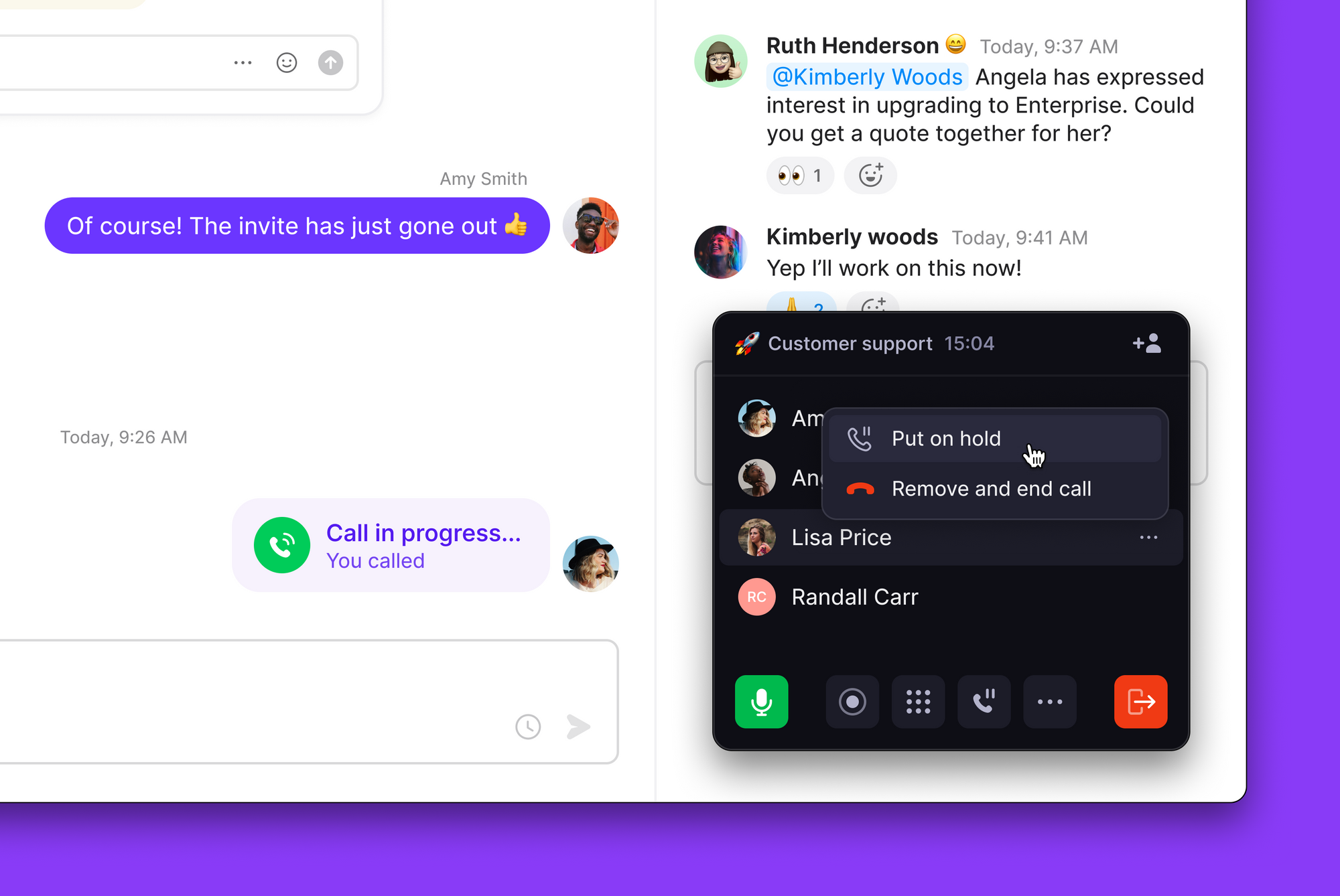
1. During an active call, click the **Hold** button ⏸️
2. The caller hears hold music while you're away
3. Click the **Hold** button again to resume
 ### Group call hold
For calls with multiple external participants:
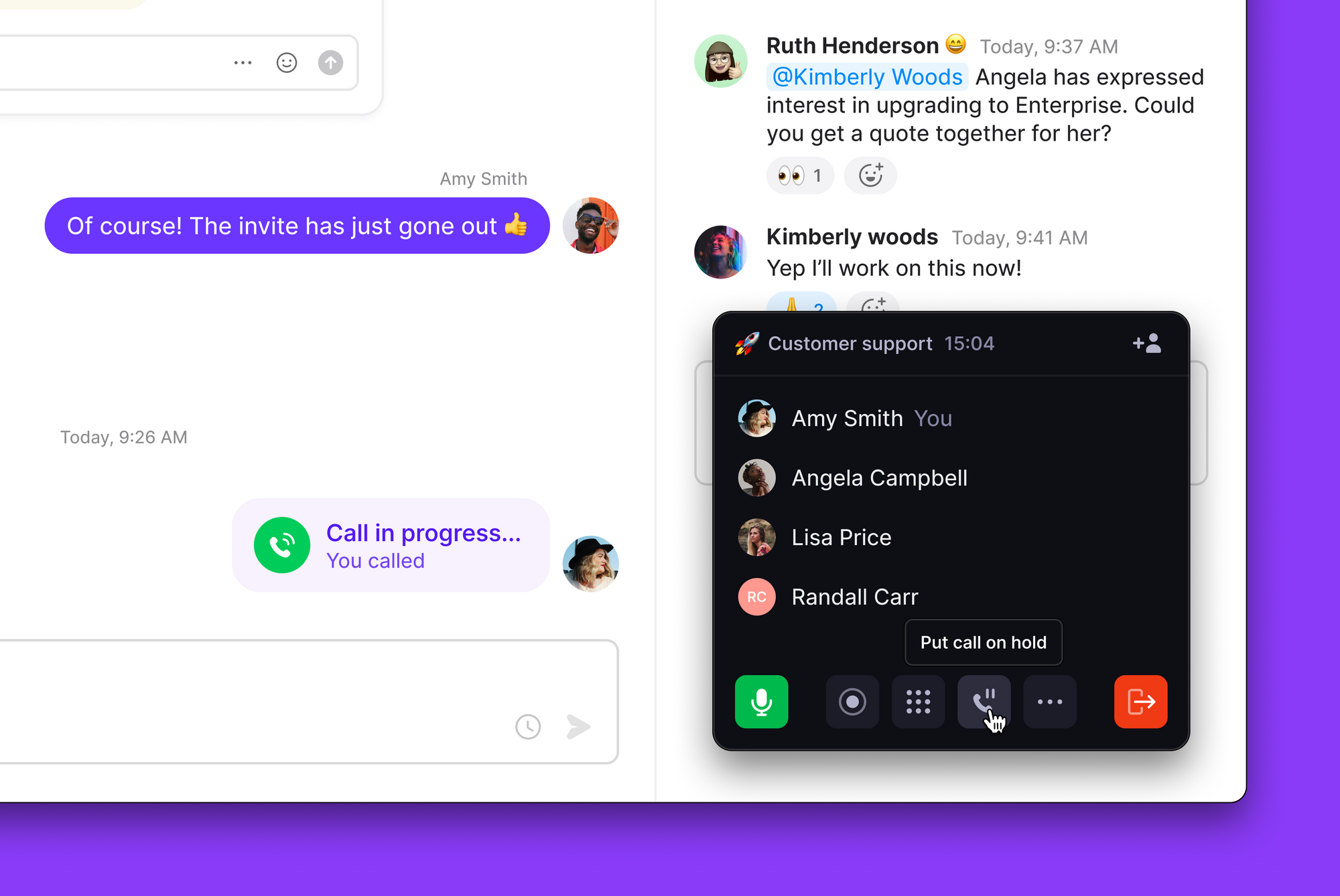
1. Click the **put call on hold** button at the bottom of the call controls
2. All external callers are placed on hold simultaneously
3. Click **put call on hold** again to resume with all participants
### Group call hold
For calls with multiple external participants:
1. Click the **put call on hold** button at the bottom of the call controls
2. All external callers are placed on hold simultaneously
3. Click **put call on hold** again to resume with all participants
 ### Individual caller hold
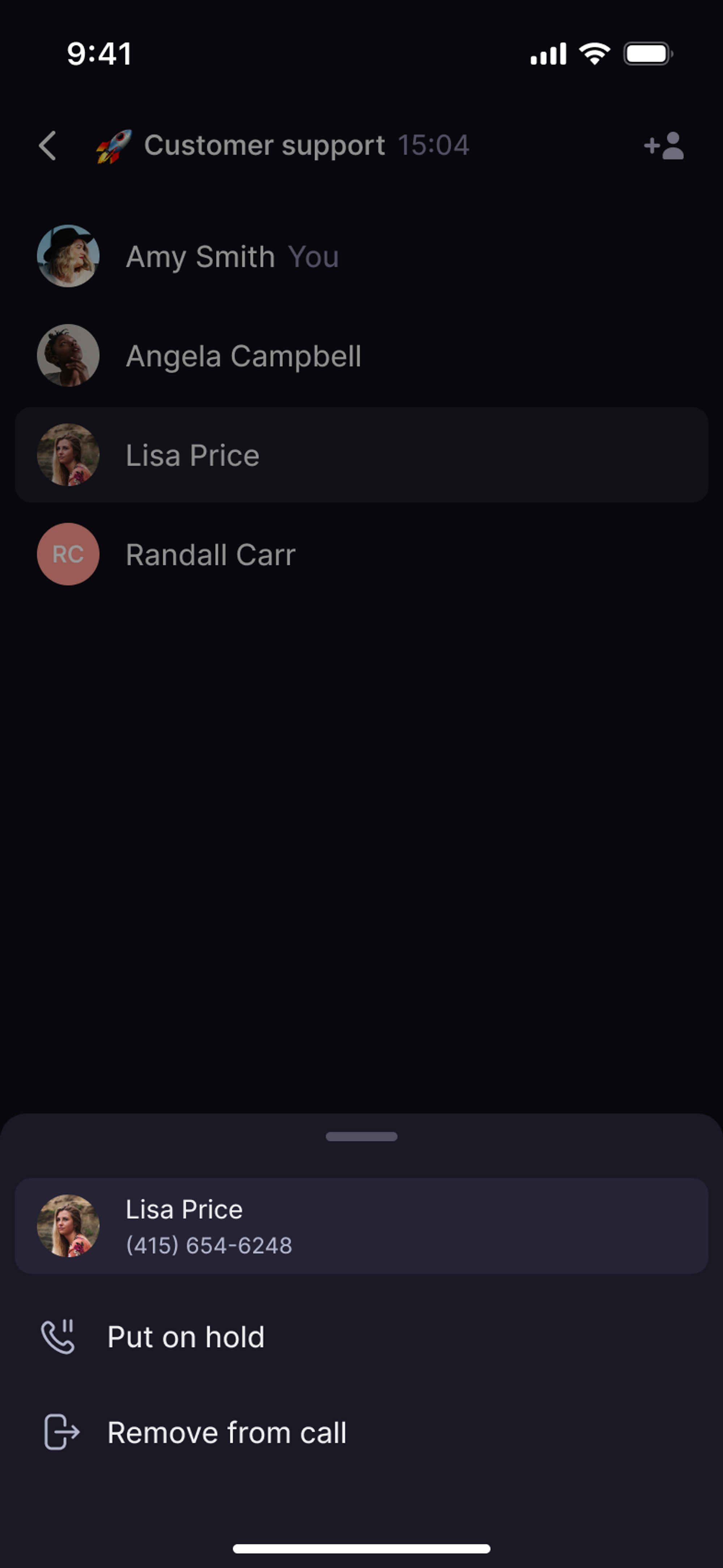
1. During an active call, tap the caller's name
2. Select **Put on hold**
3. Tap again to resume the conversation
### Individual caller hold
1. During an active call, tap the caller's name
2. Select **Put on hold**
3. Tap again to resume the conversation
 ### Group call hold
For calls with multiple external participants:
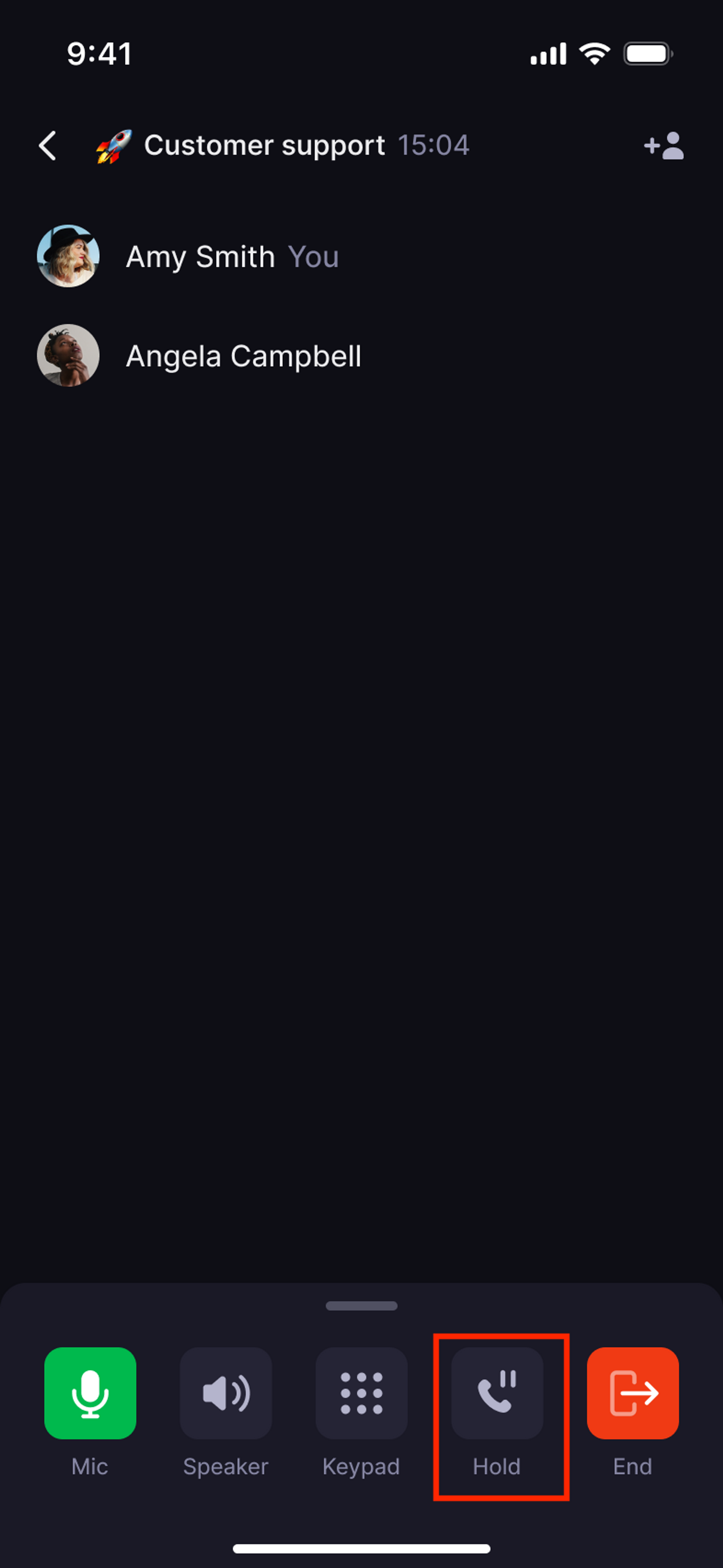
1. Tap the **Room Hold** button in call controls
2. All external participants are placed on hold
3. Tap **Room Hold** again to bring everyone back
### Group call hold
For calls with multiple external participants:
1. Tap the **Room Hold** button in call controls
2. All external participants are placed on hold
3. Tap **Room Hold** again to bring everyone back
 ### Who can be placed on hold
* ✅ **External callers**: Any number outside your Quo workspace
* ❌ **Team members**: Internal workspace calls cannot be placed on hold
***
## Troubleshooting
Hold only works with external callers. Calls between Quo workspace members cannot be placed on hold.
If a held call disconnected, you may have reached your platform's call limit when a new call came in. On iOS, you can hold 1 call at a time. On Android, web, and desktop, you can hold up to 2. Calls that can't be held are routed to your call flow.
Ensure you're on a call with an external number. The hold feature doesn't work for internal team calls or certain call types.
Currently, Quo provides one standard hold music option. Custom hold music isn't available, but you can minimize hold times for better experience.
### Who can be placed on hold
* ✅ **External callers**: Any number outside your Quo workspace
* ❌ **Team members**: Internal workspace calls cannot be placed on hold
***
## Troubleshooting
Hold only works with external callers. Calls between Quo workspace members cannot be placed on hold.
If a held call disconnected, you may have reached your platform's call limit when a new call came in. On iOS, you can hold 1 call at a time. On Android, web, and desktop, you can hold up to 2. Calls that can't be held are routed to your call flow.
Ensure you're on a call with an external number. The hold feature doesn't work for internal team calls or certain call types.
Currently, Quo provides one standard hold music option. Custom hold music isn't available, but you can minimize hold times for better experience.