> ## Documentation Index
> Fetch the complete documentation index at: https://support.quo.com/llms.txt
> Use this file to discover all available pages before exploring further.
# Ask Quo
> Ask about your conversations, contacts, and team activity in plain language, then let it help you act on what it finds.
## Overview
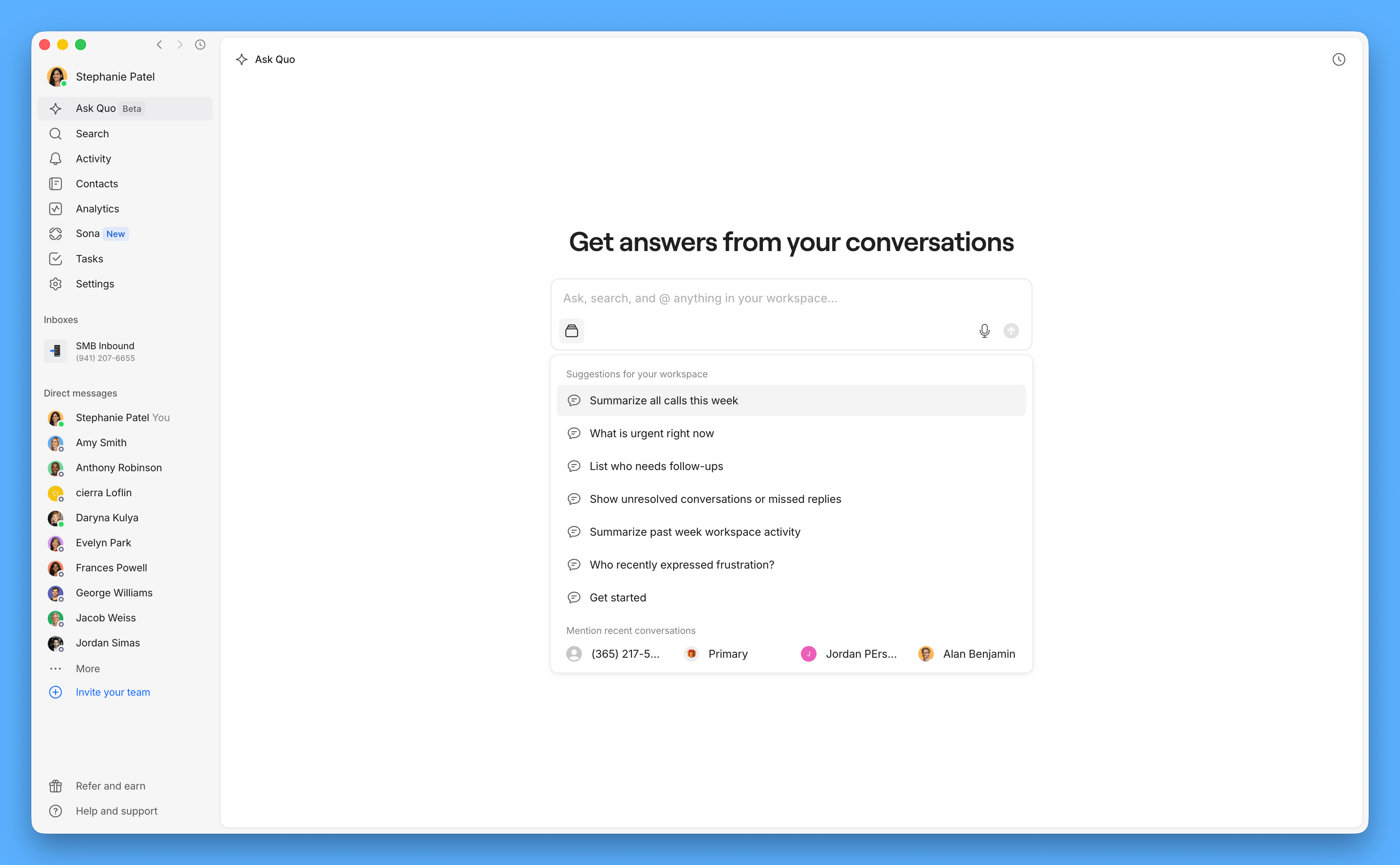
Ask Quo is an AI agent built into Quo. Ask it a question about your workspace in plain language and it answers using your own conversations, contacts, calls, and tasks. It can also help you act on what it finds: **draft a reply, create** or **update a task,** or **create** or **update a contact**.
It never sends, saves, or changes anything without your approval. It prepares the draft, task, or contact update, shows you exactly what it's about to do, and waits for you to approve it.
**The Quo Agent is currently in open beta.** It's included on every Quo plan at no extra cost, on web and desktop. The feature is actively in development, and we'll keep sharing improvements as they land.
 ***
### Where to launch the Quo Agent
There are two ways to open the agent. Both launch the same assistant.
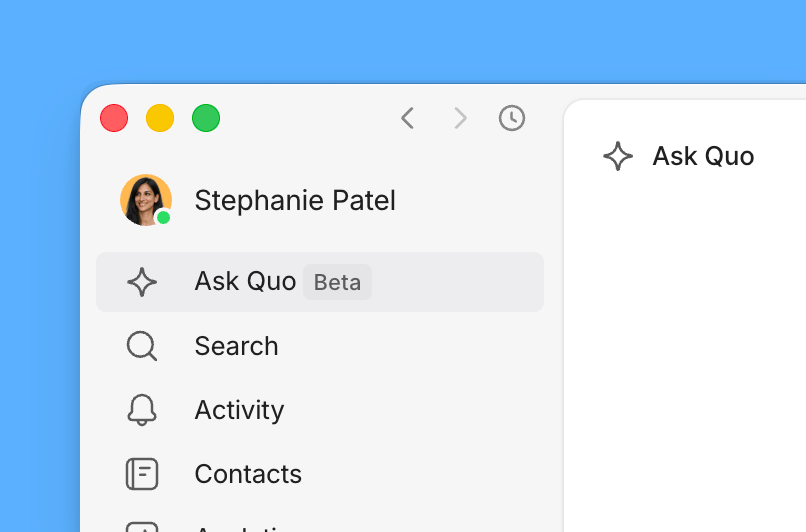
* **From anywhere in your workspace:** open **Ask Quo** from your side menu.
***
### Where to launch the Quo Agent
There are two ways to open the agent. Both launch the same assistant.
* **From anywhere in your workspace:** open **Ask Quo** from your side menu.
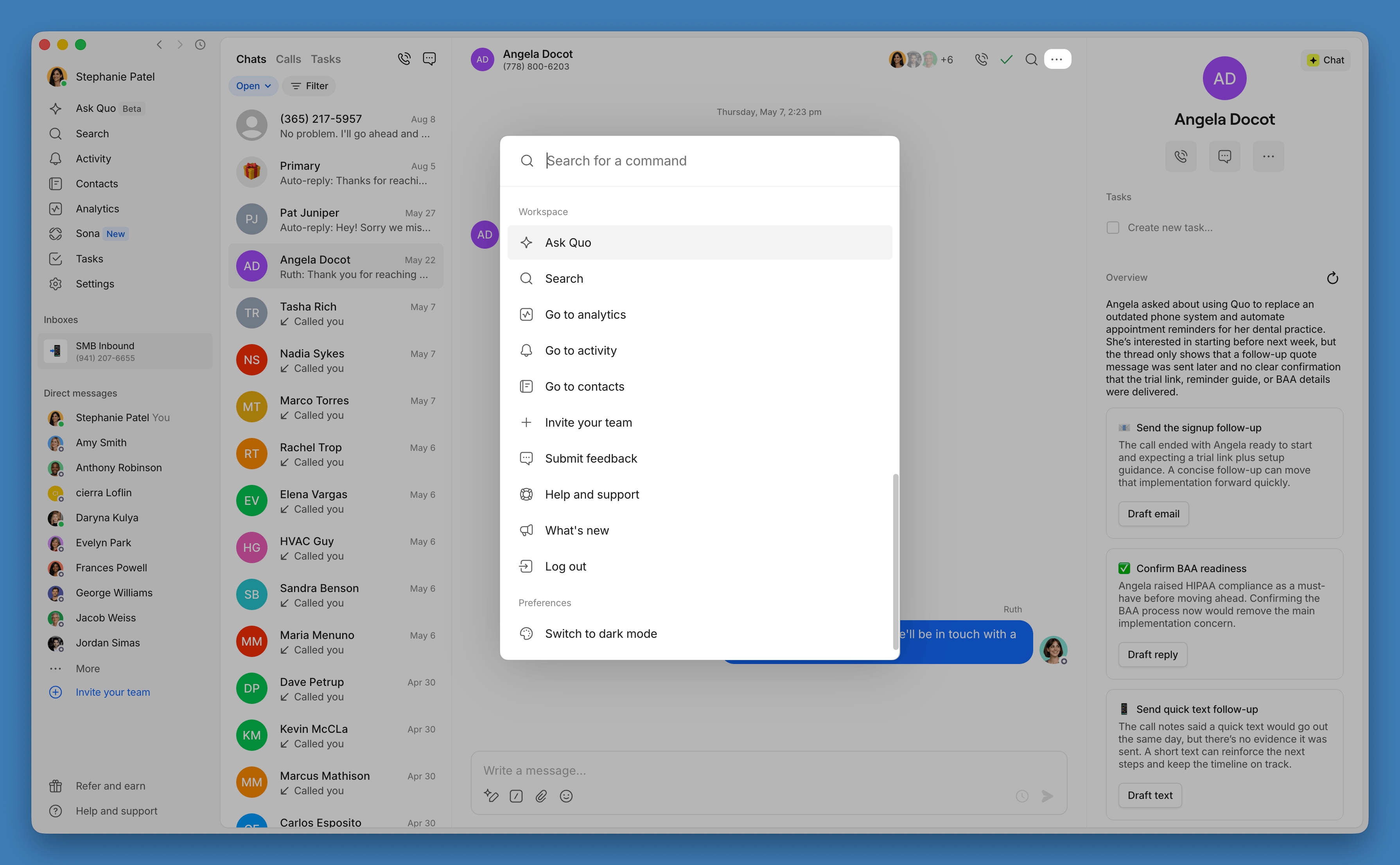
 * **From a conversation:** click the **Three dots (...)** near the top of the conversation panel. For now, the agent answers questions about your full workspace, use the customer's name to query a specific thread.
 ***
### Find information across your workspace
Ask about a specific customer, contact, or conversation instead of scrolling through history.
* "When did we schedule a follow up with Angela?"
* "What did John say his email was?"
* "Find every customer who mentioned pricing in the last 30 days."
***
### Find information across your workspace
Ask about a specific customer, contact, or conversation instead of scrolling through history.
* "When did we schedule a follow up with Angela?"
* "What did John say his email was?"
* "Find every customer who mentioned pricing in the last 30 days."
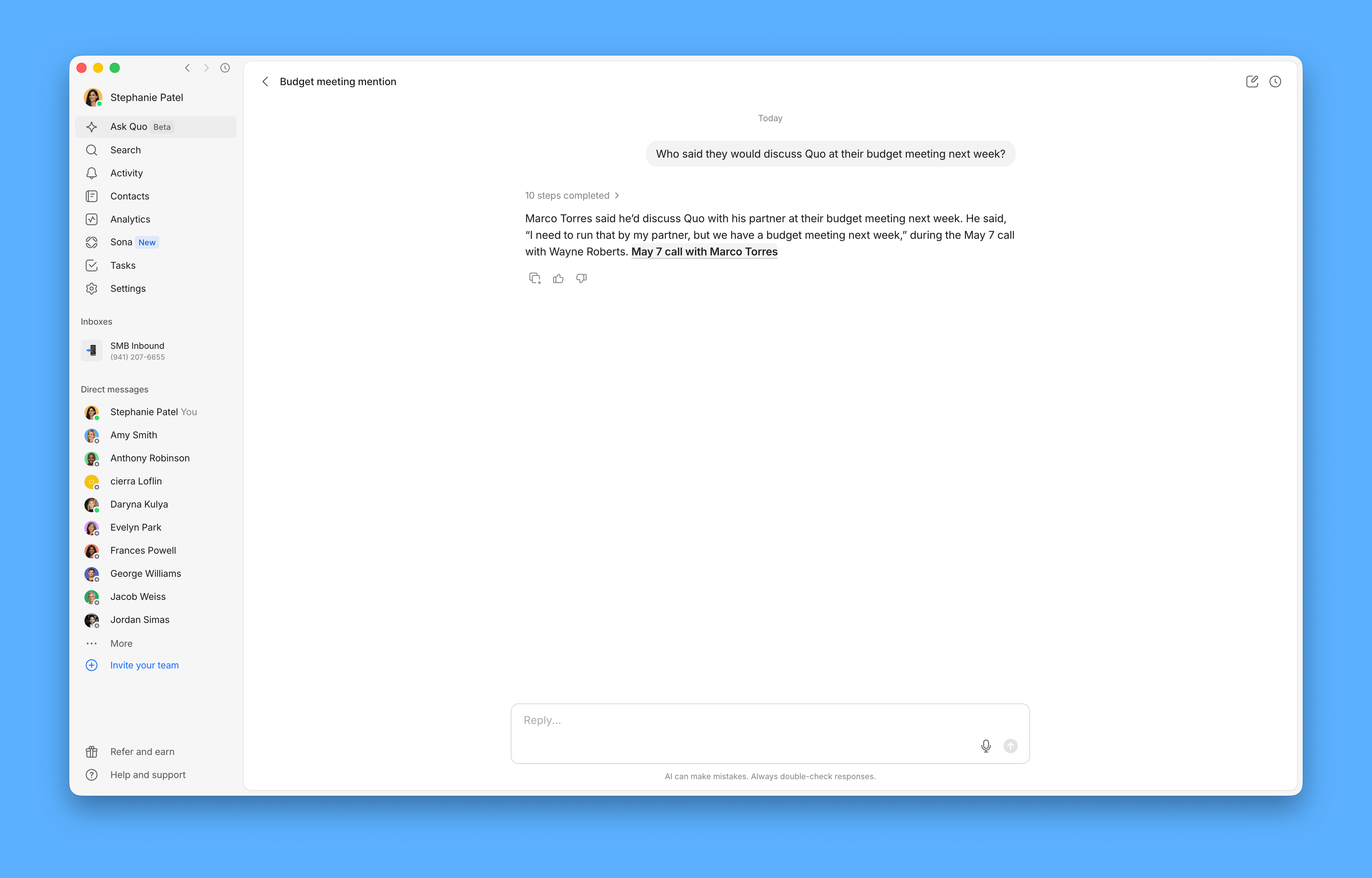 Every answer links back to the exact conversation it came from, so you can check the source yourself.
***
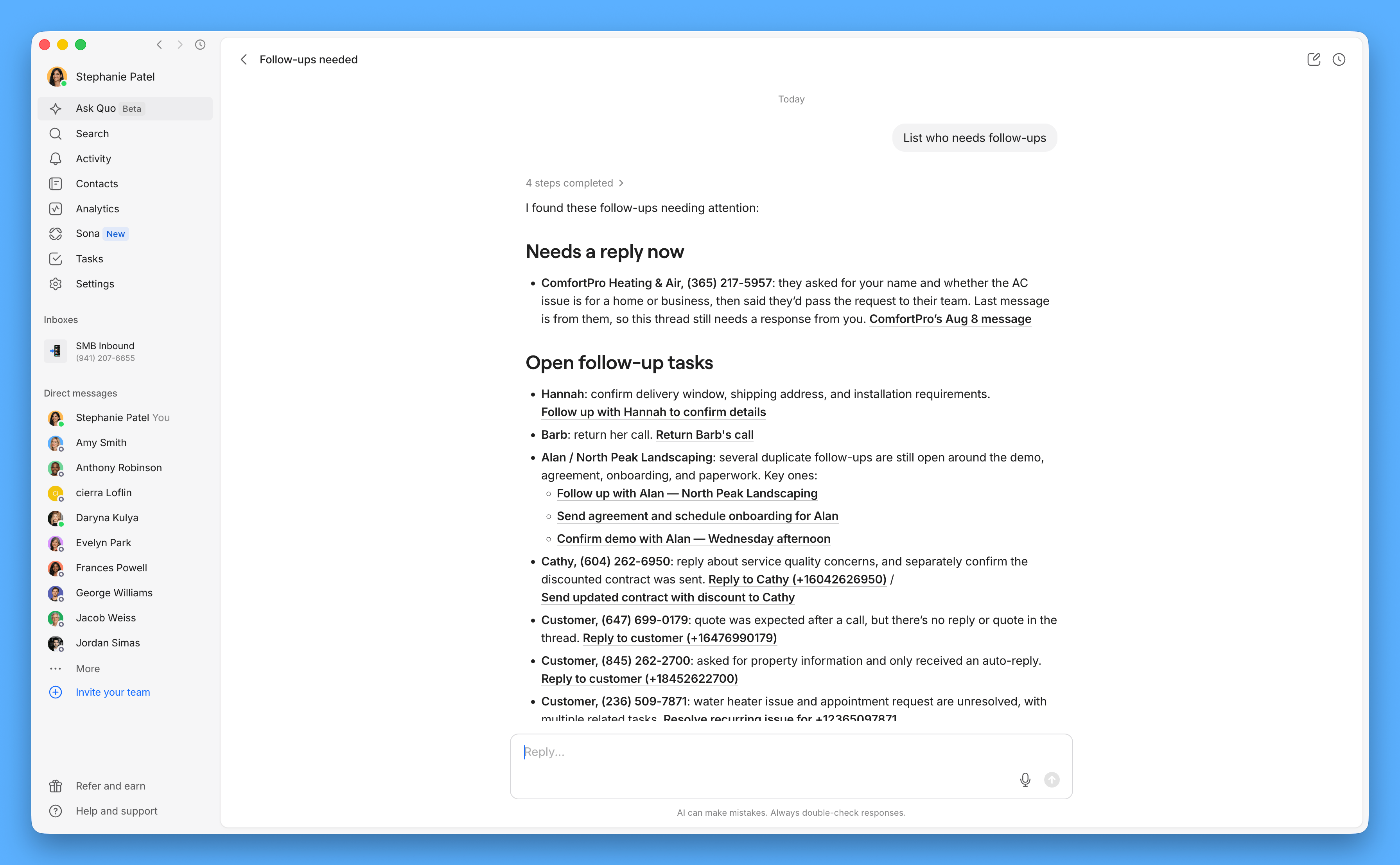
### See what needs your attention
Ask what's pending, urgent, or unresolved, and the Quo Agent answers using the data you have permission to access.
* "What's still unanswered from yesterday?"
* "Anything need follow-up across the team?"
* "Who called and didn't get a callback?"
Every answer links back to the exact conversation it came from, so you can check the source yourself.
***
### See what needs your attention
Ask what's pending, urgent, or unresolved, and the Quo Agent answers using the data you have permission to access.
* "What's still unanswered from yesterday?"
* "Anything need follow-up across the team?"
* "Who called and didn't get a callback?"
 The Quo Agent only works with inboxes and data you already have access to. It doesn't expand your permissions.
***
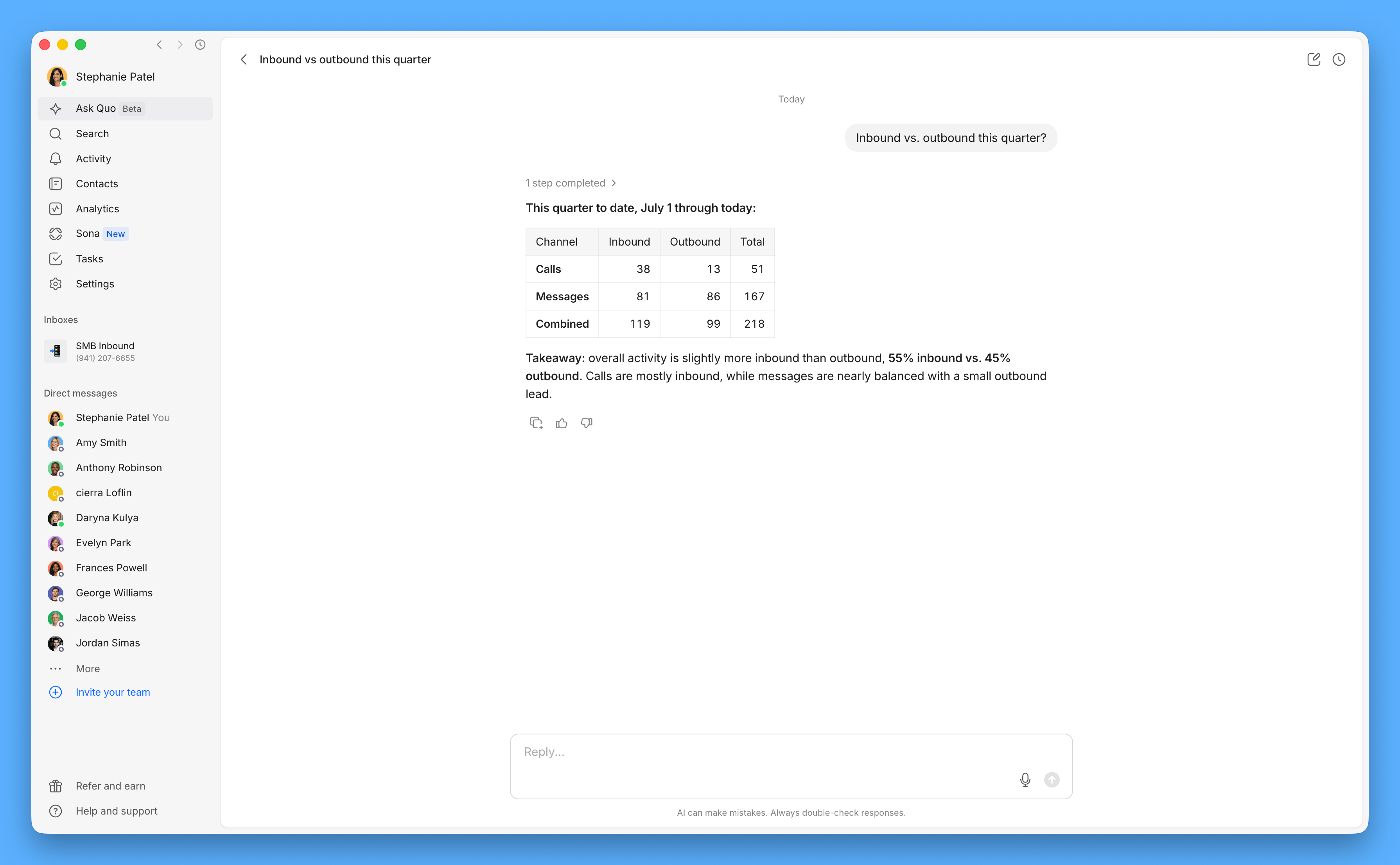
### Check team performance
Ask for performance and activity metrics without building a report in Analytics.
* "How many calls did we miss last week?"
* "How many calls did Sarah take last month?"
* "Inbound vs. outbound this quarter?"
The Quo Agent only works with inboxes and data you already have access to. It doesn't expand your permissions.
***
### Check team performance
Ask for performance and activity metrics without building a report in Analytics.
* "How many calls did we miss last week?"
* "How many calls did Sarah take last month?"
* "Inbound vs. outbound this quarter?"
 ***
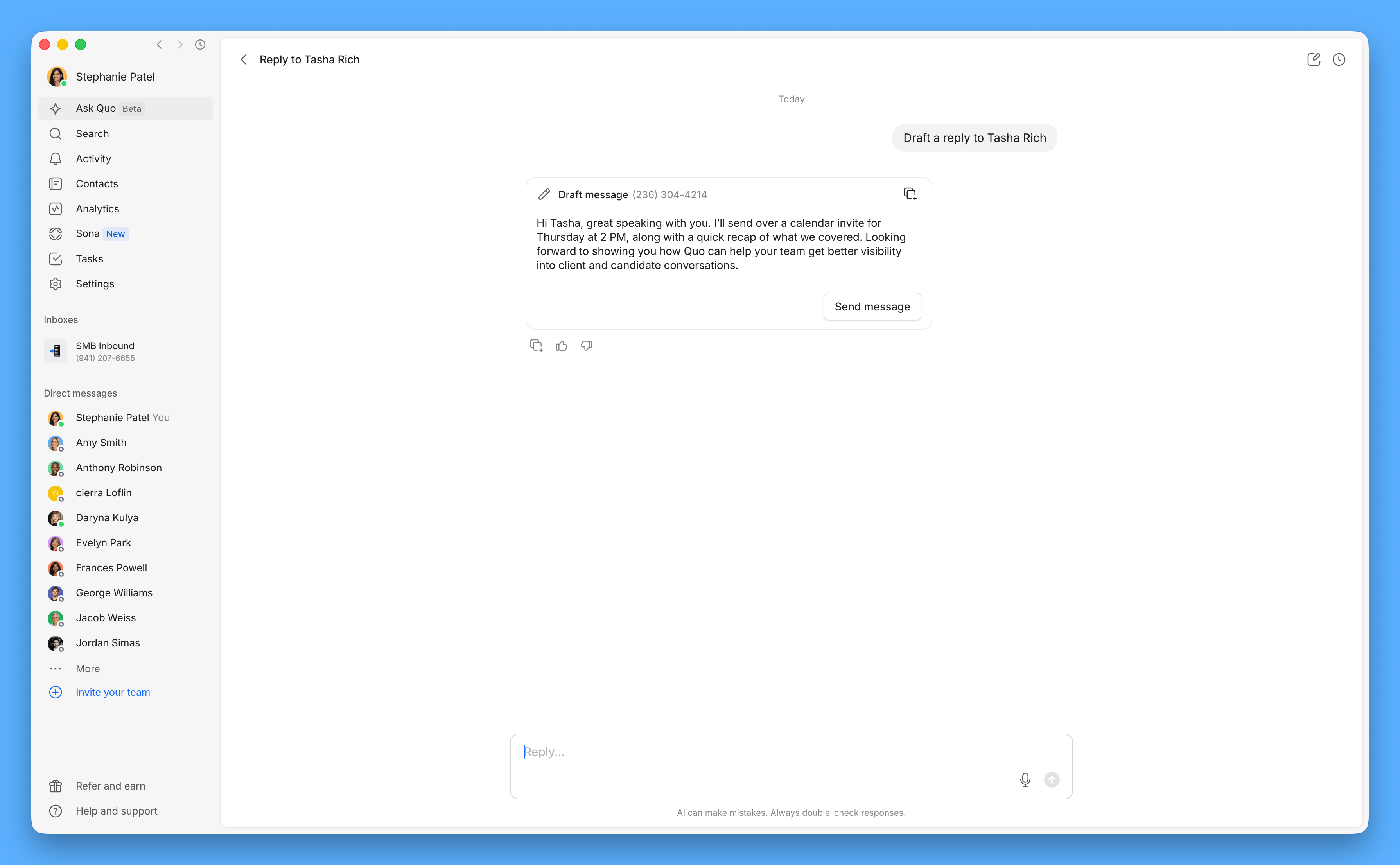
### Take action on what it finds
Ask the agent to complete the next step, not just point it out.
* "Summarize my conversation with Andy Smith."
* "Draft a reply to this customer."
* "Create a task to follow up Friday."
* "Add this number as a new contact."
The Quo agent prepares the draft, task, or contact change and waits for your approval before anything sends or saves. You can't edit a draft directly. Tell it what to change and it redrafts it for you.
***
### Take action on what it finds
Ask the agent to complete the next step, not just point it out.
* "Summarize my conversation with Andy Smith."
* "Draft a reply to this customer."
* "Create a task to follow up Friday."
* "Add this number as a new contact."
The Quo agent prepares the draft, task, or contact change and waits for your approval before anything sends or saves. You can't edit a draft directly. Tell it what to change and it redrafts it for you.
 The Quo Agent can tell you what Sona has been doing on your calls, but it can't trigger Sona actions on your behalf.
***
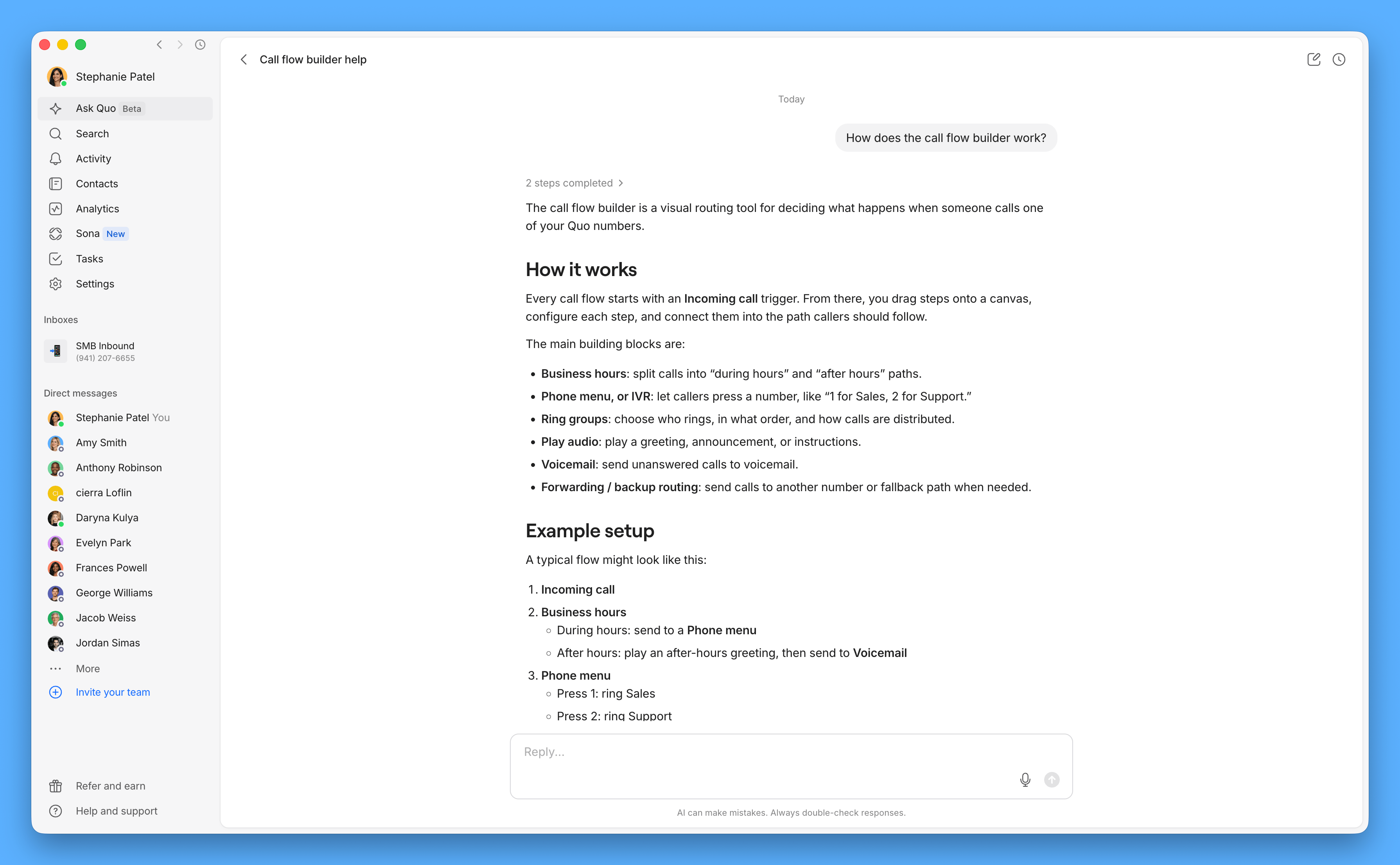
### Get help with how Quo works
Ask the agent general questions about Quo, like what a feature does or where to find a setting. It can point you to where to make a change, but it can't make the change for you.
The Quo Agent can tell you what Sona has been doing on your calls, but it can't trigger Sona actions on your behalf.
***
### Get help with how Quo works
Ask the agent general questions about Quo, like what a feature does or where to find a setting. It can point you to where to make a change, but it can't make the change for you.
 ***
## FAQs
No. the agent always prepares the draft or action first and waits for your approval. Nothing sends, saves, or changes until you approve it.
Treat Ask Quo as a starting point, especially for exact counts or older call history. Every answer links back to where it came from, so you can double check it yourself.
Not directly in the draft itself. Tell Ask Quo what you'd like changed and it redrafts the message, task, or contact update for you.
No. If a contact has said "stop" or asked to unsubscribe, Ask Quo can surface that for you, and Quo won't send further messages to that contact.
Not yet. Today, Ask Quo only works with what's in your Quo workspace: conversations, contacts, calls, and tasks.
Ask Quo is currently available on web and desktop only.
Need help? [Submit a support request](https://support.quo.com/help/submit-a-request) and we'll jump in.
***
## FAQs
No. the agent always prepares the draft or action first and waits for your approval. Nothing sends, saves, or changes until you approve it.
Treat Ask Quo as a starting point, especially for exact counts or older call history. Every answer links back to where it came from, so you can double check it yourself.
Not directly in the draft itself. Tell Ask Quo what you'd like changed and it redrafts the message, task, or contact update for you.
No. If a contact has said "stop" or asked to unsubscribe, Ask Quo can surface that for you, and Quo won't send further messages to that contact.
Not yet. Today, Ask Quo only works with what's in your Quo workspace: conversations, contacts, calls, and tasks.
Ask Quo is currently available on web and desktop only.
Need help? [Submit a support request](https://support.quo.com/help/submit-a-request) and we'll jump in.